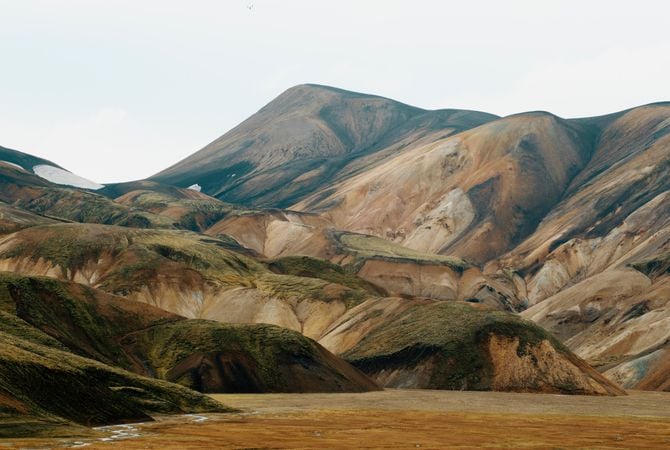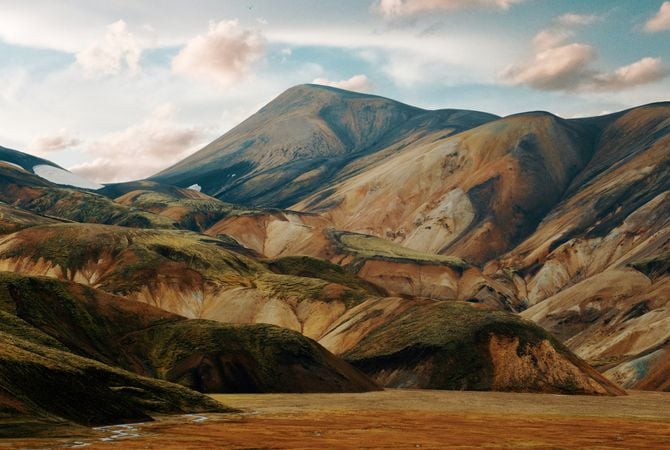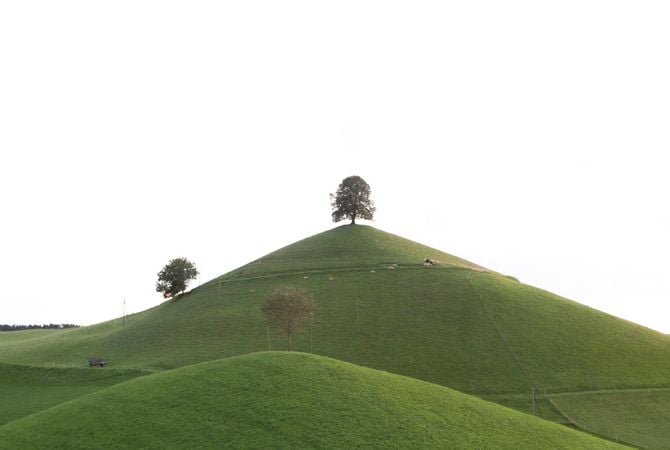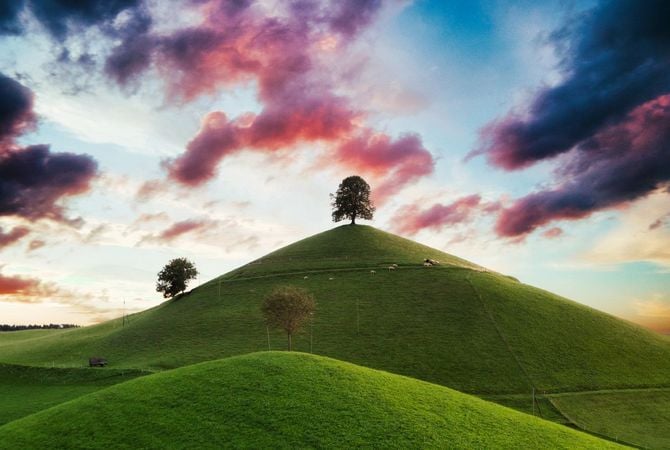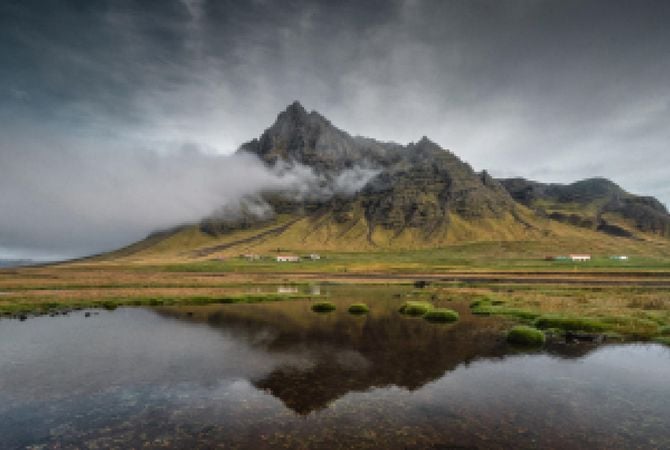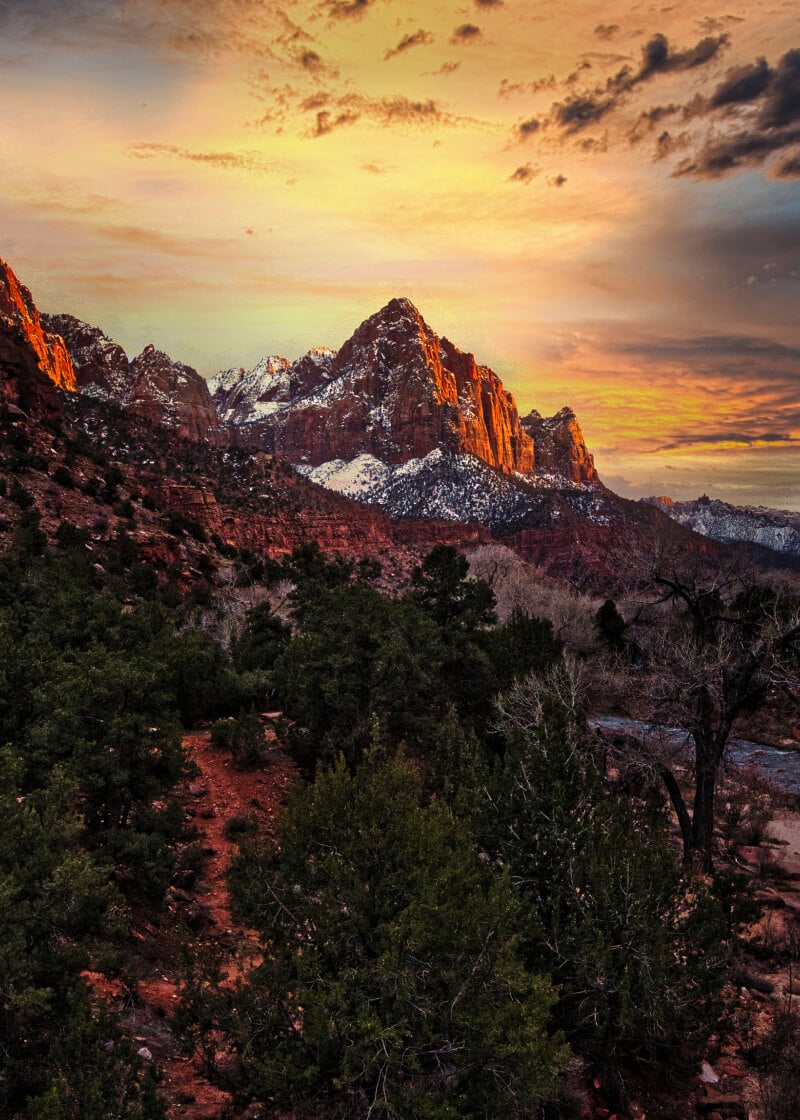


























Powerful HDR Merge tool

One-stop HDR photo editor for nature and architecture photography

© Serge Ramelli
ev -1.5
ev -1.0
ev +0.5
© Cuma Cevik

Superior bracket merging

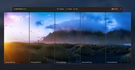
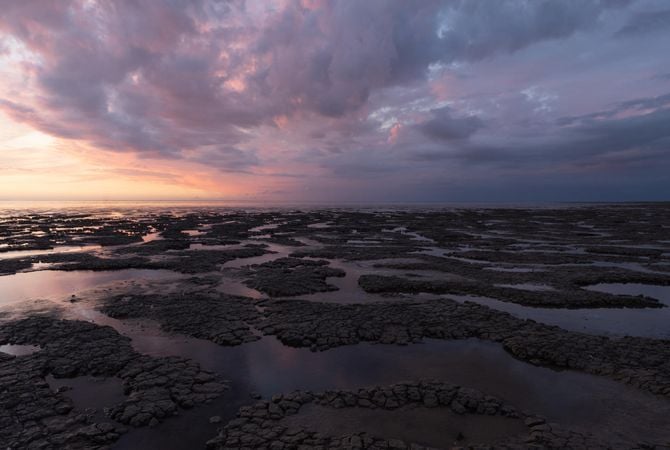
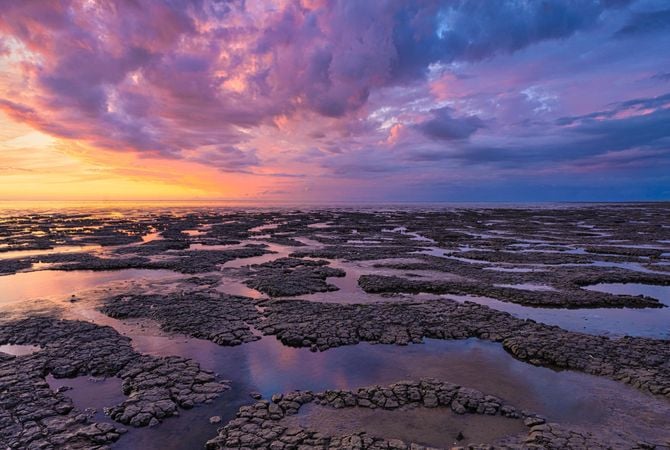
With HDR Merge tool, you have the option to merge up to 10 bracketed images seamlessly.

ev -1.5
ev -1.0
ev +0.5
Merge
Rediscover HDR with Luminar Neo

Tone mapping in progress

ev -1.5
ev -1.0
ev +0.5
Merge
Rediscover HDR with Luminar Neo

Tone mapping in progress

ev -1.5
ev -1.0
ev +0.5
Merge
Rediscover HDR with Luminar Neo

Tone mapping in progress

© Gavran Boris

No brackets?
No problem!

Unlock unprecedented detail and expanded dynamic range from a single photo with HDR software.

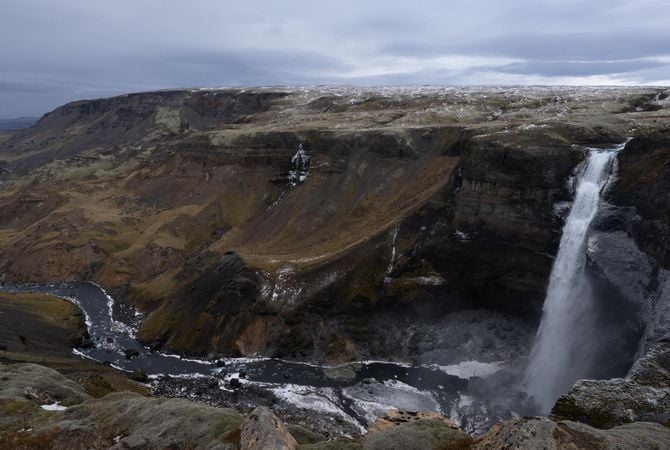
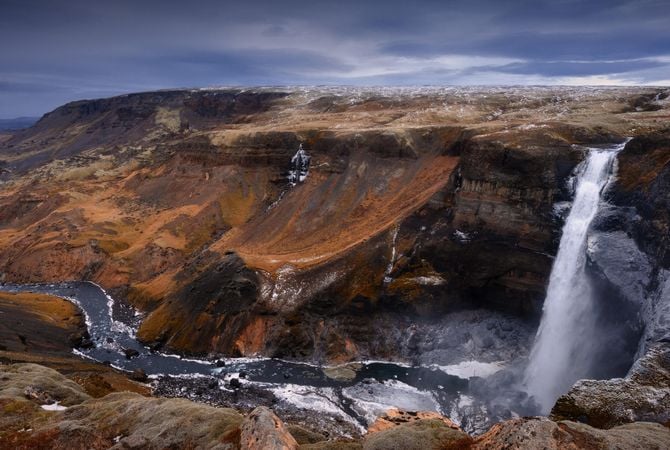
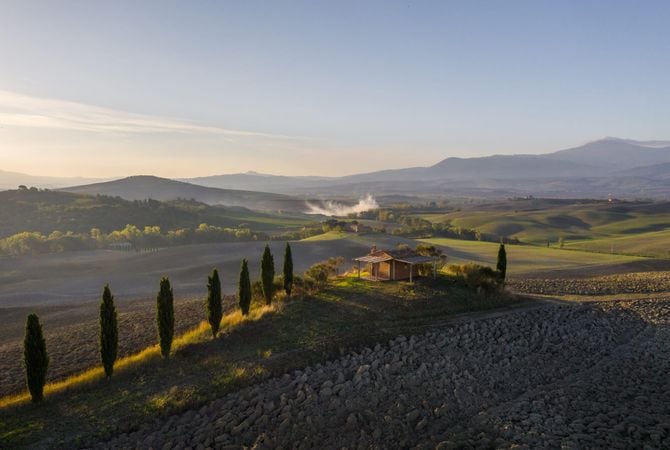
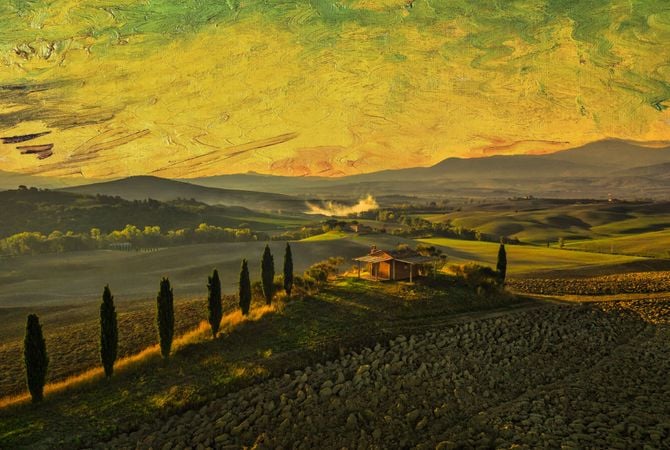
Original
Apply HDR Merge

Enhance your photo with Landscape tools

Elevate the quality of your photograph combining an array of Landscape tools and HDR editing software.

Original
Apply HDR Merge
  • Dehaze

    Dehaze

    Reduce atmospheric haze for maximum clarity.

  • Golden Hour

    Golden Hour

    Get the look of this magical time of day in your photos.

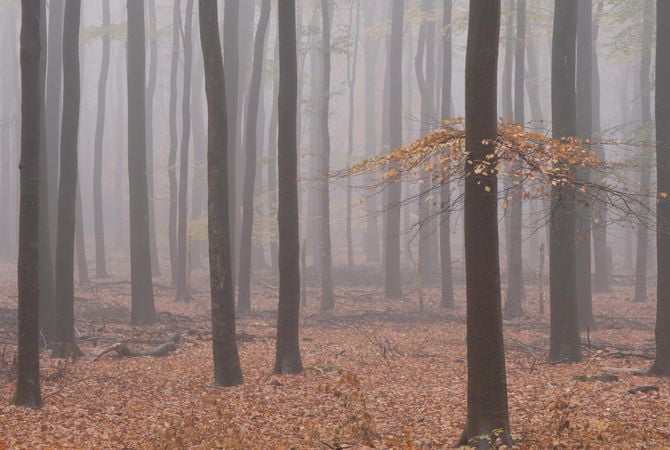
  • Foliage Enhancer

    Foliage Enhancer

    Make leaves and grass juicy and vivid.

© Gavran Boris

© Cuma Cevik

Go beyond with exclusive tools

Supercontrast

Adjust highlights, midtones, and shadow to bring your unique vision to life.

Supercontrast

StructureAI

Get eye-popping depth and details that are noise-free and halo-free.

StructureAI

Reviewed by professionals

See how artists apply HDR Merge in their editing routine.

Jim Nix

Travel photographer and YouTuber

Watch Jim Nix edit with HDR Merge

Rediscover HDR with Luminar Neo(5)

What our customers say

Rated 4.8 out of 5 based on 3,678 review on Trustpilot

Rediscover HDR with Luminar Neo(7)

Advanced yet easy-to-use photo editor for everyone

Designed by Skylum for MacOS and Windows

Work also as plugins for Photoshop, Lightroom and Apple Photos®

icon

AI image enhancement

icon

Raw editing

icon

Layers support

icon

Non-destructive
editіng

icon

Lens correction

icon

Clone tool

icon

Dodge & burn

icon

Color enhancement

icon

Crop and resize

icon

Batch processing

Rediscover HDR with Luminar Neo(8)

GenSwap

Replace specific elements

Effortlessly swap elements in your photos with AI-generated visuals that seamlessly integrate with the rest of your image.

Luminar Neo features: Supercontrast - Experience the power of perfect color contrast

GenErase

Eliminate distractions

Remove unwanted elements from your images and seamlessly fill in the gaps with elements that match the surroundings.

Luminar Neo features: Supercontrast - Experience the power of perfect color contrast

GenExpand

Break the limits of the frame

Extend the boundaries of your photos, whether you're creating landscapes or portraits, by adding more space to them.

Luminar Neo features: Supercontrast - Experience the power of perfect color contrast

Supercontrast

Experience the power
of perfect color contrast

Precisely adjusts tonal contrast with six distinct controls spanning highlights, mid-tones, and shadows.

Luminar Neo features: Supercontrast - Experience the power of perfect color contrast

EnhanceAI

Achieve an instantly captivating photo with an all-in-one tool

Control up to a dozen adjustments including shadows, highlights, contrast, and tone with one AI-powered tool.

Luminar Neo features: Enhance AI - Achieve an instantly captivating photo with an all-in-one tool

SkyAI

Increase the vibrancy of your photos by replacing a dull sky

Seamlessly replace the sky, taking into account its reflection in water for maximum realism.

Luminar Neo features: Sky AI - Increase the vibrancy of your photos by replacing a dull sky

AtmosphereAI

Add a unique
mystical mood

Place fog, mist, or haze in your photo
with content-aware AI.

Luminar Neo features: Atmosphere - Add a unique mystical mood

Sunrays

Let the sun shine
in your photo

Add beautiful rays of sunshine and control
their glow intensity.

Luminar Neo features: Sunrays - Let the sun shine in your photo

Erase

Clean, mess-free
photos in one click

Remove unwanted objects or details for fast,
easy, and realistіc results.

Luminar Neo features: Erase - Clean, mess-free photos in one click

Remove Powerlines

Get rid of annoying
power lines

Clean up your cityscapes with the power of AI.
No masking needed.

Luminar Neo features: Remove powerlines - Get rid of annoying power lines

Portrait Background

Experiment with
fun portraits

Remove the background and transport
people to a different location.

Luminar Neo features: Portrait Background - Experiment with fun portraits

RelightAI

Fix backlit photos
in an instant

Light up dark photos in post-processing and get total control over the lighting in your photo.

Luminar Neo features: Relight AI - Fix backlit photos in an instant

FaceAI

Retouch facial
features naturally

Add face light, remove dark circles,
enhance lips, and do so much more.

Luminar Neo features: Face AI - Smooth skin in a heartbeat

BodyAI

Shape the body

Add volume to or remove volume from the torso
or abdomen to enhance natural beauty.

Luminar Neo features: Body AI - Shape the body

SkinAI

Smooth skin
in a heartbeat

Automatically retouch a person’s skin
and eliminate imperfections.

Luminar Neo features: Face AI

Portrait BokehAI

Create a dreamy
bokeh effect

Simulate an out-of-focus background effect
without the need for a special lens.

Luminar Neo features: Portrait Bokeh AI - Create a dreamy bokeh effect

Color Harmony

Get precise
color control

Fine-tune adjustments like brilliance, warmth,
and balance with advanced tech in simple sliders.

Luminar Neo features: Color Harmony - Get precise color control

StructureAI

Sharp details,
natural look

Reveal a great deal of detail while keeping
people’s faces and skin natural.

Luminar Neo features: Structure AI - Sharp details, natural look

Discover Luminar Neo features

Rediscover HDR with Luminar Neo(27)

GenSwap

GenErase

GenExpand

Supercontrast

EnhanceAI

SkyAI

AtmosphereAI

Sunrays

Erase

Remove Powerlines

Portrait Background

RelightAI

FaceAI

BodyAI

SkinAI

Portrait BokehAI

Color Harmony

StructureAI

Sale up to 60% off

Choose the plan that suits you best

  • Always Up-to-date version
  • All Pro Extensions included
  • 2 Activation on 2 Windows/MacOs

1 month

$ 11 .95 $ 11 .95

$ 11 .95

per month

Billed monthly (Total $ 143 .00 /year)

Save $ 172

24 months

$ 114 .72 $ 114 .72

$ 4 .78

$ 11 .95

per month

Billed $ 114 .72 evеry 2 yeаrs

12 months

$ 99 .00 $ 99 .00

$ 8 .25

per month

Billed $ 99 .00 yearly

🎁 Plus Creative Collection gift with every plan

Rediscover HDR with Luminar Neo(28)
FREE

$ 134

Limited Offer

4.8 on Trustpilot

based on 4000+ reviews about
Skylum Software

30 days money back guarantee

Full refund anytime within 30 days

Technical support

Instant response for technical problems

One-Time Purchase

Lifetime with Extensions

The product is yours forever with Pro Extensions

$ 249 $ 499

$ 249

$ 499

One-time payment

Rediscover HDR with Luminar Neo(29)
Rediscover HDR with Luminar Neo(30)

What are the system requirements for Luminar Neo?

Luminar Neo should work on your computer as long as it meets the following minimum system requirements.

For Mac:


  • MacBook, MacBook Air, MacBook Pro, iMac, iMac Pro, Mac Pro, Mac mini, early 2010 or newer
  • CPU Intel® Core™ i5 8gen or better, including the M1/2/3 chip.
  • Memory 8 GB RAM or more (16+ GB RAM is recommended)
  • macOS 12 or higher.
  • Hard disk 10 GB free space; SSD for best performance
  • Display 1280x768 size or better

For Windows:


  • Windows-based hardware PC with mouse or similar input device
  • CPU Intel® Core™ i5 8gen or better, AMD Ryzen™ 5 or better
    [Note: ARM processors installer for Luminar Neo can only be downloaded from the Microsoft Store.]
  • Open GL 3.3 or later compatible Graphics Cards
  • Memory 8 GB RAM or more (16+ GB RAM is recommended)
  • Operating System Windows 10 version 1909 or higher (only 64-bit OS).
  • Hard disk 10 GB free space; SSD for best performance
  • Display 1280x768 size or better

How to download and activate Luminar Neo?

Once you place the order, the installer should automatically download to your computer. Moreover, you'll be sent the activation instructions with the download links from the Skylum Team at the email address you provided during the purchase. For future use, the download links are always available in your Skylum account.


To activate the app, you have to sign in to your Skylum account within the app. No license key or activation code is required. When you start Luminar Neo, you’ll see a window that prompts you to log in to your Skylum account:

1. Enter your email address to find out if you already have an account.

  • In case you don't have an account yet, it will be created during the process. Make sure to use the same email you used when purchasing Luminar Neo.

2. Sign in with your email address (the one you used during the purchase) and the password for your Skylum account. 

  • If you created a Skylum using a linked third-party account, Google, Facebook, Microsoft, or Apple, click the relevant button.
  • If you don’t have an account yet and it is your first activation, you will be prompt to create the password

3. Congratulations! You’ve activated Luminar Neo.

*If you have a Skylum account but purchased Luminar Neo using an email address not tied to it, you can merge your accounts in the My Software > App isn’t showing? section of your Skylum account.

Still don’t see Luminar Neo in your account? Our support team will help you with that.

Which cameras are supported?

Luminar Neo RAW processing is based on our own powerful RAW engine. You can check the full list of supported cameras here.  Also, we regularly update our library and make our own improvements to provide excellent support for new cameras. 

Can I use Luminar Neo as a plug-in?

Luminar Neo is a universal solution that can function both as a standalone editor and a plug-in. 


Luminar Neo can be used as a plug-in or extension for:


  • Lightroom Classic (starting from version 6);
  • Photos for macOS.
  • Adobe Photoshop

Will all tools from Luminar Neo are available in the plugin mode?

You can learn more here on how to send an image from the host app to Luminar Neo.

What’s the difference between Luminar X Membership and the Luminar Neo Pro Subscription?

Luminar Neo’s Pro Subscription plans give you access to the Luminar Neo app, all updates or new versions, and the Generative tools (GenSwap, GenErase, GenExpand).  


Luminar X Membership is a paid subscription for those who already own or subscribe to Luminar and want to take their creativity to the next level. Luminar X members enjoy monthly delivery of creative assets, including Luminar Presets, LUTs, and Sky textures. 


Important: Luminar X Membership doesn't include the Luminar Neo app. 

What happens to my Luminar Neo if I cancel the subscription?

Canceling your subscription means you won’t be charged at the beginning of the next billing cycle. You’ll be able to keep using Luminar Neo for the duration of the paid period.


If you owned a lifetime license to Luminar Neo before subscribing, you will be able to use Luminar Neo  license after your subscription period ends. You will also not have access to possible future new versions of the Luminar app. However, some upgrades might require an extra charge. 

What is Luminar Neo?

Luminar Neo is an innovative image editor powered by AI technologies of the future that simplifies complex editing routines and enables creators to bring their boldest ideas to life. And enjoy it.


  • Get speed and flexibility in your editing with our brand-new core engine and layers workflow.
  • The new engine we built for Luminar Neo is based on all the best solutions from our combined and evolved experience for maximum performance and creativity and is developed for achieving complex creative results.
  • Adjust the light in your photo for creative control over the lighting in a scene. You can control the exposure of an image based on the distance from the lens to independently adjust the background and foreground exposure.
  • Automatically remove spots on your images caused by dust and dirt on your lens and sensor.
  • Clean up unwanted power lines from the skies in your cityscapes.
  • Experiment with infinite creative possibilities by effortlessly combining two or more images in a shot.

...And much more.


What languages are supported?

Luminar Neo is available in English, German, Spanish, French, Italian, Chinese Simplified and Traditional, Korean, Japanese, Portuguese, Dutch, Polish, Swedish, Norwegian, Danish, and  Ukrainian

© simon-berger
Rediscover HDR with Luminar Neo(32)
Rediscover HDR with Luminar Neo(33)
Before After
© simon-berger
Rediscover HDR with Luminar Neo(34)
Rediscover HDR with Luminar Neo(35)
Before After
© simon-berger
Rediscover HDR with Luminar Neo(36)
Rediscover HDR with Luminar Neo(37)
Before After
© simon-berger
Rediscover HDR with Luminar Neo(38)
Rediscover HDR with Luminar Neo(39)
Before After
© Cuma Cevik
Rediscover HDR with Luminar Neo(40)
Rediscover HDR with Luminar Neo(41)
Before After
Rediscover HDR with Luminar Neo(42)
Rediscover HDR with Luminar Neo(43)
Rediscover HDR with Luminar Neo(44)
Rediscover HDR with Luminar Neo(45)
Rediscover HDR with Luminar Neo(46)
Rediscover HDR with Luminar Neo(47) Made by Team Skylum

Soulful Panoramas

FREE

$ 99 .00

Description

Discover magnificent Skies by Ev Tchebotarev. All of these Skies contain a bit of artistic grain that is reminiscent of old film, adding a nostalgic and heartwarming atmosphere to your photos.Use these high-resolution Skies — which pack all the colors imaginable — in your landscapes, lifestyle photos, cityscapes, and anywhere you’d want to evoke a wow effect.

What you’ll find

• 10 magnificent Skies in JPEG format.

Related Product

Total: $ 00

You save $ 00

Buy Now

Total: $ 00

You save $ 00

Buy Now

Log in to validate special price

Verify your previous purchase of a Skylum product to buy Luminar Neo with a loyalty discount.

© Serge Ramelli
Rediscover HDR with Luminar Neo(49)
Rediscover HDR with Luminar Neo(50)
© muha04
Rediscover HDR with Luminar Neo(51)
Rediscover HDR with Luminar Neo(52)
Rediscover HDR with Luminar Neo(53) >
Before After
© Ksusha Kazak
Rediscover HDR with Luminar Neo(54)
Rediscover HDR with Luminar Neo(55)
Rediscover HDR with Luminar Neo(56) >
Before After
© philipus
Rediscover HDR with Luminar Neo(57)
Rediscover HDR with Luminar Neo(58)
Rediscover HDR with Luminar Neo(59) >
Before After
© jon_chica
Rediscover HDR with Luminar Neo(60)
Rediscover HDR with Luminar Neo(61)
Rediscover HDR with Luminar Neo(62) >
Before After
© Ksusha Kazak
Rediscover HDR with Luminar Neo(63)
Rediscover HDR with Luminar Neo(64)
Rediscover HDR with Luminar Neo(65) >
Before After
© Cuma Çevik
Rediscover HDR with Luminar Neo(66)
Rediscover HDR with Luminar Neo(67)
Rediscover HDR with Luminar Neo(68) >
Before After
© Serge Ramelli
Rediscover HDR with Luminar Neo(69)
Rediscover HDR with Luminar Neo(70)
Rediscover HDR with Luminar Neo(71) >
Before After
Rediscover HDR with Luminar Neo(72)

Panorama Stitching

Rediscover HDR with Luminar Neo(73)

Background Removal

Rediscover HDR with Luminar Neo(74)

Focus Stacking

Rediscover HDR with Luminar Neo(75)

HDR Merge

Rediscover HDR with Luminar Neo(76)

UpscaleAI

Rediscover HDR with Luminar Neo(77)

SupersharpAI

Rediscover HDR with Luminar Neo(78)

NoiselessAI

Rediscover HDR with Luminar Neo(79)

Magic LightAI

Rediscover HDR with Luminar Neo(80)

Extensions Pack

8 pro-level Extensions for Luminar Neo to achieve outstanding results when editing your photos

Rediscover HDR with Luminar Neo(57)

HDR Merge

Available Now Rediscover HDR with Luminar Neo(82)
Highest quality bracket merging and spectacular color enhancement
Rediscover HDR with Luminar Neo(66)

NoiselessAI

Available Now Rediscover HDR with Luminar Neo(82)
AI-based noise removal and detail recovery with intelligent presets
Rediscover HDR with Luminar Neo(85)

Background Removаl

Available Now Rediscover HDR with Luminar Neo(82)
an AI-powered tool that automatically removes the background behind any subject.

Rediscover HDR with Luminar Neo(60)

UpscaleAI

Available Now Rediscover HDR with Luminar Neo(82)
an AI-powered tool for enhancing image resolution in a natural way.

Rediscover HDR with Luminar Neo(54)

Focus Stacking

Available Now Rediscover HDR with Luminar Neo(82)
Stack up to 100 photos for crisp details and greater depth of field
Rediscover HDR with Luminar Neo(63)

SupersharpAI

Available Now Rediscover HDR with Luminar Neo(82)
Tackle motion blur and misfocus in your photos
Rediscover HDR with Luminar Neo(69)

Magic LightAI

Available Now Rediscover HDR with Luminar Neo(82)
Add a magic touch to your photos
Rediscover HDR with Luminar Neo(49)

Panorama Stitching

Available Now Rediscover HDR with Luminar Neo(82)
Stitch multiple photos or videos together and сreate stunning panoramas.

Total: $ 00

You save $ 00

Buy Now

Total: $ 00

You save $ 00

Buy Now
Rediscover HDR with Luminar Neo(97)
Rediscover HDR with Luminar Neo(98)
Rediscover HDR with Luminar Neo(99)
Rediscover HDR with Luminar Neo(100)
Rediscover HDR with Luminar Neo(101)
Rediscover HDR with Luminar Neo(102)
Rediscover HDR with Luminar Neo(103)
Rediscover HDR with Luminar Neo(104)

From drone zero to drone hero: 37 drone tips to get you flying like a filmmaker

Available in English

Contents

• 10 things i wish we knew on day one • 5 steps to drone cinematography greatness • 8 signs you’re a beginner drone pilot • 14 ways to not crash your drone

Related Product

Total: $ 00

You save $ 00

Buy Now

Total: $ 00

You save $ 00

Buy Now
Rediscover HDR with Luminar Neo(105)
Rediscover HDR with Luminar Neo(106)
Rediscover HDR with Luminar Neo(107)
Rediscover HDR with Luminar Neo(108)
Rediscover HDR with Luminar Neo(109)
Rediscover HDR with Luminar Neo(110)
Rediscover HDR with Luminar Neo(111)
Rediscover HDR with Luminar Neo(112)

Saal Digital: High-quality photo products

Professional photo lab with great enthusiasm for photography.

$ 69 .00

About the offer

• 20 USD, 20 GBP or 20 EUR discount on any product, except gift vouchers, with no minimum order value and shipping costs included. • Not combinable with other coupons or promotions. • Redeemable once per customer and household. • Valid until September 30, 2023.

Related Product

Total: $ 00

You save $ 00

Buy Now

Total: $ 00

You save $ 00

Buy Now
© Albert Dros
Rediscover HDR with Luminar Neo(114)
Rediscover HDR with Luminar Neo(115)
Before After
© Albert Dros
Rediscover HDR with Luminar Neo(116)
Rediscover HDR with Luminar Neo(117)
Before After
© Albert Dros
Rediscover HDR with Luminar Neo(118)
Rediscover HDR with Luminar Neo(119)
Before After
© Albert Dros
Rediscover HDR with Luminar Neo(120)
Rediscover HDR with Luminar Neo(121)
Before After
© Albert Dros
Rediscover HDR with Luminar Neo(122)
Rediscover HDR with Luminar Neo(123)
Before After
Rediscover HDR with Luminar Neo(124)
Rediscover HDR with Luminar Neo(125)
Rediscover HDR with Luminar Neo(126)
Rediscover HDR with Luminar Neo(127)
Rediscover HDR with Luminar Neo(128)
Rediscover HDR with Luminar Neo(47) Made by Team Skylum

Creative Photo Editing Techniques in Luminar Neo

FREE

$ 99 .00

Description

With the course, you’ll receive a free pack of 12 Presets by Albert Dros to create mesmerizing images! Boost your skills, starting today.

What you’ll find

In these ten videos, Albert will tell you all about what makes or breaks a photo.

Related Product

Total: $ 00

You save $ 00

Buy Now

Total: $ 00

You save $ 00

Buy Now
Rediscover HDR with Luminar Neo(130)
Rediscover HDR with Luminar Neo(131)
Rediscover HDR with Luminar Neo(132)
Rediscover HDR with Luminar Neo(133)
Rediscover HDR with Luminar Neo(134)
Rediscover HDR with Luminar Neo(135)
Rediscover HDR with Luminar Neo(136)
Rediscover HDR with Luminar Neo(137)

Slickpic: Cutting-edge gallery and a pro portfolio website

A guarantee of top-notch photo quality, industry-leading privacy and security, client proofing, mobile-friendly sites & more.

$ 69 .00

About the offer

• Your unique SlickPic code gives you a generous 33% off of our best-selling Portfolio plan. Normally priced at $154 annually, your Skylum discount brings the price down to just $99.95 for the first year, a savings of $55. • Valid until December 31, 2023.

Related Product

Total: $ 00

You save $ 00

Buy Now

Total: $ 00

You save $ 00

Buy Now
© kydy
Rediscover HDR with Luminar Neo(139)
Rediscover HDR with Luminar Neo(140)
Before After
© Ivankmit
Rediscover HDR with Luminar Neo(141)
Rediscover HDR with Luminar Neo(142)
Before After
© fotoluminate
Rediscover HDR with Luminar Neo(143)
Rediscover HDR with Luminar Neo(144)
Before After
© kerenby
Rediscover HDR with Luminar Neo(145)
Rediscover HDR with Luminar Neo(146)
Before After
Rediscover HDR with Luminar Neo(147)
Rediscover HDR with Luminar Neo(148)
Before After
Rediscover HDR with Luminar Neo(149)
Rediscover HDR with Luminar Neo(150)
Rediscover HDR with Luminar Neo(151)
Rediscover HDR with Luminar Neo(152)
Rediscover HDR with Luminar Neo(153)
Rediscover HDR with Luminar Neo(47) Made by Albert Dros

Creative Collection

FREE

Description

Enhance the beauty of your photos. Don’t miss the opportunity to make your shots stand out with the Creative Collection, worth $134. With 25 Skies, 30 Presets, and 10 LUTs, you can create images that will transport you to a world of springtime, blooming flowers, blossoming nature, and awakening life. Experiment with different effects and find the one that inspires you most.

What you’ll find

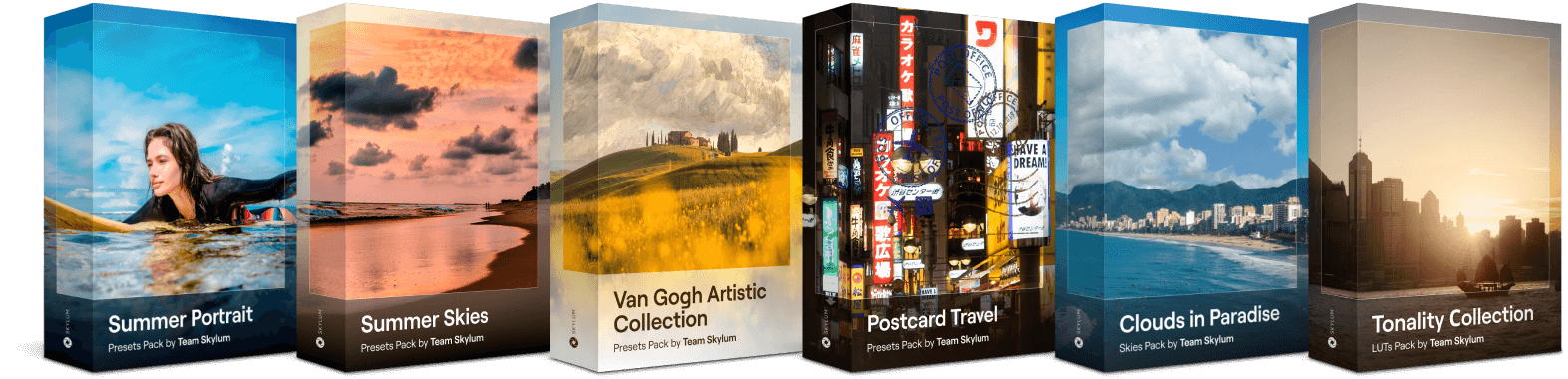
10 soulful Presets Make your vacation photos stand out thanks to breathtaking skies and wonderful toning. 10 artistic Presets Add iconic skies from van Gogh’s paintings to your photos and blend them with realistic and spectacular toning. 10 creative Presets You can recreate the perfect feeling of carefree traveling in your photos, making them worthy of putting a stamp on and sending out to friends. 25 amazing Skies This unique collection includes a range of Sky images featuring deep blues and cloudy whites, giving your pictures a romantic yet calming aura. 10 unique LUTs Create mesmerizing shadowplay with black hues and white accents created by the Skylum Team for your portrait, lifestyle, and urban photos.

Related Product

Total: $ 00

You save $ 00

Buy Now

Total: $ 00

You save $ 00

Buy Now

Login to validate
special price

Verify your previous purchase of a Skylum product to buy Luminar Neo with a loyalty discount.

Rediscover HDR with Luminar Neo(156)

2023/24
Creative Journey Pass

Features expansion package Time-limited upgrade

Generative Al features

Gen Erase, Gen Expand, Gen Swap

Access until August 16, 2024

Platform features upgrade

Studio Light, Neon&Glow, Water Enhancer

Unlimited access forever

All updates and new features

Unlimited access forever (released before August 16, 2024)

Want 10% OFF?

Unlock your special 10% discount on any plans of your choice. Just enter your email address to receive the promo code instantly.

But hurry up!

The promo code is valid for 24 hours only
Don't miss this exclusive deal!

SALE-GET-10-OFF
VIEW PLANS

Try the request again later. If the error does not resolve, contact support.

Try Later
Please wait
Rediscover HDR with Luminar Neo(157)

Get more editing power with new Extensions for Luminar Neo

Rediscover HDR with Luminar Neo(158)

Panorama Stitching

Stitch mutiple photos or videos together and сreate stunning panoramas.

Learn more
Rediscover HDR with Luminar Neo(159)

Magic LightAI

Manipulate light sources with AI

Learn more
Rediscover HDR with Luminar Neo(160)

Supersharp AI

Stabilize your сomposition with Supersharp AI

Learn more
Rediscover HDR with Luminar Neo(161)

Focus Stacking

Keep everything
in focus

Learn more
Rediscover HDR with Luminar Neo(162)

UpscaleAI

Pixel-perfect
upscaling

Learn more
Rediscover HDR with Luminar Neo(163)

Background Removal AI

Select. Click. Remove.

Learn more
Rediscover HDR with Luminar Neo(164)

Noiseless AI

Make it noiseless.
Keep the details.

Learn more

Frequently Asked Questions

What is HDR Merge tool?

HDR Merge is custom-built technology in Luminar Neo for merging up to 10 exposure-bracketed images into a single HDR photo and hdr processing. It is available as an extension and will appear as a separate module inside Luminar Neo.

HDR Merge is a great HDR photography software alternative that delivers a spectacular level of color enhancement, making the final result look as close as possible to what the human eye can see. If merging multiple images, you’ll also benefit from auto-alignment and ghost reduction features.

What are the advantages of HDR Merge over Aurora HDR?

Incorporating HDR Merge into Luminar Neo makes it a one-stop solution for stunning landscape and architecture photos.

Before you had to merge exposure brackets in bracketing software Aurora HDR first, then switch to Luminar for post-processing. Now you can create HDR photos directly in Luminar Neo and combine the power of the dynamic range improvements of HDR editing software with Luminar’s most advanced AI-powered tools for rich-in-detail-and-color photos.

The HDR Merge extension streamlines the editing process and saves your time while providing vivid results.

Who’s entitled to a free HDR Merge tool?

HDR Merge tool can be accessed as a part of the Luminar Neo subscription plan. You’ll not only get already released tools, but all the new ones will be delivered right to you.

Will batch processing be available in HDR Merge?

HDR Merge is an extension built into Luminar Neo, and not a separate HDR photo editor, so it uses Luminar Neo’s catalog and export window. Therefore, it cannot batch-process photos on its own. However, you can easily sync adjustments applied to the already created HDR photos:

  1. Apply the necessary edits to one of the images.
  2. Right-click it and select Adjustments>Copy Adjustments.
  3. While holding CTRL (on Windows)/CMD (on macOS) key on your keyboard, multi-select the images which you would like to edit in the same way
  4. Right-click one of the selected images and choose Adjustments > Sync/Paste Adjustments.
  5. Finish by using the Export command to batch export multiple photos

App Requirements

macOS

Mac Model

MacBook, MacBook Air, MacBook Pro, iMac, iMac Pro, Mac Pro, Mac mini, early 2010 or newer

Processor

CPU Intel® Core™ i5 8 Gen or better

OS version

macOS 12.0 or higher.

RAM

Memory 8 GB RAM or more (16+ GB RAM is recommended)

Disk space

Hard disk 10 GB free space; SSD for best performance

Display

1280x768 size or better

Windows

Hardware

Windows-based hardware PC with mouse or similar input device

Processor

CPU Intel® Core™ i5 8 Gen or better, AMD Ryzen™ 5 or better

OS version

10 version 1909 or higher (only 64-bit OS)

RAM

Memory 8 GB RAM or more (16+ GB RAM is recommended)

Disk space

Hard disk 10 GB free space; SSD for best performance

Display

1280x768 size or better

Graphics

Open GL 3.3 or later compatible graphics card

Rediscover HDR with Luminar Neo(170)