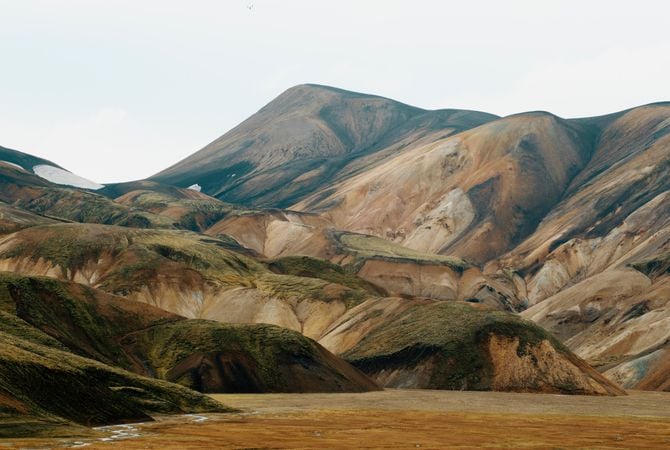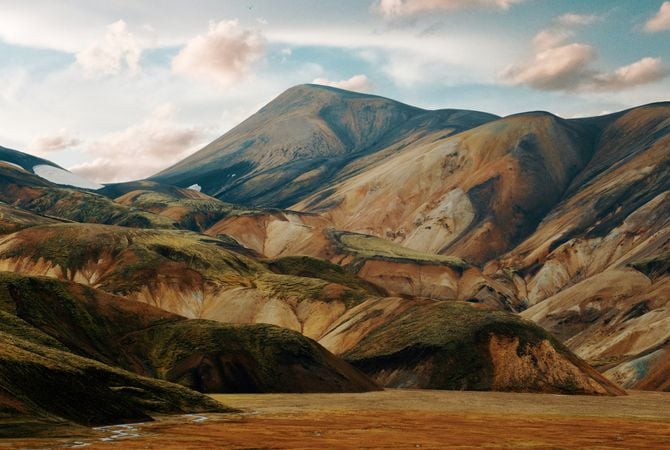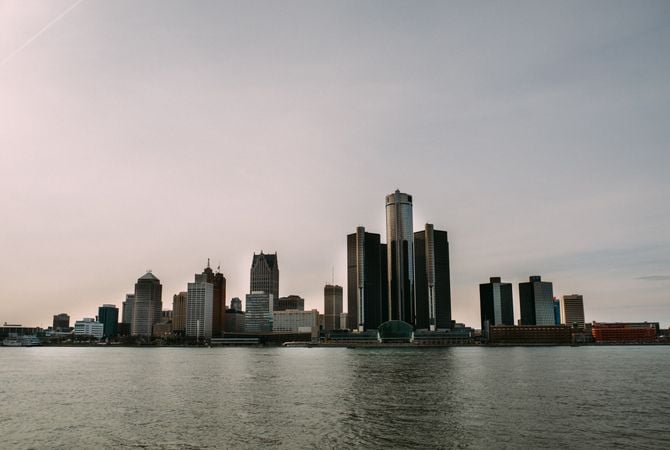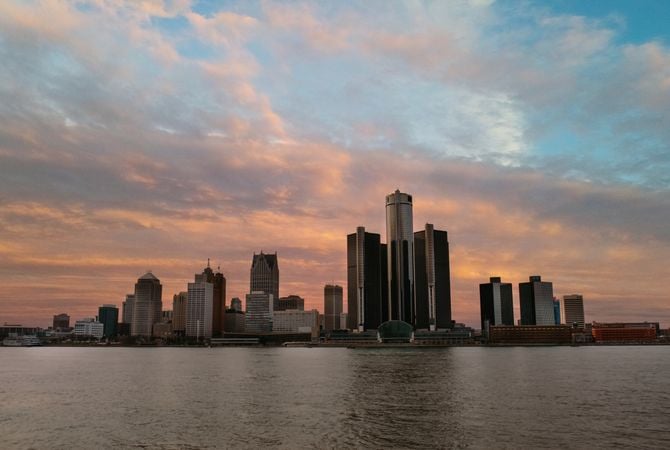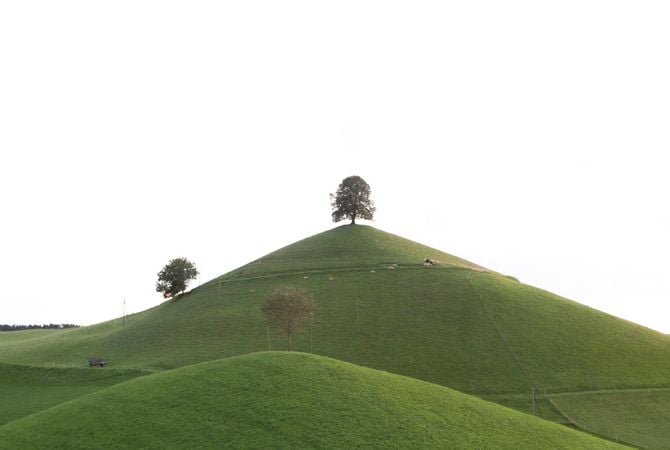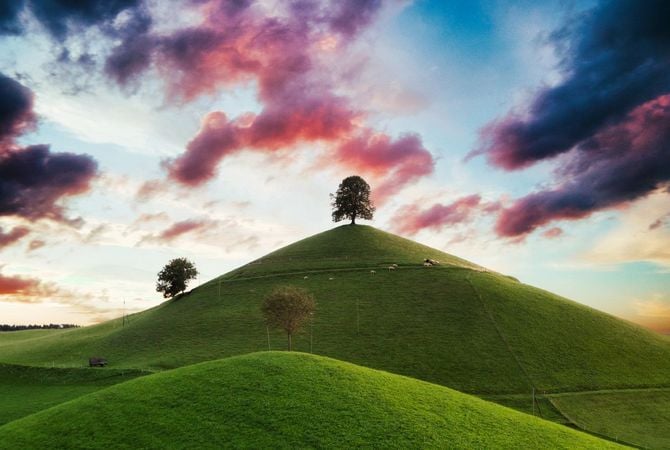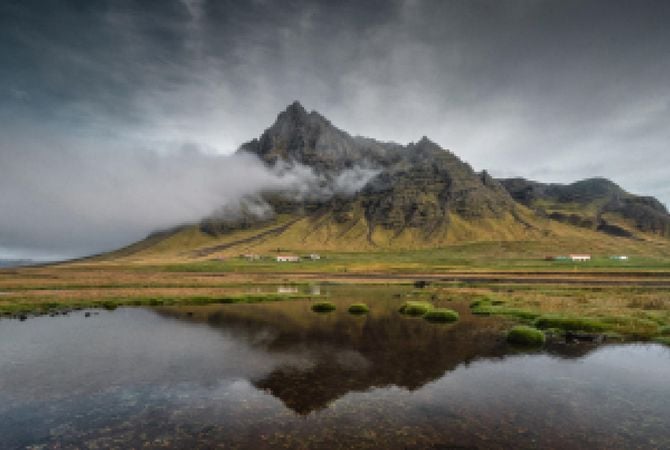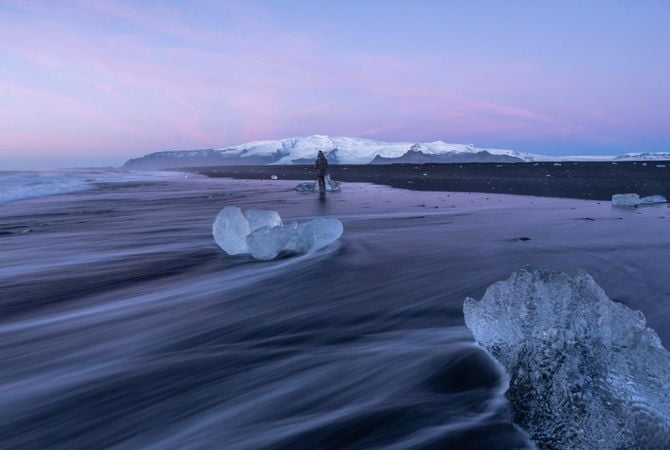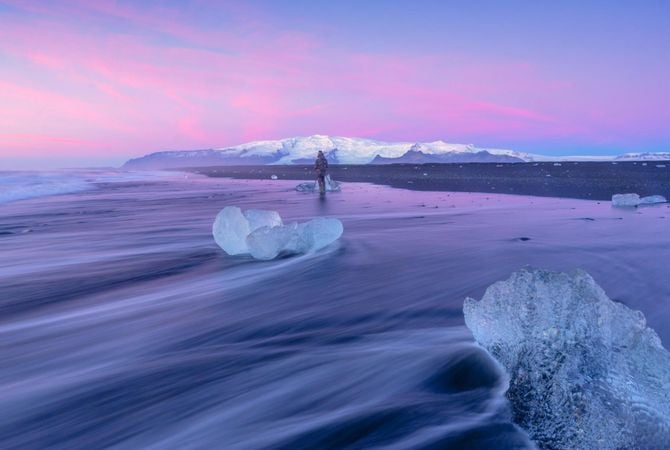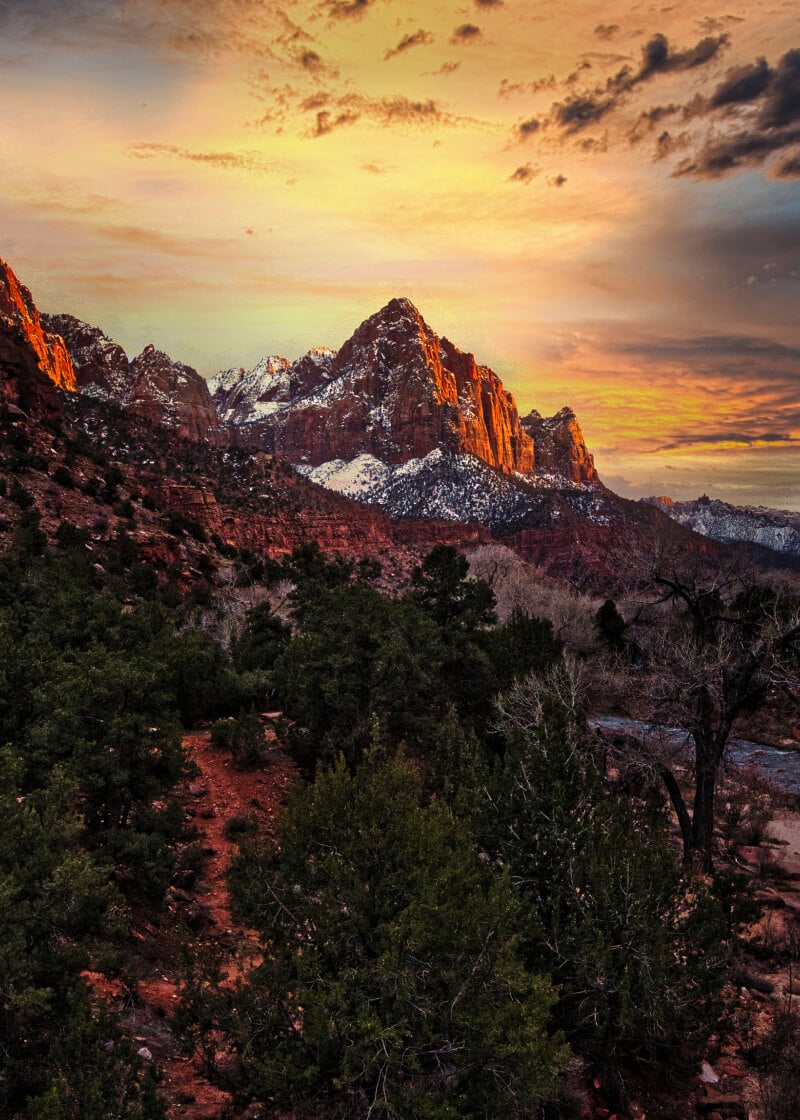





© Serge Ramelli

Wnieś trochę magii

Nowe artystyczne podejście do mieniących się świateł na zdjęciach

Stwórz uliczny wygląd dodając więcej świateł

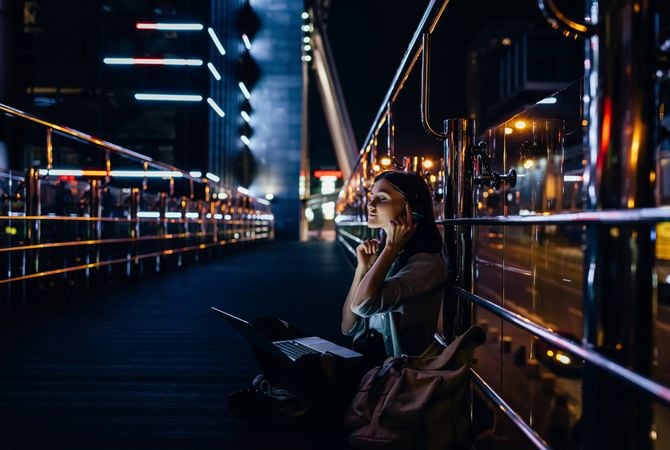
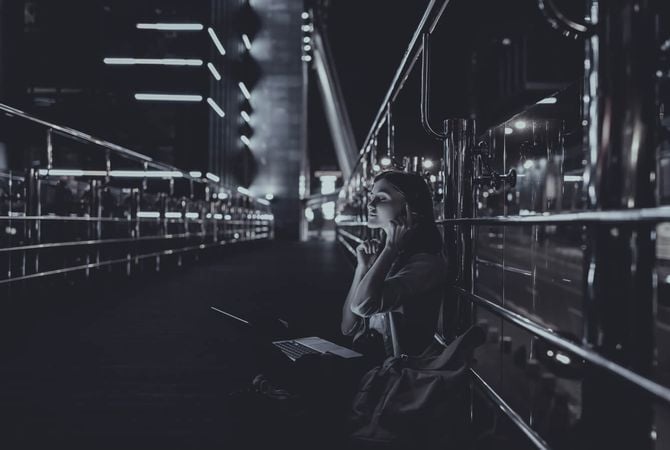
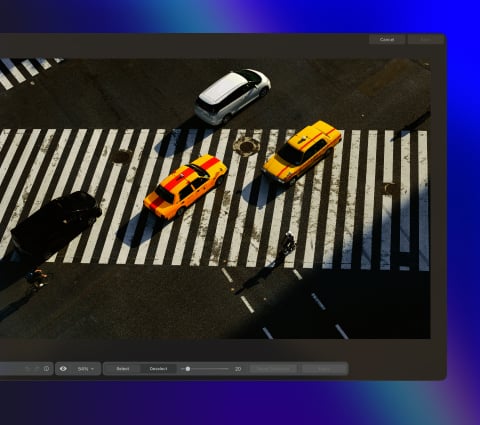
Dodaj więcej akcentów wizualnych: wyróżnij latarnie uliczne w nocnym mieście i dodaj dramatyczne promienie do świateł samochodowych.

Uzyskaj pełną kontrolę nad światłami za pomocą ustawień Intensywności, Rozmiaru, Blasku i Przejrzystości. Możesz nawet wybrać liczbę strumieni świetlnych i dostosować ich szerokość. Opcje maskowania pozwalają na osiągnięcie bardziej precyzyjnych wyników.

Przed Po
© Serge Ramelli
Przed Po
© Jasmin Schuler

Odkryj magię świąt

Małe dekoracyjne lampki na choince, girlandach i wszelkich błyszczących powierzchniach są idealne dla Magic Light AI. Spraw, aby obraz był jeszcze bardziej czarujący dzięki magicznej poświacie, idealnie połączonej z efektem bokeh. Każde maleńkie źródło światła jest magiczne!

Sieć neuronowa w rdzeniu rozszerzenia Magic Light AI analizuje zdjęcie i szuka punktów emitujących światło. Otrzymujesz moc, dzięki której każde źródło światła będzie takie, jakie sobie wyobrażasz.

Manipuluj źródłami światła za pomocą Magic Light AI(3)

Magic Light AI zapewnia większą swobodę twórczą w manipulowaniu światłem

Serge Ramelli

Zobacz Magic Light AI w akcji

Manipuluj źródłami światła za pomocą Magic Light AI(6)

Advanced yet easy-to-use photo editor for everyone

Designed by Skylum for MacOS and Windows

Work also as plugins for Photoshop, Lightroom and Apple Photos®

icon

AI image enhancement

icon

Raw editing

icon

Layers support

icon

Non-destructive
editіng

icon

Lens correction

icon

Clone tool

icon

Dodge & burn

icon

Color enhancement

icon

Crop and resize

icon

Batch processing

Manipuluj źródłami światła za pomocą Magic Light AI(7)

GenSwap

Replace specific elements

Effortlessly swap elements in your photos with AI-generated visuals that seamlessly integrate with the rest of your image.

Luminar features: Supercontrast - Experience the power of perfect color contrast

GenErase

Eliminate distractions

Remove unwanted elements from your images and seamlessly fill in the gaps with elements that match the surroundings.

Luminar features: Supercontrast - Experience the power of perfect color contrast

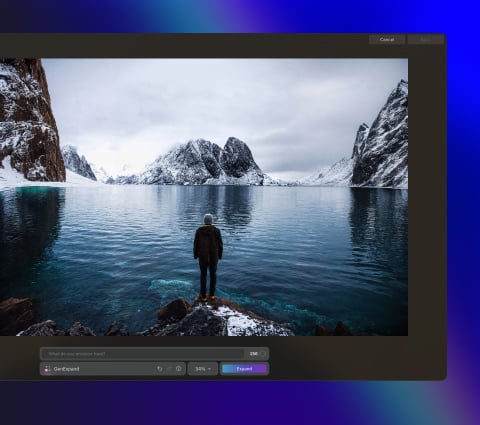
GenExpand

Break the limits of the frame

Extend the boundaries of your photos, whether you're creating landscapes or portraits, by adding more space to them.

Luminar features: Supercontrast - Experience the power of perfect color contrast

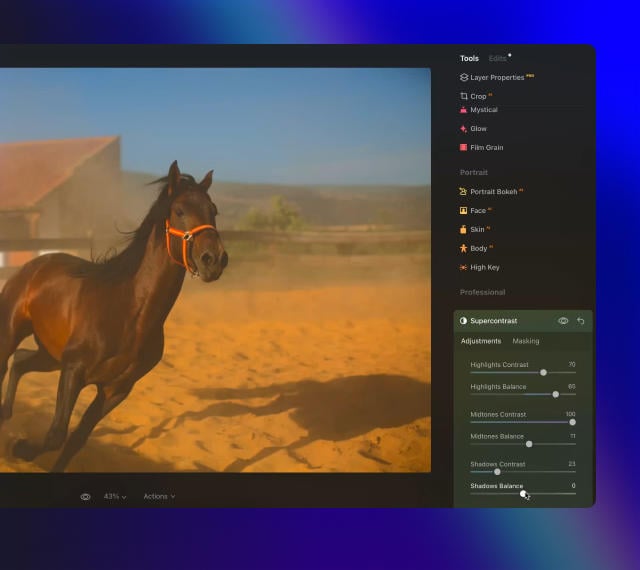
Supercontrast

Experience the power
of perfect color contrast

Precisely adjusts tonal contrast with six distinct controls spanning highlights, mid-tones, and shadows.

Luminar features: Supercontrast - Experience the power of perfect color contrast

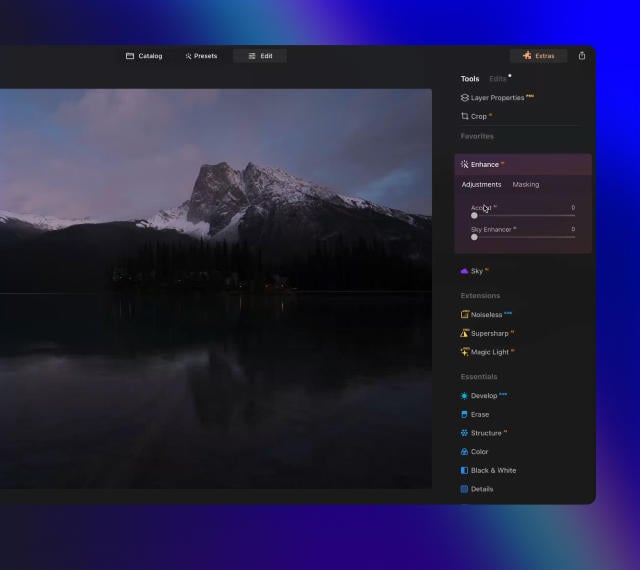
EnhanceAI

Achieve an instantly captivating photo with an all-in-one tool

Control up to a dozen adjustments including shadows, highlights, contrast, and tone with one AI-powered tool.

Luminar features: Enhance AI - Achieve an instantly captivating photo with an all-in-one tool

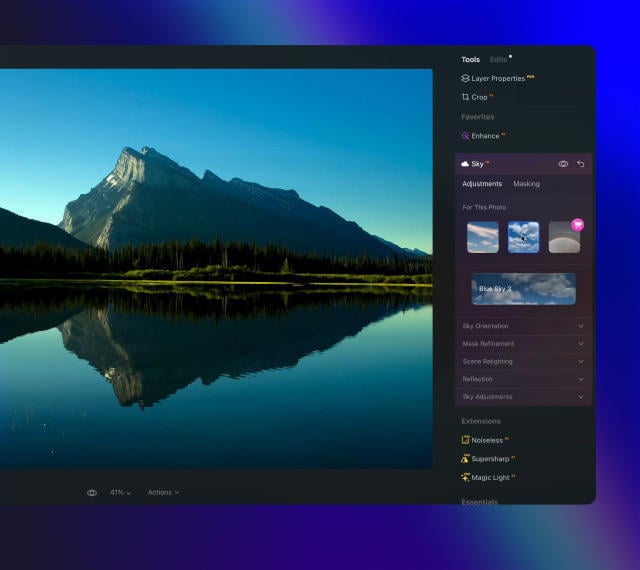
SkyAI

Increase the vibrancy of your photos by replacing a dull sky

Seamlessly replace the sky, taking into account its reflection in water for maximum realism.

Luminar features: Sky AI - Increase the vibrancy of your photos by replacing a dull sky

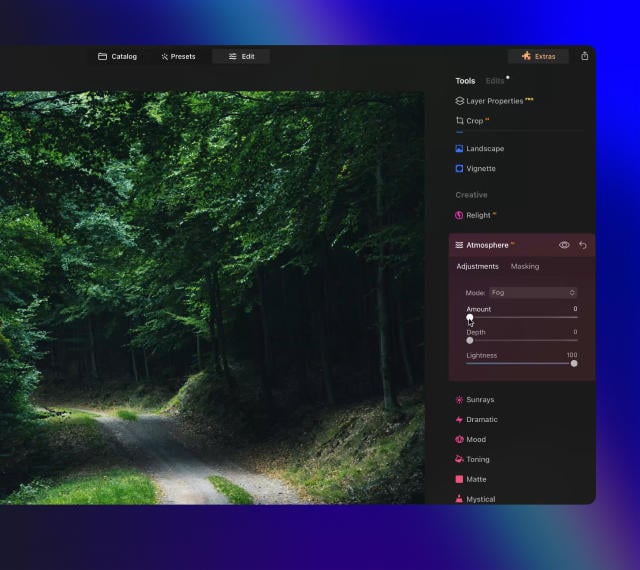
AtmosphereAI

Add a unique
mystical mood

Place fog, mist, or haze in your photo
with content-aware AI.

Luminar features: Atmosphere - Add a unique mystical mood

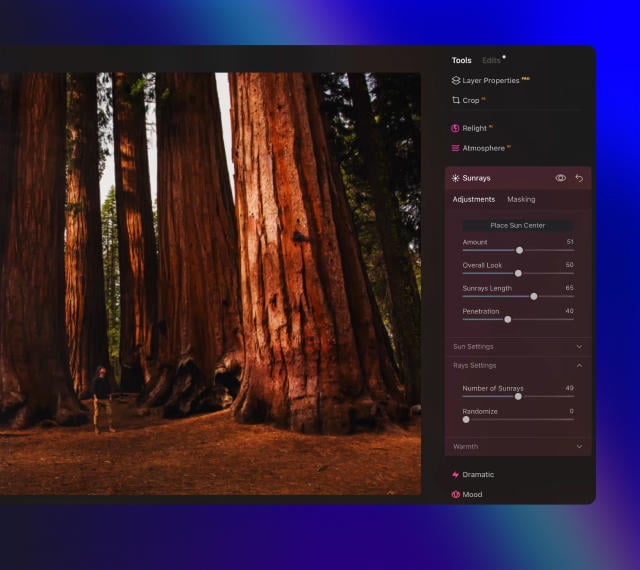
Sunrays

Let the sun shine
in your photo

Add beautiful rays of sunshine and control
their glow intensity.

Luminar features: Sunrays - Let the sun shine in your photo

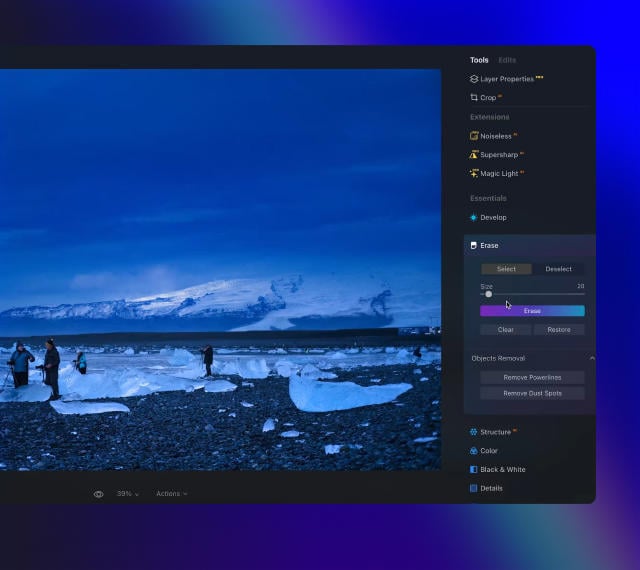
Erase

Clean, mess-free
photos in one click

Remove unwanted objects or details for fast,
easy, and realistіc results.

Luminar features: Erase - Clean, mess-free photos in one click

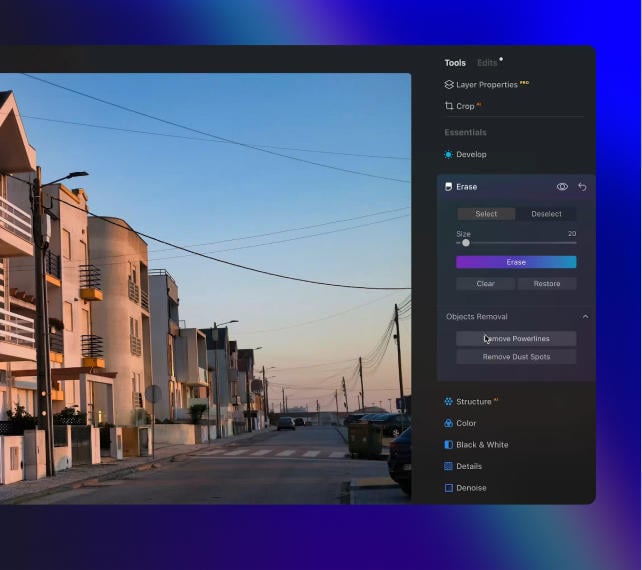
Remove Powerlines

Get rid of annoying
power lines

Clean up your cityscapes with the power of AI.
No masking needed.

Luminar features: Remove powerlines - Get rid of annoying power lines

Portrait Background

Experiment with
fun portraits

Remove the background and transport
people to a different location.

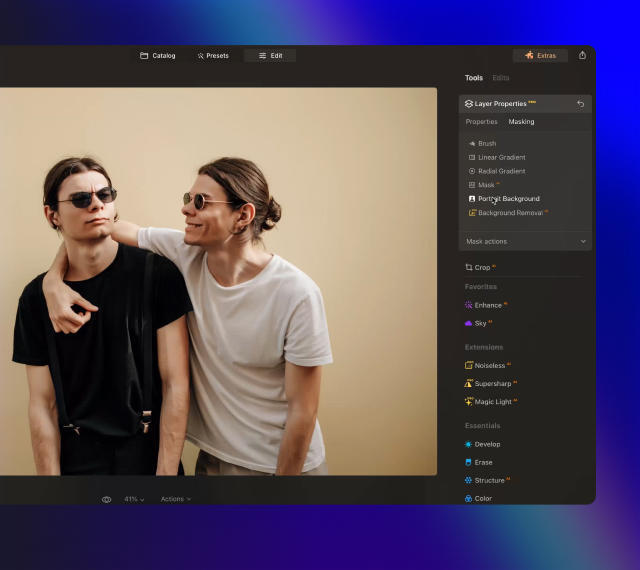
Luminar features: Portrait Background - Experiment with fun portraits

RelightAI

Fix backlit photos
in an instant

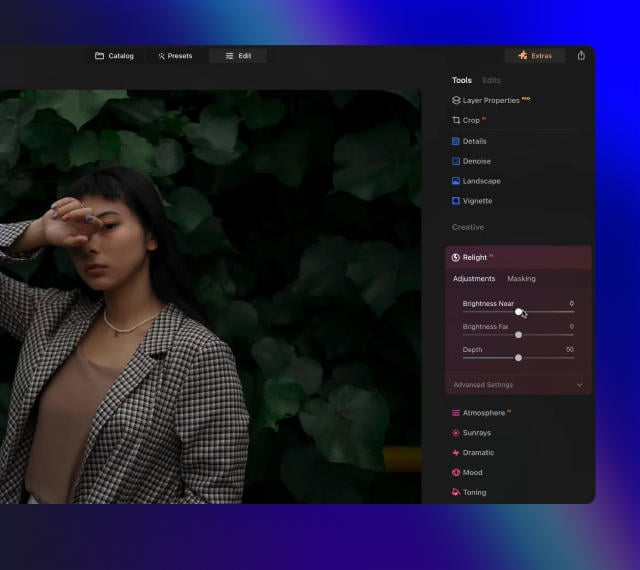
Light up dark photos in post-processing and get total control over the lighting in your photo.

Luminar features: Relight AI - Fix backlit photos in an instant

FaceAI

Retouch facial
features naturally

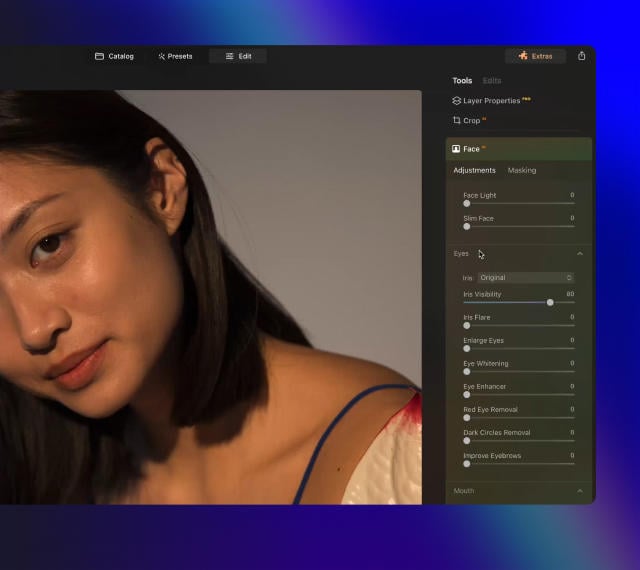
Add face light, remove dark circles,
enhance lips, and do so much more.

Luminar features: Face AI - Smooth skin in a heartbeat

BodyAI

Shape the body

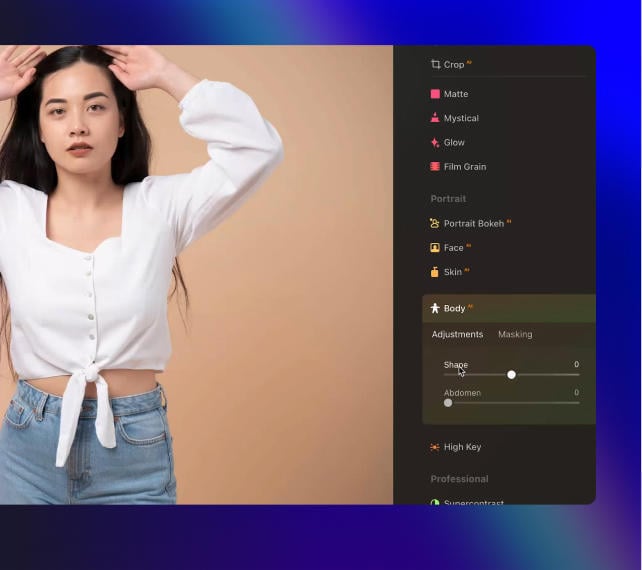
Add volume to or remove volume from the torso
or abdomen to enhance natural beauty.

Luminar features: Body AI - Shape the body

SkinAI

Smooth skin
in a heartbeat

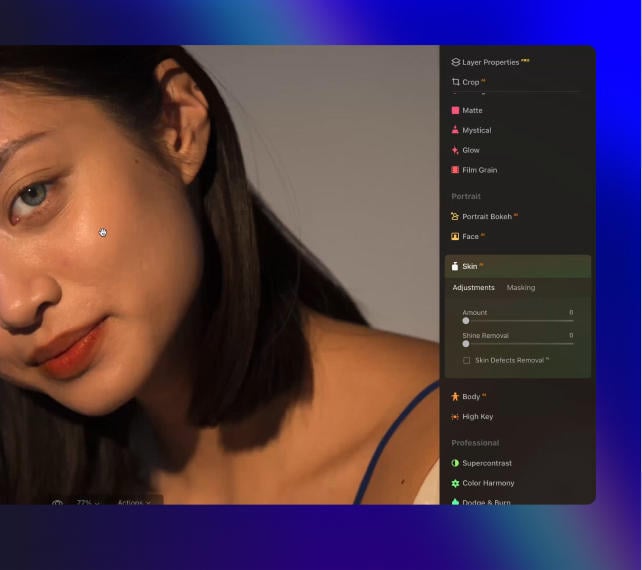
Automatically retouch a person’s skin
and eliminate imperfections.

Luminar features: Face AI

Portrait BokehAI

Create a dreamy
bokeh effect

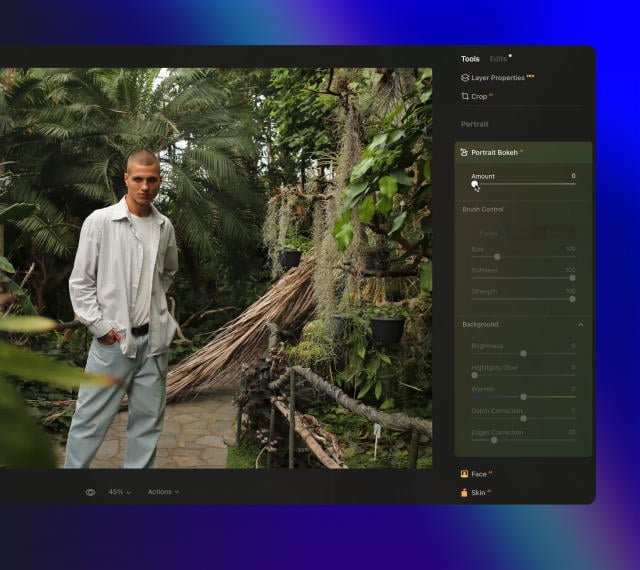
Simulate an out-of-focus background effect
without the need for a special lens.

Luminar features: Portrait Bokeh AI - Create a dreamy bokeh effect

Color Harmony

Get precise
color control

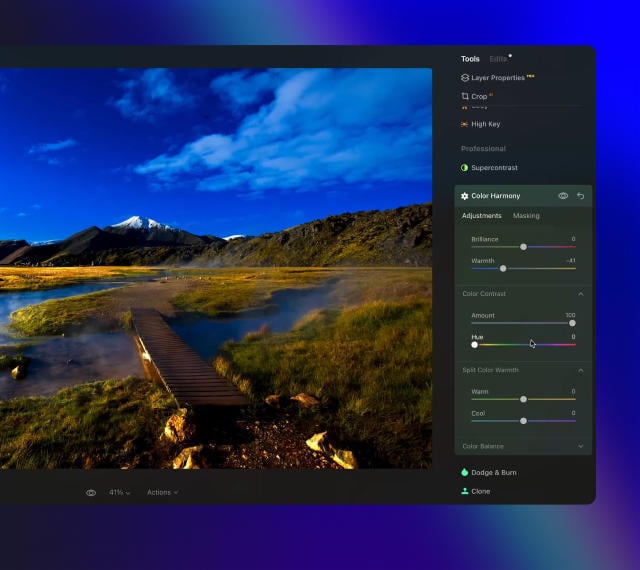
Fine-tune adjustments like brilliance, warmth,
and balance with advanced tech in simple sliders.

Luminar features: Color Harmony - Get precise color control

StructureAI

Sharp details,
natural look

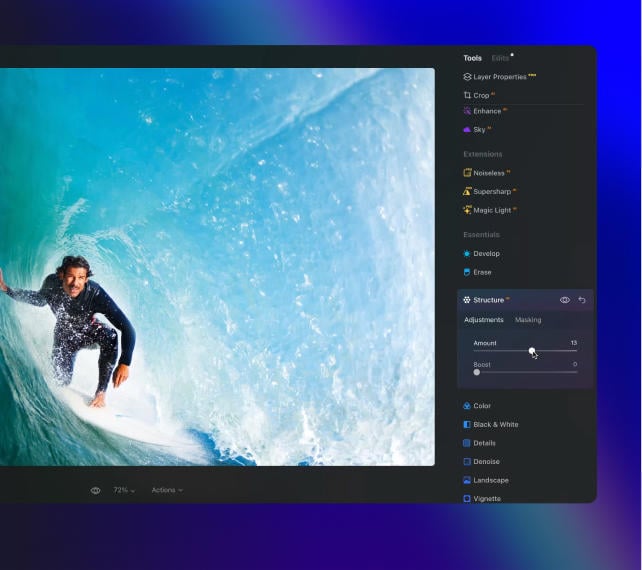
Reveal a great deal of detail while keeping
people’s faces and skin natural.

Luminar features: Structure AI - Sharp details, natural look

Discover Luminar features

Manipuluj źródłami światła za pomocą Magic Light AI(26)

GenSwap

GenErase

GenExpand

Supercontrast

EnhanceAI

SkyAI

AtmosphereAI

Sunrays

Erase

Remove Powerlines

Portrait Background

RelightAI

FaceAI

BodyAI

SkinAI

Portrait BokehAI

Color Harmony

StructureAI

Wyprzedaż do -60%

Wybierz plan, który najbardziej ci odpowiada

  • Zawsze aktualna wersja
  • Wszystkie rozszerzenia Pro w zestawie
  • 2 Aktywacja na 2 systemach Windows/MacO

1 miesiąc

$ 11 .95 $ 11 .95

$ 11 .95

na miesiąc

Rozliczane miesięcznie (Razem $ 143 .00 /rok)

Zapisz $ 172

24 miesiące

$ 114 .72 $ 114 .72

$ 4 .78

$ 11 .95

na miesiąc

Zafakturowano $ 114 .72 co 2 lata

12 miesięcy

$ 99 .00 $ 99 .00

$ 8 .25

na miesiąc

Zafakturowano $ 99 .00 rocznie

🎁 Plus prezent z kolekcji Creative Collection do każdego planu

Manipuluj źródłami światła za pomocą Magic Light AI(27)
ZA DARMO

$ 134

Oferta Ograniczona Czasowo

4.8 na Trustpilot

na podstawie ponad 4000 opinii
o Skylum Software

30-dniowa gwarancja zwrotu pieniędzy

Pełny zwrot kosztów w dowolnym momencie w ciągu 30 dni

Wsparcie techniczne

Natychmiastowe wsparcie w przypadku problemów technicznych

Jednorazowy zakup

Dożywotni z Rozszerzeniami

Produkt jest twój na zawsze z Rozszerzeniami Pro

  • Edytor zdjęć Luminar Neo
  • 1 Licencja bezterminowa
  • Dostęp do narzędzi generatywnych na 1 rok
  • Kolekcja kreatywna
$ 249 $ 499

$ 249

$ 499

Płatność jednorazowa

Manipuluj źródłami światła za pomocą Magic Light AI(28)
Manipuluj źródłami światła za pomocą Magic Light AI(29)

What are the system requirements for Luminar Neo?

Luminar Neo should work on your computer as long as it meets the following minimum system requirements.

For Mac:


  • MacBook, MacBook Air, MacBook Pro, iMac, iMac Pro, Mac Pro, Mac mini, early 2010 or newer
  • CPU Intel® Core™ i5 8gen or better, including the M1/2/3 chip.
  • Memory 8 GB RAM or more (16+ GB RAM is recommended)
  • macOS 12 or higher.
  • Hard disk 10 GB free space; SSD for best performance
  • Display 1280x768 size or better

For Windows:


  • Windows-based hardware PC with mouse or similar input device
  • CPU Intel® Core™ i5 8gen or better, AMD Ryzen™ 5 or better
    [Note: ARM processors installer for Luminar Neo can only be downloaded from the Microsoft Store.]
  • Open GL 3.3 or later compatible Graphics Cards
  • Memory 8 GB RAM or more (16+ GB RAM is recommended)
  • Operating System Windows 10 version 1909 or higher (only 64-bit OS).
  • Hard disk 10 GB free space; SSD for best performance
  • Display 1280x768 size or better

How to download and activate Luminar Neo?

Once you place the order, the installer should automatically download to your computer. Moreover, you'll be sent the activation instructions with the download links from the Skylum Team at the email address you provided during the purchase. For future use, the download links are always available in your Skylum account.


To activate the app, you have to sign in to your Skylum account within the app. No license key or activation code is required. When you start Luminar Neo, you’ll see a window that prompts you to log in to your Skylum account:

1. Enter your email address to find out if you already have an account.

  • In case you don't have an account yet, it will be created during the process. Make sure to use the same email you used when purchasing Luminar Neo.

2. Sign in with your email address (the one you used during the purchase) and the password for your Skylum account. 

  • If you created a Skylum using a linked third-party account, Google, Facebook, Microsoft, or Apple, click the relevant button.
  • If you don’t have an account yet and it is your first activation, you will be prompt to create the password

3. Congratulations! You’ve activated Luminar Neo.

*If you have a Skylum account but purchased Luminar Neo using an email address not tied to it, you can merge your accounts in the My Software > App isn’t showing? section of your Skylum account.

Still don’t see Luminar Neo in your account? Our support team will help you with that.

Which cameras are supported?

Luminar Neo RAW processing is based on our own powerful RAW engine. You can check the full list of supported cameras here.  Also, we regularly update our library and make our own improvements to provide excellent support for new cameras. 

Can I use Luminar Neo as a plug-in?

Luminar Neo is a universal solution that can function both as a standalone editor and a plug-in. 


Luminar Neo can be used as a plug-in or extension for:


  • Lightroom Classic (starting from version 6);
  • Photos for macOS.
  • Adobe Photoshop

Will all tools from Luminar Neo are available in the plugin mode?

You can learn more here on how to send an image from the host app to Luminar Neo.

What’s the difference between Luminar X Membership and the Luminar Neo Pro Subscription?

Luminar Neo’s Pro Subscription plans give you access to the Luminar Neo app, all updates or new versions, and the Generative tools (GenSwap, GenErase, GenExpand).  


Luminar X Membership is a paid subscription for those who already own or subscribe to Luminar and want to take their creativity to the next level. Luminar X members enjoy monthly delivery of creative assets, including Luminar Presets, LUTs, and Sky textures. 


Important: Luminar X Membership doesn't include the Luminar Neo app. 

What happens to my Luminar Neo if I cancel the subscription?

Canceling your subscription means you won’t be charged at the beginning of the next billing cycle. You’ll be able to keep using Luminar Neo for the duration of the paid period.


If you owned a lifetime license to Luminar Neo before subscribing, you will be able to use Luminar Neo  license after your subscription period ends. You will also not have access to possible future new versions of the Luminar app. However, some upgrades might require an extra charge. 

Czym jest Lumiar Neo?

Luminar Neo is an innovative image editor powered by AI technologies of the future that simplifies complex editing routines and enables creators to bring their boldest ideas to life. And enjoy it.


  • Get speed and flexibility in your editing with our brand-new core engine and layers workflow.
  • The new engine we built for Luminar Neo is based on all the best solutions from our combined and evolved experience for maximum performance and creativity and is developed for achieving complex creative results.
  • Adjust the light in your photo for creative control over the lighting in a scene. You can control the exposure of an image based on the distance from the lens to independently adjust the background and foreground exposure.
  • Automatically remove spots on your images caused by dust and dirt on your lens and sensor.
  • Clean up unwanted power lines from the skies in your cityscapes.
  • Experiment with infinite creative possibilities by effortlessly combining two or more images in a shot.

...And much more.


What languages are supported?

Luminar Neo is available in English, German, Spanish, French, Italian, Chinese Simplified and Traditional, Korean, Japanese, Portuguese, Dutch, Polish, Swedish, Norwegian, Danish, and  Ukrainian

© simon-berger
Manipuluj źródłami światła za pomocą Magic Light AI(31)
Manipuluj źródłami światła za pomocą Magic Light AI(32)
Przed Po
© simon-berger
Manipuluj źródłami światła za pomocą Magic Light AI(33)
Manipuluj źródłami światła za pomocą Magic Light AI(34)
Przed Po
© simon-berger
Manipuluj źródłami światła za pomocą Magic Light AI(35)
Manipuluj źródłami światła za pomocą Magic Light AI(36)
Przed Po
© simon-berger
Manipuluj źródłami światła za pomocą Magic Light AI(37)
Manipuluj źródłami światła za pomocą Magic Light AI(38)
Przed Po
© Cuma Cevik
Manipuluj źródłami światła za pomocą Magic Light AI(39)
Manipuluj źródłami światła za pomocą Magic Light AI(40)
Przed Po
Manipuluj źródłami światła za pomocą Magic Light AI(41)
Manipuluj źródłami światła za pomocą Magic Light AI(42)
Manipuluj źródłami światła za pomocą Magic Light AI(43)
Manipuluj źródłami światła za pomocą Magic Light AI(44)
Manipuluj źródłami światła za pomocą Magic Light AI(45)
Manipuluj źródłami światła za pomocą Magic Light AI(46) Projekt Zespołu Skylum

Panoramy z duszą

ZA DARMO

$ 99 .00

Opis

Discover magnificent Skies by Ev Tchebotarev. All of these Skies contain a bit of artistic grain that is reminiscent of old film, adding a nostalgic and heartwarming atmosphere to your photos.Use these high-resolution Skies — which pack all the colors imaginable — in your landscapes, lifestyle photos, cityscapes, and anywhere you’d want to evoke a wow effect.

Co znajdziesz

• 10 magnificent Skies in JPEG format.

Powiązany produkt

Łącznie: $ 00

Oszczędzasz $ 00

Kup teraz

Łącznie: $ 00

Oszczędzasz $ 00

Kup teraz

Zaloguj się, aby zatwierdzić cenę specjalną

Verify your previous purchase of a Skylum product to buy Luminar with a loyalty discount.

© Serge Ramelli
Manipuluj źródłami światła za pomocą Magic Light AI(48)
Manipuluj źródłami światła za pomocą Magic Light AI(49)
© muha04
Manipuluj źródłami światła za pomocą Magic Light AI(50)
Manipuluj źródłami światła za pomocą Magic Light AI(51)
Manipuluj źródłami światła za pomocą Magic Light AI(52) >
Przed Po
© Ksusha Kazak
Manipuluj źródłami światła za pomocą Magic Light AI(53)
Manipuluj źródłami światła za pomocą Magic Light AI(54)
Manipuluj źródłami światła za pomocą Magic Light AI(55) >
Przed Po
© philipus
Manipuluj źródłami światła za pomocą Magic Light AI(56)
Manipuluj źródłami światła za pomocą Magic Light AI(57)
Manipuluj źródłami światła za pomocą Magic Light AI(58) >
Przed Po
© jon_chica
Manipuluj źródłami światła za pomocą Magic Light AI(59)
Manipuluj źródłami światła za pomocą Magic Light AI(60)
Manipuluj źródłami światła za pomocą Magic Light AI(61) >
Przed Po
© Ksusha Kazak
Manipuluj źródłami światła za pomocą Magic Light AI(62)
Manipuluj źródłami światła za pomocą Magic Light AI(63)
Manipuluj źródłami światła za pomocą Magic Light AI(64) >
Przed Po
© Cuma Çevik
Manipuluj źródłami światła za pomocą Magic Light AI(65)
Manipuluj źródłami światła za pomocą Magic Light AI(66)
Manipuluj źródłami światła za pomocą Magic Light AI(67) >
Przed Po
© Serge Ramelli
Manipuluj źródłami światła za pomocą Magic Light AI(68)
Manipuluj źródłami światła za pomocą Magic Light AI(69)
Manipuluj źródłami światła za pomocą Magic Light AI(70) >
Przed Po
Manipuluj źródłami światła za pomocą Magic Light AI(71)

Łączenie panoramy

Manipuluj źródłami światła za pomocą Magic Light AI(72)

Usuwanie tłaAI

Manipuluj źródłami światła za pomocą Magic Light AI(73)

Focus Stacking

Manipuluj źródłami światła za pomocą Magic Light AI(74)

Scalanie HDR

Manipuluj źródłami światła za pomocą Magic Light AI(75)

Upscale AI

Manipuluj źródłami światła za pomocą Magic Light AI(76)

SupersharpAI

Manipuluj źródłami światła za pomocą Magic Light AI(77)

NoiselessAI

Manipuluj źródłami światła za pomocą Magic Light AI(78)

Magiczne światłoAI

Manipuluj źródłami światła za pomocą Magic Light AI(79)

Zestaw rozszerzeń

8 profesjonalnych rozszerzeń do Luminar Neo, które pozwolą Ci osiągnąć wyjątkowe rezultaty podczas edycji zdjęć.

Manipuluj źródłami światła za pomocą Magic Light AI(56)

Scalanie HDR

Dostępne teraz Manipuluj źródłami światła za pomocą Magic Light AI(81)
Najwyższej jakości scalanie zdjęć wykonanych w technice bracketingu i spektakularne poprawianie kolorów
Manipuluj źródłami światła za pomocą Magic Light AI(65)

NoiselessAI

Dostępne teraz Manipuluj źródłami światła za pomocą Magic Light AI(81)
Usuwanie szumów i odzyskiwanie szczegółów w oparciu o sztuczną inteligencję za pomocą inteligentnych ustawień wstępnych
Manipuluj źródłami światła za pomocą Magic Light AI(84)

Usuwanie tłaAI

Dostępne teraz Manipuluj źródłami światła za pomocą Magic Light AI(81)
narzędzie oparte na sztucznej inteligencji, które automatycznie usuwa tło za dowolnym obiektem.
Manipuluj źródłami światła za pomocą Magic Light AI(59)

Upscale AI

Dostępne teraz Manipuluj źródłami światła za pomocą Magic Light AI(81)
oparte na sztucznej inteligencji narzędzie do zwiększania rozdzielczości obrazu w naturalny sposób.
Manipuluj źródłami światła za pomocą Magic Light AI(53)

Focus Stacking

Dostępne teraz Manipuluj źródłami światła za pomocą Magic Light AI(81)
Możliwość stackowania do 100 zdjęć dla uzyskania ostrych szczegółów i większej głębi ostrości
Manipuluj źródłami światła za pomocą Magic Light AI(62)

SupersharpAI

Dostępne teraz Manipuluj źródłami światła za pomocą Magic Light AI(81)
Rozwiąż problem rozmycia ruchu i braku ostrości na zdjęciach
Manipuluj źródłami światła za pomocą Magic Light AI(68)

Magiczne światłoAI

Dostępne teraz Manipuluj źródłami światła za pomocą Magic Light AI(81)
Dodaj trochę magii do swoich zdjęć
Manipuluj źródłami światła za pomocą Magic Light AI(48)

Łączenie panoramy

Dostępne teraz Manipuluj źródłami światła za pomocą Magic Light AI(81)
Połącz wiele zdjęć lub filmów i stwórz zachwycające panoramy.

Łącznie: $ 00

Oszczędzasz $ 00

Kup teraz

Łącznie: $ 00

Oszczędzasz $ 00

Kup teraz
Manipuluj źródłami światła za pomocą Magic Light AI(96)
Manipuluj źródłami światła za pomocą Magic Light AI(97)
Manipuluj źródłami światła za pomocą Magic Light AI(98)
Manipuluj źródłami światła za pomocą Magic Light AI(99)
Manipuluj źródłami światła za pomocą Magic Light AI(100)
Manipuluj źródłami światła za pomocą Magic Light AI(101)
Manipuluj źródłami światła za pomocą Magic Light AI(102)
Manipuluj źródłami światła za pomocą Magic Light AI(103)

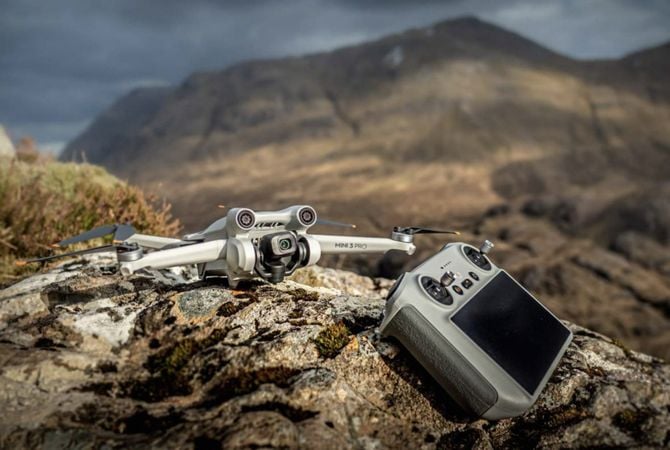
From drone zero to drone hero: 37 drone tips to get you flying like a filmmaker

Filmy dostępne w języku angielskim

Contents

• 10 things i wish we knew on day one • 5 steps to drone cinematography greatness • 8 signs you’re a beginner drone pilot • 14 ways to not crash your drone

Powiązany produkt

Łącznie: $ 00

Oszczędzasz $ 00

Kup teraz

Łącznie: $ 00

Oszczędzasz $ 00

Kup teraz
Manipuluj źródłami światła za pomocą Magic Light AI(104)
Manipuluj źródłami światła za pomocą Magic Light AI(105)
Manipuluj źródłami światła za pomocą Magic Light AI(106)
Manipuluj źródłami światła za pomocą Magic Light AI(107)
Manipuluj źródłami światła za pomocą Magic Light AI(108)
Manipuluj źródłami światła za pomocą Magic Light AI(109)
Manipuluj źródłami światła za pomocą Magic Light AI(110)
Manipuluj źródłami światła za pomocą Magic Light AI(111)

Saal Digital: Wysokiej jakości produkty fotograficzne

Professional photo lab with great enthusiasm for photography.

$ 69 .00

O ofercie

• 20 USD, 20 GBP or 20 EUR discount on any product, except gift vouchers, with no minimum order value and shipping costs included. • Not combinable with other coupons or promotions. • Redeemable once per customer and household. • Valid until September 30, 2023.

Powiązany produkt

Łącznie: $ 00

Oszczędzasz $ 00

Kup teraz

Łącznie: $ 00

Oszczędzasz $ 00

Kup teraz
© Albert Dros
Manipuluj źródłami światła za pomocą Magic Light AI(113)
Manipuluj źródłami światła za pomocą Magic Light AI(114)
Przed Po
© Albert Dros
Manipuluj źródłami światła za pomocą Magic Light AI(115)
Manipuluj źródłami światła za pomocą Magic Light AI(116)
Przed Po
© Albert Dros
Manipuluj źródłami światła za pomocą Magic Light AI(117)
Manipuluj źródłami światła za pomocą Magic Light AI(118)
Przed Po
© Albert Dros
Manipuluj źródłami światła za pomocą Magic Light AI(119)
Manipuluj źródłami światła za pomocą Magic Light AI(120)
Przed Po
© Albert Dros
Manipuluj źródłami światła za pomocą Magic Light AI(121)
Manipuluj źródłami światła za pomocą Magic Light AI(122)
Przed Po
Manipuluj źródłami światła za pomocą Magic Light AI(123)
Manipuluj źródłami światła za pomocą Magic Light AI(124)
Manipuluj źródłami światła za pomocą Magic Light AI(125)
Manipuluj źródłami światła za pomocą Magic Light AI(126)
Manipuluj źródłami światła za pomocą Magic Light AI(127)
Manipuluj źródłami światła za pomocą Magic Light AI(46) Projekt Zespołu Skylum

Kreatywne techniki edycji zdjęć w Luminar Neo

ZA DARMO

$ 99 .00

Opis

Wraz z kursem otrzymasz darmowy pakiet 12 presetów autorstwa Alberta Drosa do tworzenia hipnotyzujących obrazów! Zwiększ swoje umiejętności już dziś.

Co znajdziesz

In these ten videos, Albert will tell you all about what makes or breaks a photo.

Powiązany produkt

Łącznie: $ 00

Oszczędzasz $ 00

Kup teraz

Łącznie: $ 00

Oszczędzasz $ 00

Kup teraz
Manipuluj źródłami światła za pomocą Magic Light AI(129)
Manipuluj źródłami światła za pomocą Magic Light AI(130)
Manipuluj źródłami światła za pomocą Magic Light AI(131)
Manipuluj źródłami światła za pomocą Magic Light AI(132)
Manipuluj źródłami światła za pomocą Magic Light AI(133)
Manipuluj źródłami światła za pomocą Magic Light AI(134)
Manipuluj źródłami światła za pomocą Magic Light AI(135)
Manipuluj źródłami światła za pomocą Magic Light AI(136)

Slickpic: Cutting-edge gallery and a pro portfolio website

A guarantee of top-notch photo quality, industry-leading privacy and security, client proofing, mobile-friendly sites & more.

$ 69 .00

O ofercie

• Your unique SlickPic code gives you a generous 33% off of our best-selling Portfolio plan. Normally priced at $154 annually, your Skylum discount brings the price down to just $99.95 for the first year, a savings of $55. • Valid until December 31, 2023.

Powiązany produkt

Łącznie: $ 00

Oszczędzasz $ 00

Kup teraz

Łącznie: $ 00

Oszczędzasz $ 00

Kup teraz
© kydy
Manipuluj źródłami światła za pomocą Magic Light AI(138)
Manipuluj źródłami światła za pomocą Magic Light AI(139)
Przed Po
© Ivankmit
Manipuluj źródłami światła za pomocą Magic Light AI(140)
Manipuluj źródłami światła za pomocą Magic Light AI(141)
Przed Po
© fotoluminate
Manipuluj źródłami światła za pomocą Magic Light AI(142)
Manipuluj źródłami światła za pomocą Magic Light AI(143)
Przed Po
© kerenby
Manipuluj źródłami światła za pomocą Magic Light AI(144)
Manipuluj źródłami światła za pomocą Magic Light AI(145)
Przed Po
Manipuluj źródłami światła za pomocą Magic Light AI(146)
Manipuluj źródłami światła za pomocą Magic Light AI(147)
Przed Po
Manipuluj źródłami światła za pomocą Magic Light AI(148)
Manipuluj źródłami światła za pomocą Magic Light AI(149)
Manipuluj źródłami światła za pomocą Magic Light AI(150)
Manipuluj źródłami światła za pomocą Magic Light AI(151)
Manipuluj źródłami światła za pomocą Magic Light AI(152)
Manipuluj źródłami światła za pomocą Magic Light AI(46) Autorstwa Alberta Drosa

Kolekcja kreatywna

ZA DARMO

Opis

Zwiększ piękno swoich zdjęć. Nie przegap okazji, aby wyróżnić swoje zdjęcia dzięki kolekcji Creative o wartości 134 USD. Dzięki 25 Niebom, 30 ustawieniom wstępnym i 10 LUTom możesz tworzyć obrazy, które przeniosą Cię do świata wiosny, kwitnących kwiatów, kwitnącej przyrody i budzącego się życia. Eksperymentuj z różnymi efektami i znajdź ten, który najbardziej Cię inspiruje.

Co znajdziesz

10 soulful Presets Make your vacation photos stand out thanks to breathtaking skies and wonderful toning. 10 artistic Presets Add iconic skies from van Gogh’s paintings to your photos and blend them with realistic and spectacular toning. 10 creative Presets You can recreate the perfect feeling of carefree traveling in your photos, making them worthy of putting a stamp on and sending out to friends. 25 amazing Skies This unique collection includes a range of Sky images featuring deep blues and cloudy whites, giving your pictures a romantic yet calming aura. 10 unique LUTs Create mesmerizing shadowplay with black hues and white accents created by the Skylum Team for your portrait, lifestyle, and urban photos.

Powiązany produkt

Łącznie: $ 00

Oszczędzasz $ 00

Kup teraz

Łącznie: $ 00

Oszczędzasz $ 00

Kup teraz

Zaloguj się, aby zatwierdzić
cenę specjalną

Potwierdź swój poprzedni zakup produktu Skylum,
aby móc zakupić Luminar Neo z rabatem lojalnościowym.

Manipuluj źródłami światła za pomocą Magic Light AI(155)

2023/24
Przepustka do świata kreatywności

Zawiera pakiet rozszerzeń Aktualizacja ograniczona czasowo

Generatywne funkcje Al

GenErase, GenExpand, GenSwap

Dostęp do 1 stycznia 2025 r.

Aktualizacja funkcji platformy

Studio Light, Neon & Glow, Water Enhancer

Nieograniczony dożywotni dostęp

Wszystkie aktualizacje i nowe funkcje

Nieograniczony dożywotni dostęp (wydany przed 16 sierpnia 2024 r.)

Chcesz 10% RABATU?

Odblokuj specjalny rabat w wysokości 10% na dowolny wybrany plan. Wystarczy wprowadzić swój adres e-mail, aby natychmiast otrzymać kod promocyjny.

Pospiesz się!

Kod promocyjny jest ważny tylko przez 24 godziny
Nie przegap tej ekskluzywnej oferty!

SALE-GET-10-OFF
POKAŻ PLANY

Spróbuj ponownie później. Jeśli błąd nie ustąpi, skontaktuj się z pomocą techniczną.

Spróbuj później
Prosimy zaczekać
Manipuluj źródłami światła za pomocą Magic Light AI(156)

Zdobądź większą moc edycji dzięki nowym rozszerzeniom dla Luminar Neo

Manipuluj źródłami światła za pomocą Magic Light AI(157)

Łączenie panoramy

Połącz wiele zdjęć lub filmów i stwórz zachwycające panoramy.

Dowiedz się więcej
Manipuluj źródłami światła za pomocą Magic Light AI(158)

Superostrość AI

Popraw swoją kompozycję dzięki funkcji Supersharp AI

Dowiedz się więcej
Manipuluj źródłami światła za pomocą Magic Light AI(159)

Łączenie ostrości

Zachowaj pełną
ostrość

Dowiedz się więcej
Manipuluj źródłami światła za pomocą Magic Light AI(160)

SkalowanieAI

Upscaling z dokładnością
do jednego piksela

Dowiedz się więcej
Manipuluj źródłami światła za pomocą Magic Light AI(161)

Usuwanie tłaAI

Wybierz. Kliknij. Usuń.

Dowiedz się więcej
Manipuluj źródłami światła za pomocą Magic Light AI(162)

Odszumianie AI

Usuń szumy.
Zachowaj szczegóły.

Dowiedz się więcej
Manipuluj źródłami światła za pomocą Magic Light AI(163)

Scalanie HDR

Pokaż prawdziwe kolory

Dowiedz się więcej

Często Zadawane Pytania

Co to jest Magic Light AI w Luminar Neo?

Magiczne światłoAI to narzędzie w Luminar Neo. Możesz uzyskać do niego dostęp subskrybując Plan Luminar Neo lub kupując licencję na całe życie. Dzięki Magicznemu światłuAI możesz łatwo dodawać dramatyzm do zdjęć zawierających migoczące światła.

Jak działa Magic Light AI?

Magic Light AI dodaje wizualne akcenty do źródeł światła na Twoim zdjęciu. Możesz podkreślać latarnie uliczne w nocnym mieście i dodawać dramatyczne, długie promienie do świateł samochodowych. Dodatkowo daje pełną kontrolę nad światłami za pomocą suwaków Intensywności, Rozmiaru, Błysku i Ostrości. Możesz nawet wybrać liczbę wiązek i dostosować ich szerokość. Opcje maskowania pozwalają osiągnąć bardziej precyzyjne rezultaty.

Czy Magic Light AI jest kompatybilny z różnymi formatami plików?

Oczywiście! Luminar Neo obsługuje różne formaty. Magic Light AI można użyć na dowolnym zdjęciu zawierającym światła.

Ile kosztuje Magic Light AI?

Dostęp do niego można uzyskać, subskrybując Luminar Neo Plan lub kupując dożywotnią licencję.

App Requirements

macOS

Mac Model

MacBook, MacBook Air, MacBook Pro, iMac, iMac Pro, Mac Pro, Mac mini, early 2010 or newer

Processor

CPU Intel® Core™ i5 8 Gen or better

OS version

macOS 12.0 or higher.

RAM

Memory 8 GB RAM or more (16+ GB RAM is recommended)

Disk space

Hard disk 10 GB free space; SSD for best performance

Display

1280x768 size or better

Windows

Hardware

Komputer z systemem Windows, myszką lub podobnym urządzeniem

Processor

Procesor Intel® Core™ i5 8 Gen lub lepszy, AMD Ryzen™ 5 lub lepszy

OS version

10 w wersji 1909 lub nowsza (wyłącznie systemy 64-bitowe)

RAM

Memory 8 GB RAM or more (16+ GB RAM is recommended)

Disk space

Hard disk 10 GB free space; SSD for best performance

Display

1280x768 size or better

Karta graficzna

Karta graficzna kompatybilna z Open GL 3.3 lub nowszą wersją

Manipuluj źródłami światła za pomocą Magic Light AI(169)