Photolemur User Guide

Luminar User Guide

Checking for new versions of Photolemur

Checking for new versions of Photolemur

From time to time, Photolemur releases new versions of the app. If you’re connected to the internet while using Photolemur, you’ll be notified when there’s a newer version available. It’s a good idea to have the latest version of the software installed on your computer. 

To check for a new version of Photolemur manually, go to Photolemur Help > Check for Updates.
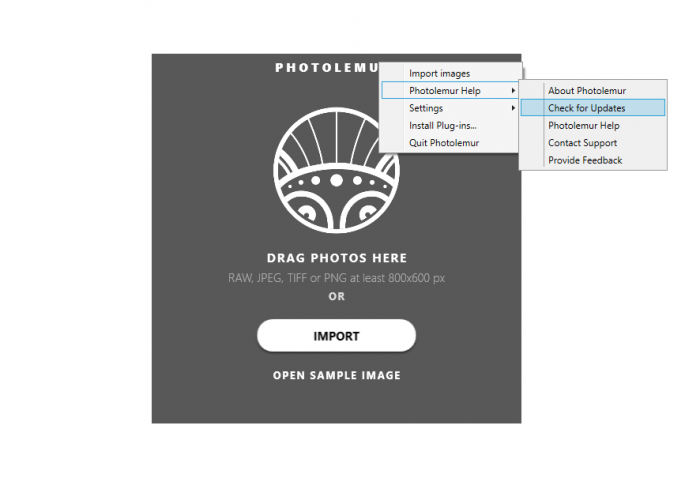
Checking for new versions of Photolemur

To check your current version, launch Photolemur, click on Photolemur in the top menu, and select  Photolemur Help > About Photolemur.

Have any questions?

Contact Us

1

2

3

Create a ticket

We will pass your question on to one of our specialists who will personally reply to you as soon as possible.

Enter your message

Please make sure to provide us with all needed information that will help us to reproduce your issue (Mac/PC info, screenshots, sample files, crash reports, logs, etc).(Mac/PC info, screenshots, sample files, crash reports, logs, etc).

No file chosen×

Your message sent!

We will contact you as soon as possible

Close

Sorry

Close
Checking for new versions of Photolemur(3)
