View plans

AI Image Editor Prompts: How to Use AI to Edit an Image

Forget Photoshop struggles! GenSwap—an AI picture editor with prompts—is here to make your photos look their best without any effort. Type what you need and let AI do the magic.

Try on my photo

GenSwap: The AI Tool That Edits Your Photos with a Few Words

Forget Photoshop struggles! GenSwap—an AI picture editor with prompts—is here to make your photos look their best without any effort. Type what you need and let AI do the magic:

• Remove unwanted objects
Get rid of photobombers, messy backgrounds, or that random street sign ruining your shot.

• Swap objects
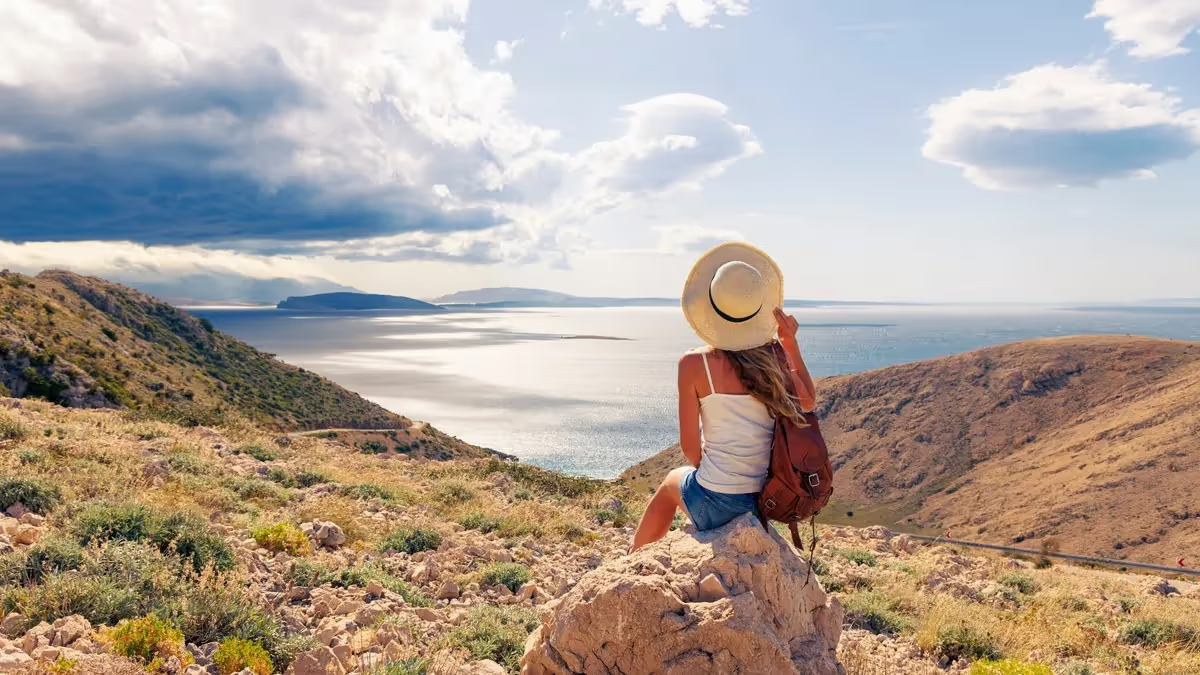
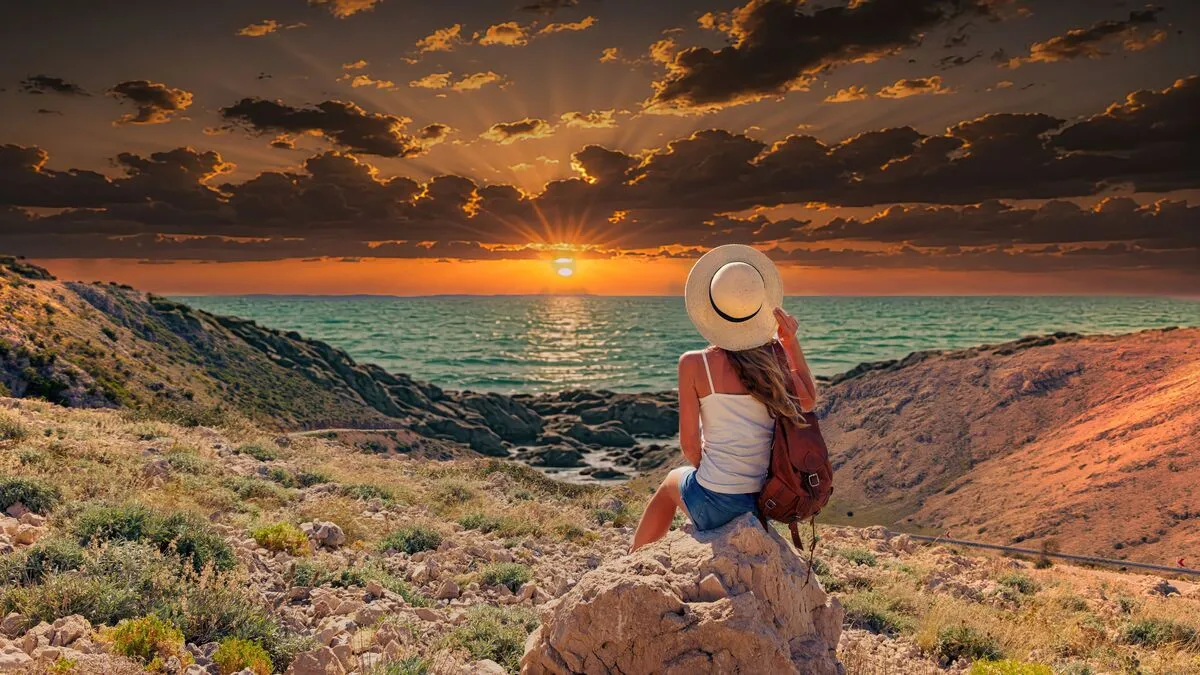
Turn a backpack into a designer handbag, replace a car with a bicycle, or even change a cloudy sky to a sunset—no manual editing required.

• Remaster portraits
Adjust makeup, hairstyles, or even facial features without needing a single brushstroke.

• Create a whole new scene
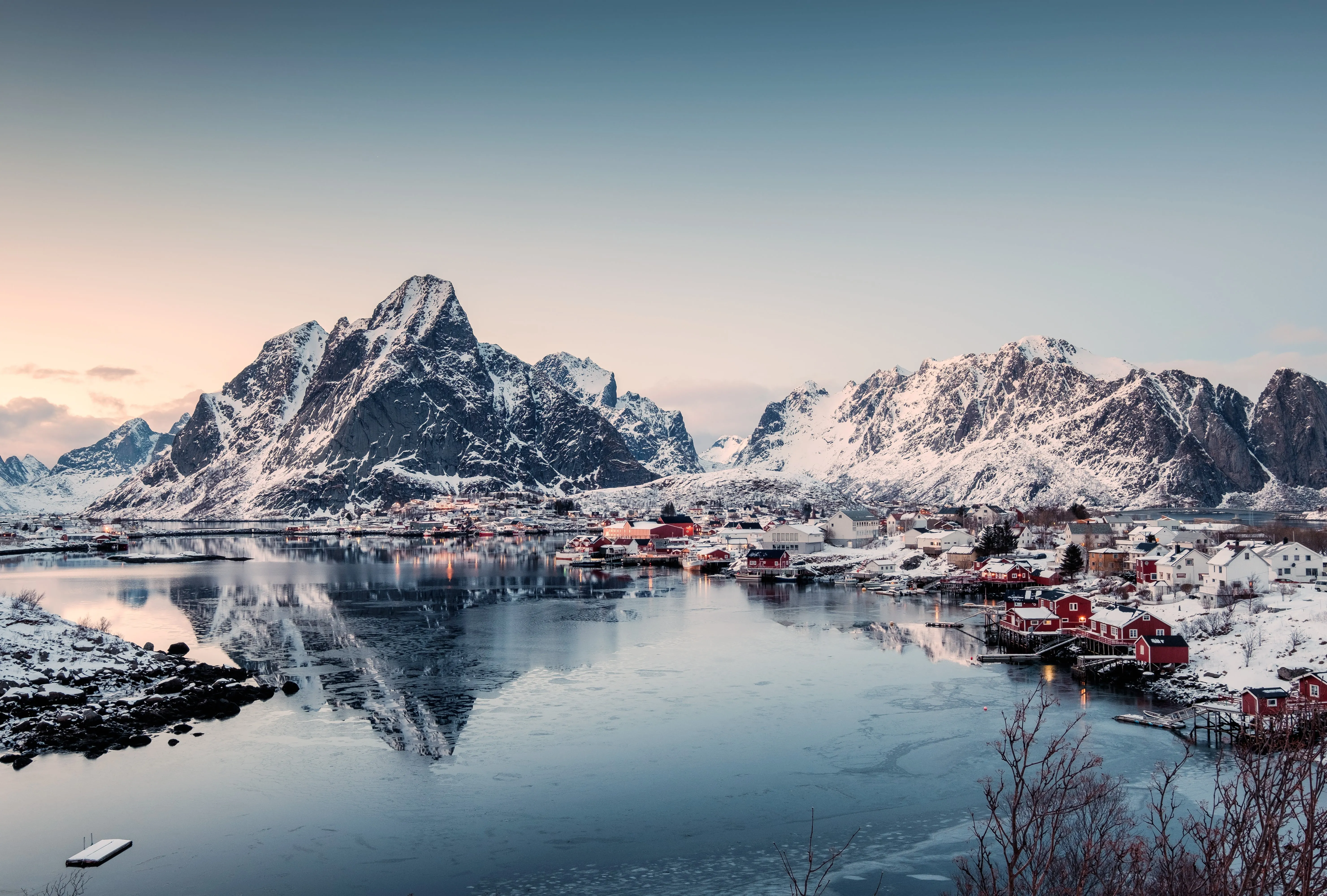
Want to turn a summer photo into a winter wonderland? With GenSwap, it's as easy as typing a few words.
(2)

How to Edit Photo with AI Prompt: A Step-by-Step Guide

GenSwap makes photo editing effortless—no layers, no complex tools, just AI-powered instant transformations.
Here’s how it works:

(3)

Upload your image

(4)

Select the object or area you want to modify

(5)

Type your edit request (no fancy jargon needed—just say what you want!)

(6)

Watch GenSwap work its magic in seconds

It’s that simple. No mess, no stress—just mind-blowing AI edits in one click.

Examples of Prompts to Get the Perfect Edit

Not sure what to type? No worries—here are some tried-and-tested prompts to help you get nice results with GenSwap. Just describe what you want, and let AI manipulate the image!

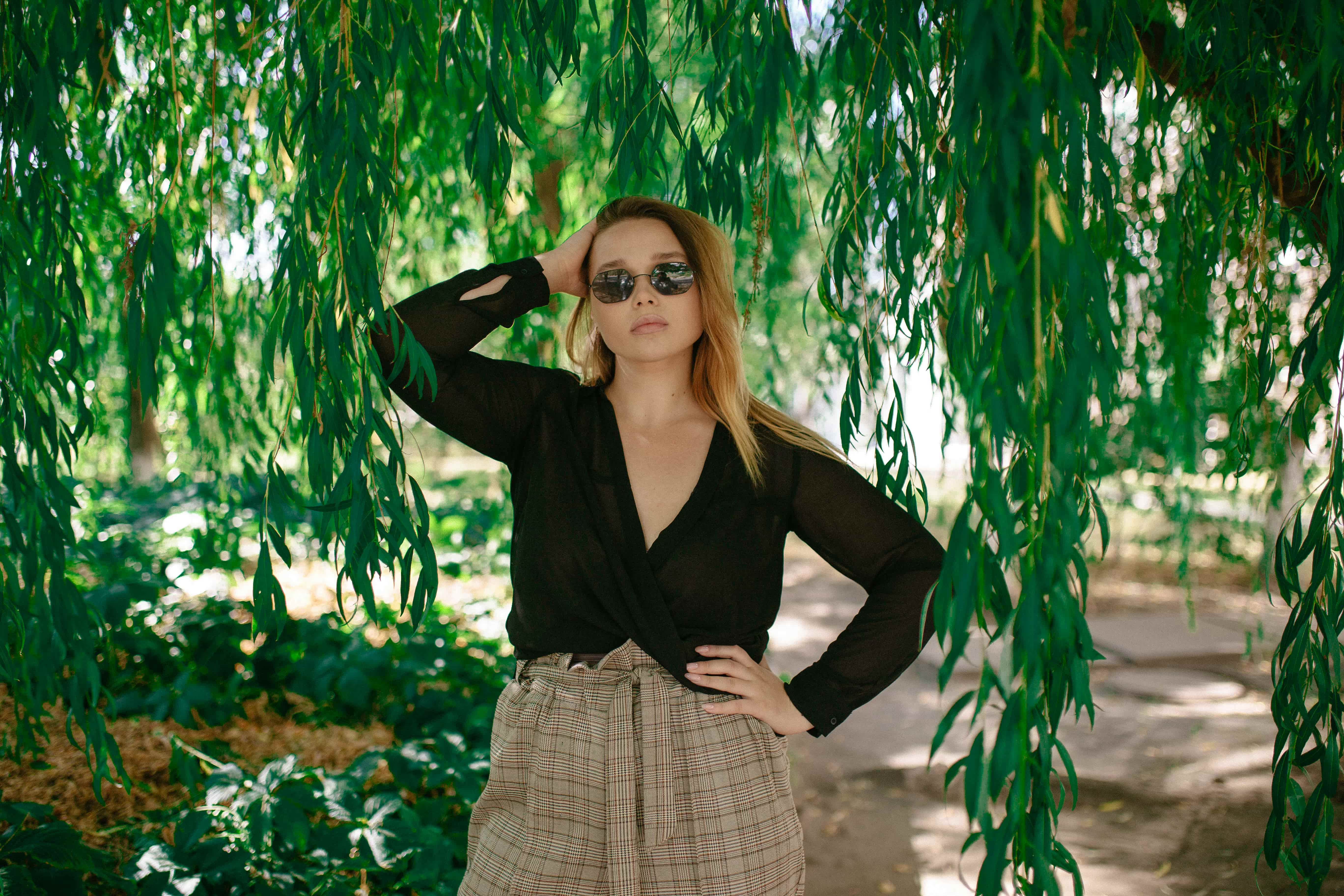
1. Outfit Changes

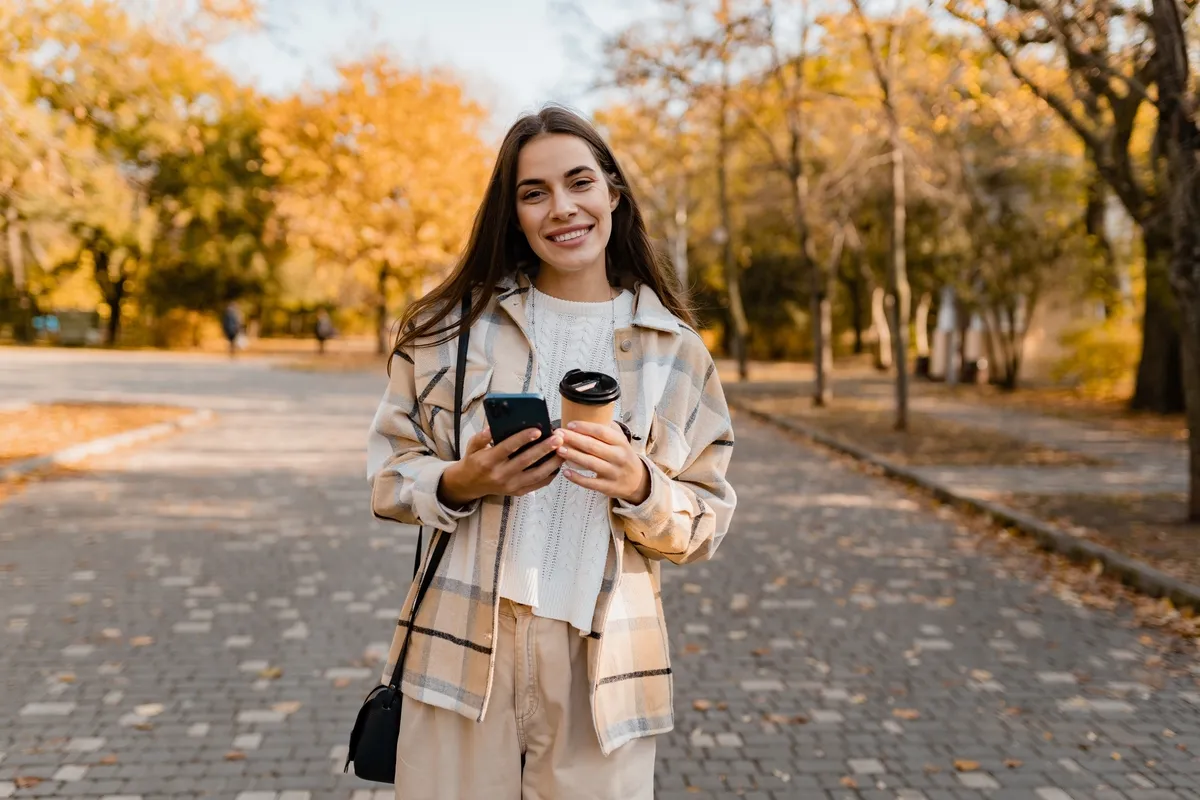
"A black leather jacket"
"A formal suit with a red tie."
"A vintage dress 1950s"
(7)
(8)
(9)
Before
After
© © shutterstock
(10)
(11)
(12)
Before
After
© shutterstock

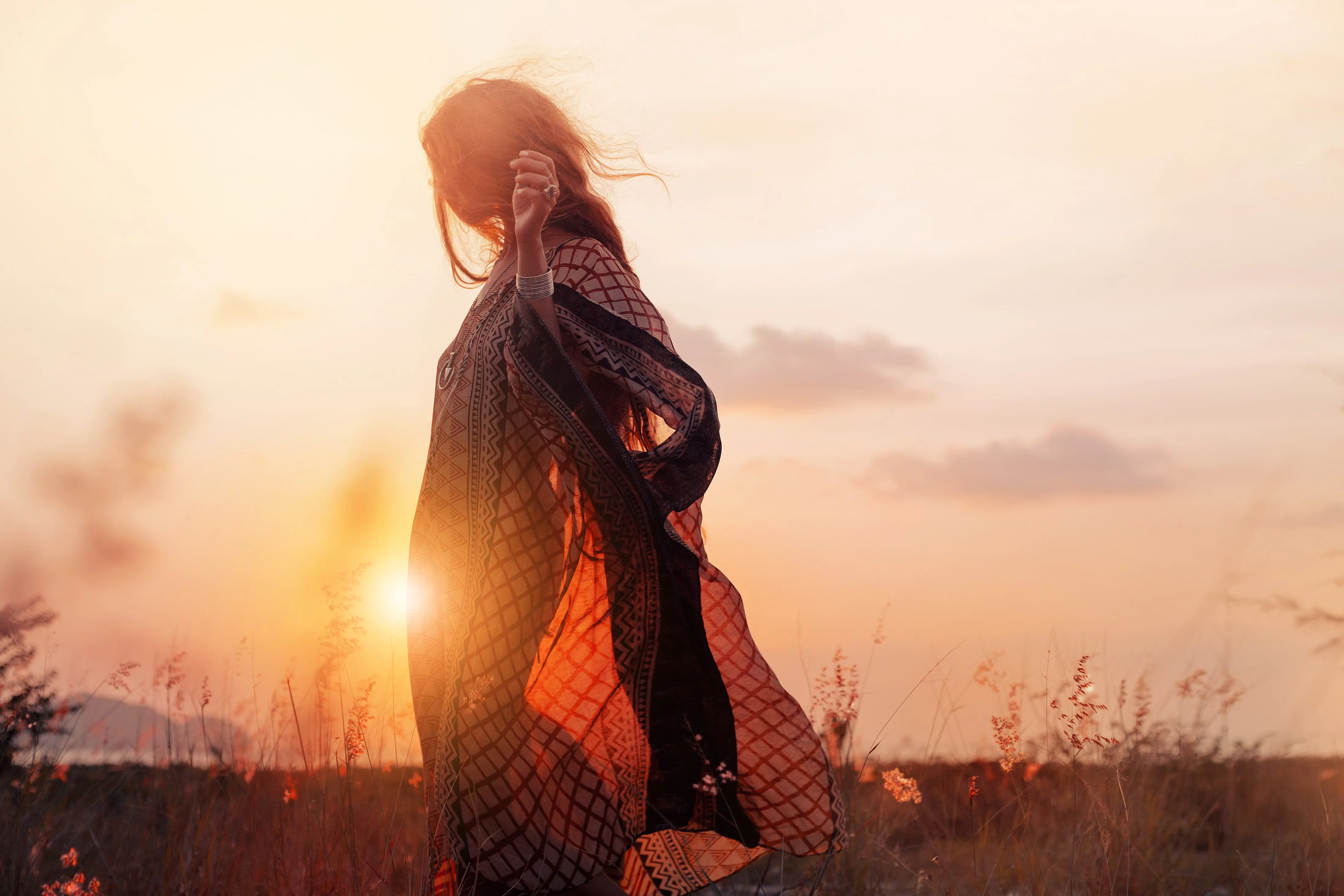
2. Background Transformations

"A golden sunset."
"A snowy winter day."
"A tropical beach."

3. Object Replacements

"A designer handbag."
"A bicycle."
"A glass of red wine."
(13)
(14)
(15)
Before
After
© shutterstock
(10)
(17)
(18)
Before
After
© shutterstock

4. Portrait Enhancements

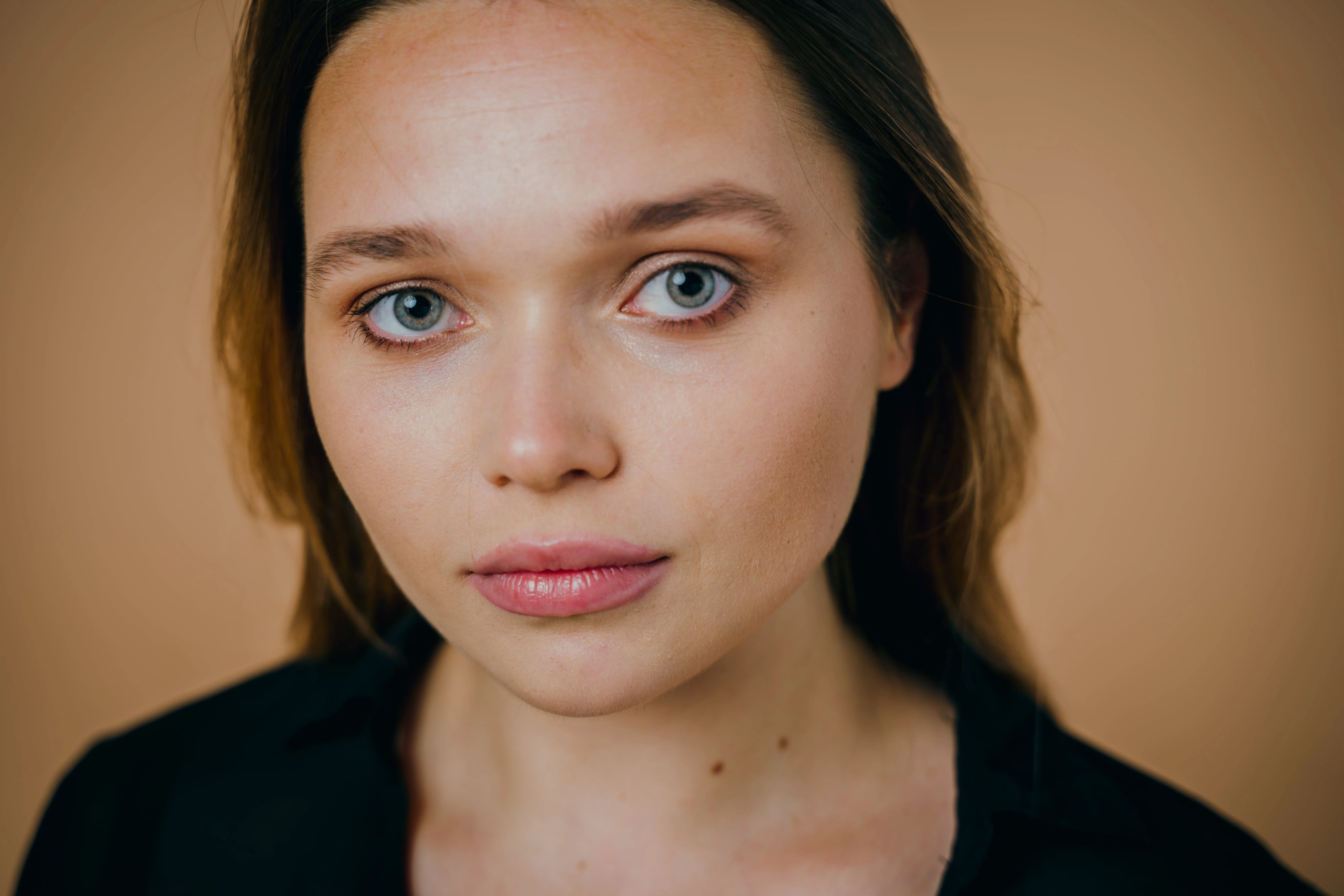
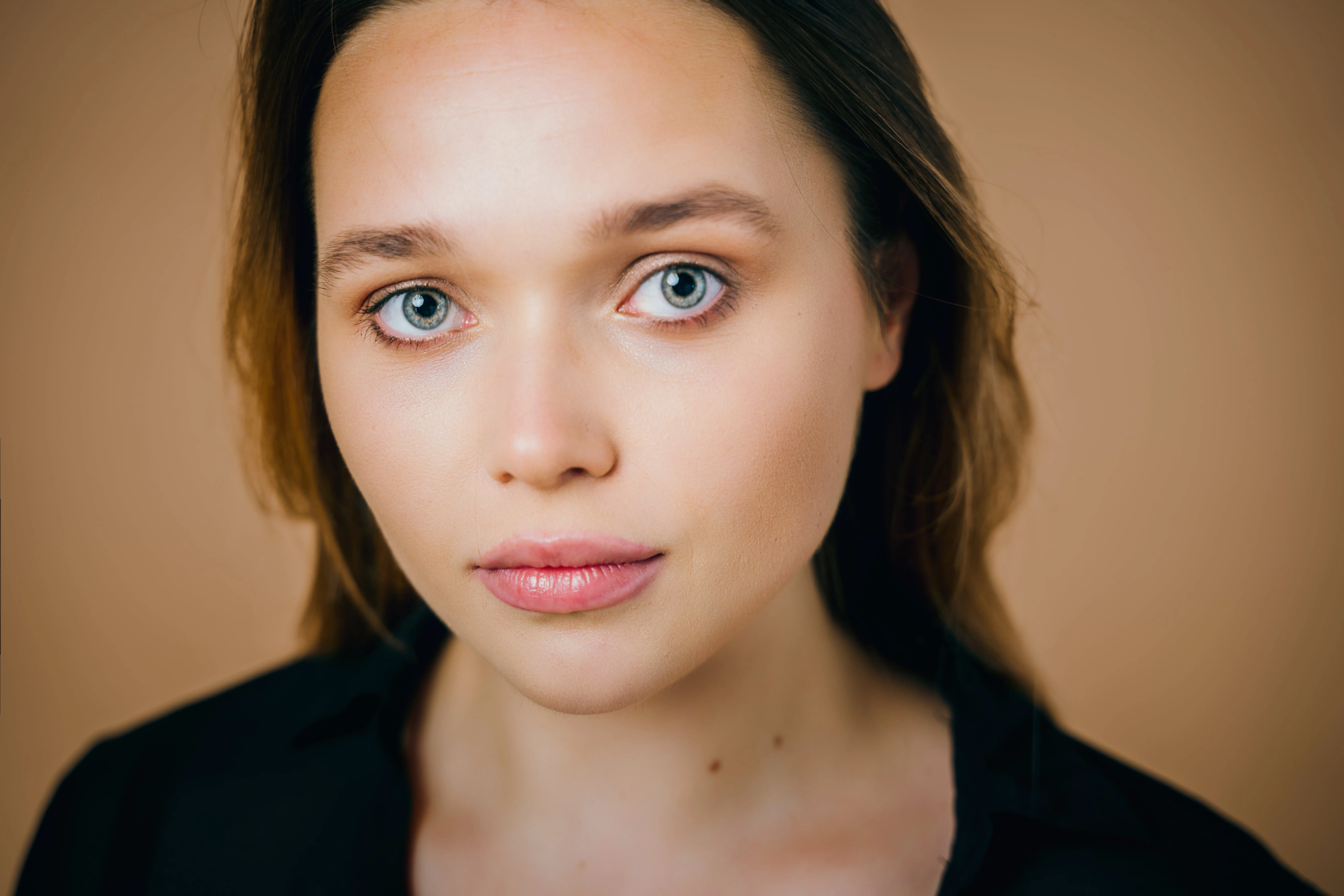
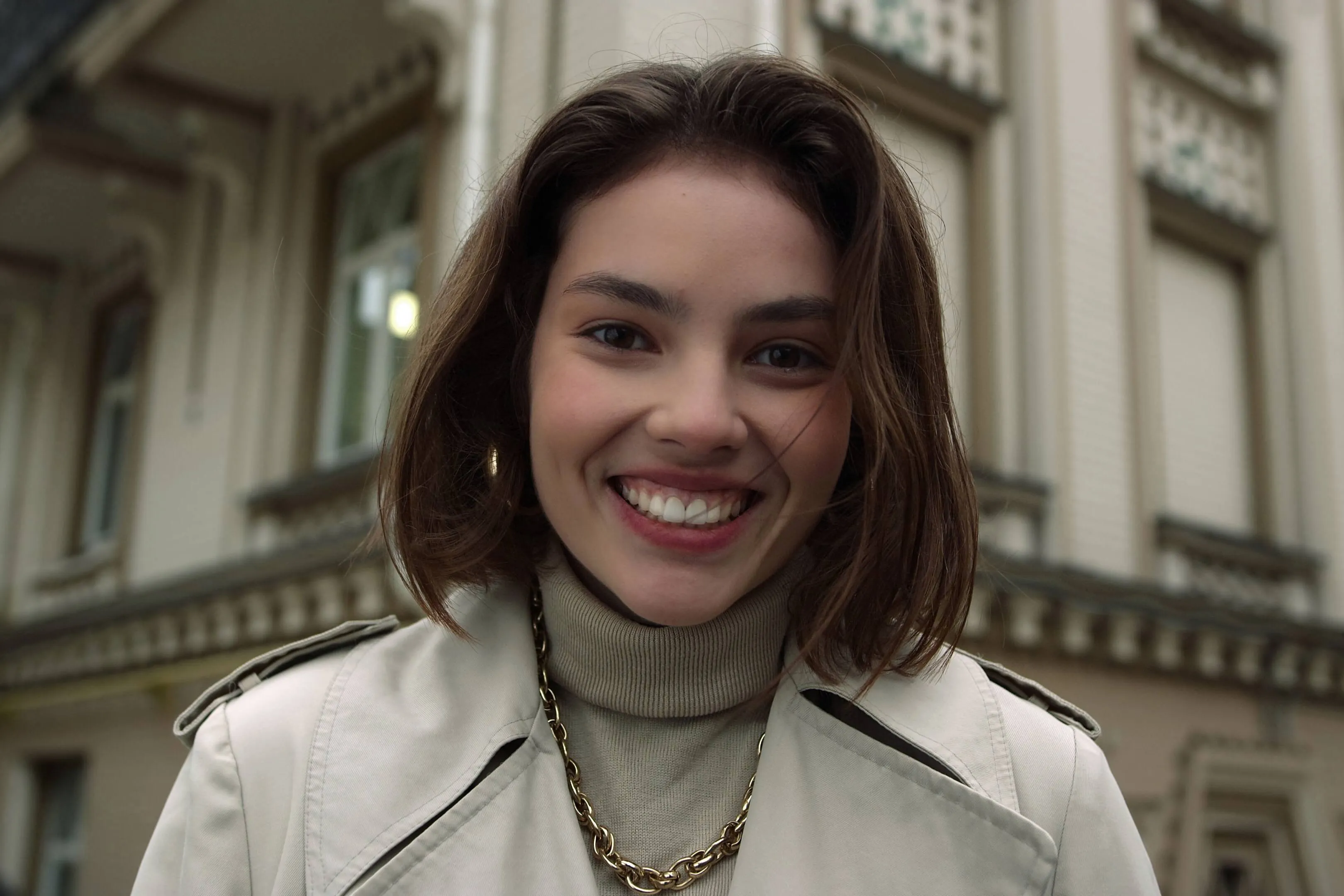
"A subtle red lipstick and soft makeup look."
"Shoulder-length waves."
"Emerald green eye color ."

Why Luminar Neo is a Perfect Match for Photo Editing

  • (19)

    Clean & User-Friendly Interface

    No steep learning curve—just intuitive, powerful editing. Luminar Neo makes advanced photo editing effortless for both beginners and professionals.

  • (20)

    AI-Powered Enhancements

    All the “hard work” is done by AI. Replaced skies, enhanced portraits, refined landscapes, and pro-level edits in just a few clicks.

  • (21)

    Advanced Editing Capabilities

    Full creative control at your fingertips. Unlock layers, masking, and precision adjustments to fine-tune every detail of your photos.

  • (22)

    Cross-Platform Compatibility

    Seamless workflow, wherever you edit. Use Luminar Neo on Windows, macOS, or as a Photoshop & Lightroom plugin for a fully integrated experience.

  • (23)

    Constant Innovation & Updates

    Always evolving, always ahead. Regular updates, new features, and cutting-edge AI tools keep your editing experience fresh and powerful.

  • (24)

    Time-Saving Presets for Pro Results

    Fast, consistent, high-quality edits—every time. Apply ready-made presets or create your own for a streamlined editing process.

feedback

Creators Share Their Thoughts About Luminar Neo

Luminar Neo gives photographers and artists the power to edit smarter, not harder—blending AI speed with full creative control for the best results possible.

Excellent

(25)
(27)

Product is great

Product is great, provides many awesome features out of the box. When it really shines is Support, who instantly, on Sunday provided me guidance for my specific needs, which was a little beyound standard Luminar Neo program features. I asked for hint how to edit multiple human faces on a photographs and I got reasonable recommendations.

Date of experience: February 09, 2025

(27)

Very good program and a good value

Very good program and a good value. Like any software, there's a learning curve. I replaced Lightroom with this program because I refuse to pay an annual fee. So far, I'm able to do what needs to be done. I'm a semi professional.

Date of experience: February 04, 2025

(27)

I love Luminar Neo for its ease of use…

I love Luminar Neo for its ease of use and pleasing results. I wanted to edit my photos without going through all the steps required by Lightroom. I have used 3 of the Luminar programs so far.My only problem was that Luminar stopped working on my computer (wouldn't boot up). Customer service walked me through the process of cleaning up my computer files so that Neo would work again. I appreciated that!

Date of experience: January 31, 2025

View all Reviews
(31)

Save up to 70% off on effortless editing during our Summer Sale!

Your special 10% discount expires in 15:00

Perpetual
Cross-device License

Luminar Neo on Desktop, Mobile app for iOS, Android, ChromeOS

$ 149 .00

$ 385 .00

-60% OFF

One-time payment

Buy now

includes Luminar Video Course

Desktop for Windows/MacOS

$ 119

$ 239

Luminar Neo Video Course

$ 0

$ 59

Mobile App for iOS/Android/ChromeOS

$ 40

$ 60

Creative Library Access

The Luminar Neo quick start guide

Gift

30 days money back guarantee

Best Value – Complete Package

Perpetual
Max License

Luminar Neo on Desktop, Mobile app for iOS, Android, ChromeOS and Creative Library Access

$ 164 .99

$ 549 .97

-70% OFF

One-time payment

Buy now

includes Luminar Video Course + gift

Desktop for Windows/MacOS

$ 99

$ 239

100 Creative Add-ons

$ 0

$ 119

Luminar Neo Video Course

$ 0

$ 59

Mobile App for iOS/Android/ChromeOS

$ 40

$ 60

Creative Library Access

$ 40

$ 69

Enjoy 1-year free access for 1000+ creative assets (Presets, Skies, LUTs, Overlays) and video courses; renews at $49 per year thereafter, cancel anytime.

The Luminar Neo quick start guide

Gift

30 days money back guarantee

Perpetual
Desktop License

Luminar Neo on Desktop

$ 119 .00

One-time payment

Buy now

Desktop for Windows/MacOS

$ 119

$ 239

Luminar Neo Video Course

$ 0

$ 59

Mobile App for iOS/Android/ChromeOS

Creative Library Access

The Luminar Neo quick start guide

Gift

30 days money back guarantee

Reliable support, trusted by our users

Hang on! We have a surprise 🎁

Your extra 10% OFF is waiting — copy the code below and apply it at checkout, but hurry, it expires in just 15 minutes!

15:00

(32) (33)

Order Summary

(34)

Perpetual
Desktop License

$ 119 .00
$ 238 .00

Desktop for Windows/MacOS and full access to all generative tools for one year.

Luminar Neo Video Course

(35)

Auto-upgrades

renewal in 1 year for $ 33 .00

$ 0 .00
$ 33 .00

Get every new paid feature automatically.

Enjoy full access to all generative tools.

Free for 1 year. Charges apply after.

Total due now:
$ 119 .00

Order Summary

(34)

Cross-device
Perpetual License

$ 149 .00
$ 385 .00

Desktop for Windows/MacOS and full access to all generative tools for one year.

Mobile App for iOS/Android/ChromeOS

Luminar Neo Video Course

(35)

Auto-upgrades

renewal in 1 year for $ 49 .00

$ 0 .00
$ 49 .00

Get every new paid feature automatically.

Enjoy full access to all generative tools.

Free for 1 year. Charges apply after.

Total due now:
$ 149 .00

Order Summary

(34)

Perpetual
Max License

$ 164 .99
$ 549 .97

Desktop for Windows/MacOS and full access to all generative tools for one year.

Mobile App for iOS/Android/ChromeOS

Luminar Neo Video Course

(35)

Auto-upgrades

renewal in 1 year for $ 59 .00

$ 0 .00
$ 59 .00

Get every new paid feature automatically.

Enjoy full access to all generative tools.

Free for 1 year. Charges apply after.

Total due now:
$ 164 .99
(43)

Prism Light Overlays

Overlays Pack by Team Skylum
(44)

Experimental Overlays

Overlays Pack by Team Skylum
(45)

Land of the Rising Sun

Presets Pack by Team Skylum
(46)

Camping Trip

Presets Pack by Team Skylum
(47)

Is It Earth

Presets Pack by Team Skylum
(48)

Discover Latin America

Presets Pack by Team Skylum
(49)

Discover Africa

Presets Pack by Team Skylum
(50)

American Dream

Presets Pack by Team Skylum
(51)

Middle Eastern Folk Tales

Presets Pack by Team Skylum
(52)

Wonderful Scandinavia

Presets Pack by Team Skylum
(53)
(54)
Before After
(55)
(56)
Before After
(57)
(58)
Before After
(59)
(60)
Before After
(61)
(62)
Before After
(63)
(64)
(65)
(66)
(67)

Prism Light Overlays

Overlays Pack by Team Skylum

Create atmospheric images with these 10 Overlays in JPEG format that contain shimmering lights and flares in various colors. Make sure to use them with Luminar Neo’s Layers and/or the Portrait Background Removal tool, and experiment with your photos in any genre. You can add an interesting light effect or make the subject stand out in new ways, all in just a few clicks. Time to try it out!


(68)
(69)
Before After
(70)
(71)
Before After
(72)
(73)
Before After
(74)
(75)
Before After
(76)
(77)
Before After
(78)
(79)
(80)
(81)
(82)

Experimental Overlays

Overlays Pack by Team Skylum

Feel like adding a touch of something extra to your photos? Discover these 10 Experimental Overlays in JPEG format that you can easily use with Luminar Neo’s Layers feature to transform any photo into a shot that catches the eye. Choose from 10 mesmerizing effects of different colors and shapes, and create a unique mood in a few clicks. From pink hues to golden circles, you’ll certainly find an Overlay perfect for your next masterpiece.


(83)
(84)
Before After
(85)
(86)
Before After
(87)
(88)
Before After
(89)
(90)
Before After
(91)
(92)
Before After
(93)
(94)
(95)
(96)
(97)

Land of the Rising Sun

Presets Pack by Team Skylum

Enhance photos that you captured during a trip to Japan, or the ones that you want to have an atmospheric feeling reminiscent of the Japanese style. From landscapes, to iconic sights, to photos of food — this pack is incredibly versatile!


(98)
(99)
Before After
(100)
(101)
Before After
(102)
(103)
Before After
(104)
(105)
Before After
(106)
(107)
Before After
(108)
(109)
(110)
(111)
(112)

Camping Trip

Presets Pack by Team Skylum

Designed to give your camping and hiking photos their best look, these 10 Presets are here to give your outdoor photos a natural, vibrant look. Whether you’re capturing shots of majestic mountains or cozy campfires, bring out the best in your images in one click.


(113)
(114)
Before After
(115)
(116)
Before After
(117)
(118)
Before After
(119)
(120)
Before After
(121)
(122)
Before After
(123)
(124)
(125)
(126)
(127)

Is It Earth

Presets Pack by Team Skylum

Is it still Earth, or are we on an alien planet? This collection of 10 extraordinary Presets is designed to give your landscape photos an ethereal, otherworldly feel. Transform ordinary landscapes into surrealistic scenes with vivid colors that will immediately draw the viewer’s eye.


(128)
(129)
Before After
(130)
(131)
Before After
(132)
(133)
Before After
(134)
(135)
Before After
(136)
(137)
Before After
(138)
(139)
(140)
(141)
(142)

Discover Latin America

Presets Pack by Team Skylum

Experience the cinematic feel each of these 10 Presets adds to your photos as you journey through the countries of Latin America. Embrace the beauty and add some flair to your shots with this travel-friendly collection designed for landscapes.


(143)
(144)
Before After
(145)
(146)
Before After
(147)
(148)
Before After
(149)
(150)
Before After
(151)
(152)
Before After
(153)
(154)
(155)
(156)
(157)

Discover Africa

Presets Pack by Team Skylum

Dedicated to the wonderful continent of Africa, this pack combines a variety of Presets, both for portrait and landscape shots. Enhance landmarks, safari shots, architecture photos, and portraits of people that you meet on your travels around Africa.


(158)
(159)
Before After
(160)
(161)
Before After
(162)
(163)
Before After
(164)
(165)
Before After
(166)
(167)
Before After
(168)
(169)
(170)
(171)
(172)

American Dream

Presets Pack by Team Skylum

Create fantastic photos during your travels across the USA. Enhance images of landmarks, national parks, and general cityscapes of famous cities. Achieve various stunning effects with a few clicks of these 10 wonderful Presets.


(173)
(174)
Before After
(175)
(176)
Before After
(177)
(178)
Before After
(179)
(180)
Before After
(181)
(182)
Before After
(183)
(184)
(185)
(186)
(187)

Middle Eastern Folk Tales

Presets Pack by Team Skylum

This alluring collection of 10 Presets is designed to bring out the mysterious beauty of Middle Eastern scenery, architecture, street style, and nature. Warm-toned, deep yellow, or blue and golden — you will certainly find a Preset perfect for your photo.


(188)
(189)
Before After
(190)
(191)
Before After
(192)
(193)
Before After
(194)
(195)
Before After
(196)
(197)
Before After
(198)
(199)
(200)
(201)
(202)

Wonderful Scandinavia

Presets Pack by Team Skylum

Discover this wonderful collection of 10 versatile Presets that are perfect for your travel photos from Nordic countries. Capture idyllic landscapes, natural wonders, and cozy architectural shots that breathe with the Scandinavian mood. Time to pack your travel bag!

Luminar Neo Video Course

About Course
What you'll learn?
Watch the process
Get photos like these
Creator

Creative Photo Editing Techniques in Luminar Neo

by Albert Dros

10 tutorial videos

12 hand-picked Presets included

Creative editing tutorial included

Join Dutch landscape photographer Albert Dros in this course as he shares his extraordinary passion for planning and creating unique shots. In these ten videos, you'll gain insights into what makes or breaks a photo. Albert provides step-by-step guidance on editing techniques that will elevate your photography skills. Plus, as a special bonus, you’ll receive a free pack of 12 hand-picked presets by Albert Dros to help you create mesmerizing images. Unlock the secrets to breathtaking landscape photography and transform your shots into stunning masterpieces with Albert’s expert instruction.
img

Introduction & Course Outline

Albert Dros introduces himself and gives a quick overview of what you will learn in this photography and...

img

Introduction to Photography

What should you focus on when taking your photos to get the best results?

img

Basic Editing

Albert introduces the layout of Luminar Neo and the basic instruments you can use to achieve great results instantly.

img

Advanced Editing

Going in depth, Albert shows you the more advanced tools in Luminar Neo and how to use them to make your photos stand out.

img

Dramatic Editing

Get creative with your photos! Albert edits a photo with more creative tools to bring forward its dramatic aspects and breathe new life into it.

img

Focus Stacking

Luminar Neo has Extensions that let you get even more impressive results. In this video, you will learn how to do focus stacking with Luminar Neo’s Focus Stacking Extension.

img

Cityscapes

What makes or breaks a cityscape shot? Take a look at how to transform a photo from Dubai from ordinary to impressive.

img

Forests

Find out what Luminar Neo tools Albert uses to make his impressive signature forest photos. Look out for Atmosphere AI, Sunrays, and other tools!

img

Presets

Learn to use Presets to quickly get interesting color solutions in your photos. Albert guides you through using Presets to make even more beautiful forest shots.

img

Course Summary

Get a quick summary of everything you have learned in this course. Happy creating!

Before After
Before After
Before After
Before After
Before After

Albert Dros

PHOTOGRAPHER, WRITER AND EDUCATOR

Albert Dros is a Dutch landscape photographer who has an extraordinary passion to plan and create unique shots. Volcanoes, solar eclipses and unique aspects of nature draw his attention. He doesn’t just go for the simple shot.

"Go big or go home" is his motto, always trying to add some unique element to his shots.

His work has been recognized on a worldwide scale and he has been published worldwide in the biggest media outlets.

Albert travels a lot as a photo educator but also for personal projects. But even in The Netherlands, he can’t stop photographing. His inspiration never stops.

Explore Other Features

Luminar Neo has plenty of other features to help you edit faster and easier
(203)
Color Photo Editor
(204)
(205)
Before
After
© Hanna

Color Photo Editor

Breathe new life into your images by adjusting their colors and tones or create a specific mood.
(206)
Skinny Face
(207)
(208)
Before
After
© Ksenia Kazak

Skinny Face

Discover Luminar Neo's Slim Face feature and revolutionize your photos with just a slide! Try it now!
(209)
Whiten Teeth
(210)
(211)
Before
After
© Stockbusters

Whiten Teeth

Transform your smile with Luminar Neo! Brighten your teeth and achieve a flawless, picture-perfect grin.
(212)
Body Editor
(213)
(214)
Before
After
© Ksenia Kazak

Body Editor

Transform your body's appearance naturally with our advanced body editor. Try it now!
(215)
Remove People From Photos
(216)
(217)
Before
After
© Erase_Melinda

Remove People From Photos

Easily erase unwanted people from your pictures, making those crowded tourist spots or accidental photo-bombers disappear.
(218)
Blend Two Images
(219)
(220)
Before
After
© shutterstock

Blend Two Images

Elevate your photography to new heights by seamlessly blending two images

FAQ: AI Photo Editor with Prompt—GenSwap

How does AI Photo Editor with Prompt work?

Luminar Neo offers a powerful tool that lets AI edit images with text prompts, making object replacement quick and simple. Just select the area, describe what you want, and watch as the system swaps or removes objects with precision—no manual editing needed. You can refine a composition, add creative elements, or transform a scene to match your vision in seconds.

Can I control the type of replacement visuals?

Absolutely! Just type a clear and specific prompt describing what you want in your image. If the AI-generated result isn't quite what you envisioned, simply refine your prompt and try again for a better match.

Can I revert changes if I don’t like the AI edit?

Yes! Luminar Neo is non-destructive, meaning you can undo changes at any time. If you’re not happy with an edit, you can always adjust, refine, or completely remove it.

What happens if the AI doesn’t generate the exact result I want?

No worries! If the first attempt isn’t perfect, refine your text prompt with more details. Try different wording, be more specific, or adjust the masked area for a more accurate result.

How do I get the best results when using an AI Photo Editor with Prompt?

Great question! At Skylum, we’ve put together some proven tips to help you achieve the best results without frustration:

Use English – The AI works best with English-language prompts.
Mask slightly beyond the object – Cover a slightly larger area than needed to ensure seamless blending.
Be specific with nouns – Instead of vague prompts, use detailed descriptions like “blue sea,” “golden retriever,” and “vintage car.” Avoid using verbs like “change,” “erase,” “remove,” “add,” or “create.”
Write detailed prompts – The more descriptive your request, the better the AI can generate a matching visual.
Ensure complete masking – If replacing an object, make sure to include its shadow, reflection, and all relevant details for a natural result.
Handling content restrictions – If you receive an “inappropriate content” error but believe your request follows guidelines, try adjusting your masking area or prompt wording.

Why Luminar Neo is the best AI image editor with prompt?

Luminar Neo combines generative AI tools with a full professional photo editor. You can use simple prompts to remove objects, expand scenes, or replace elements, while still having precise control over layers, masks, and manual adjustments. This gives you both speed and creative accuracy in one workflow.

Who can benefit from Luminar Neo AI prompt photo editor?

Luminar Neo is ideal for photographers, designers, and content creators who want to transform images quickly without losing quality. It’s built for beginners who want intuitive AI tools and for professionals who need prompt-based editing inside a serious photo editing environment.

Why Luminar Neo AI prompt image editor is trusted by photographers?

Photographers trust Luminar Neo because its AI prompt tools are part of a complete, non-destructive editing system. They can generate or modify elements, then fine-tune every detail with professional tools. Backed by Skylum’s experience in AI photo software, it delivers results that are both powerful and reliable.
(221)