








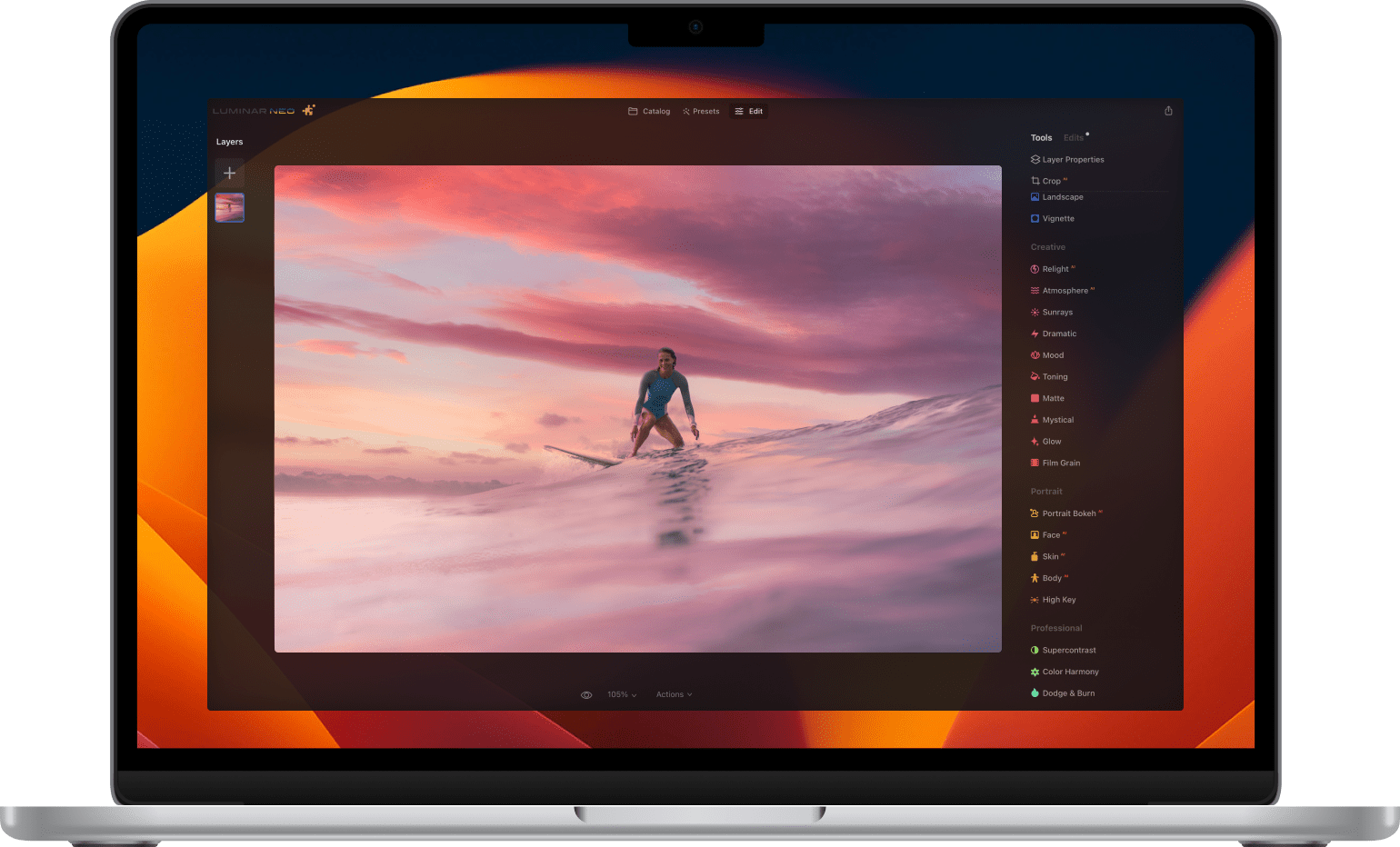


















© Cuma Cevik

Photos as you imagined them

Created in Luminar Neo photo editor with professional-level Extensions

Luminar Neo - Easy Photo Editor | Software for Mac & PC
All Skies
© Ksusha Kazak

Tackle misfocus
and motion blur

Stabilize your composition with
Supersharp AI

© ademyan

Pixel-perfect upscaling

For brilliant shots inside your shots

Original Luminar Neo - Easy Photo Editor | Software for Mac & PC(3)
Upscale AI x4 Luminar Neo - Easy Photo Editor | Software for Mac & PC(4)
Luminar Neo - Easy Photo Editor | Software for Mac & PC(5)
© ademyan

Select. Click. Remove.

AI-powered Background Removal
for any object

© Ksusha Kazak

Make it Noiseless. Keep the details.

With the Noiselessᴬᴵ Extension
for Luminar Neo.

© Imaginechina-Tuchong

Reveal true colors

With HDR Merge extension
for Luminar Neo.

Luminar Neo - Easy Photo Editor | Software for Mac & PC(8)

HDR Merge

Luminar Neo - Easy Photo Editor | Software for Mac & PC(9)
Luminar Neo - Easy Photo Editor | Software for Mac & PC(10)
Luminar Neo - Easy Photo Editor | Software for Mac & PC(11)
ev -2.0 ev -1.0 ev +1.0
© Michael Hacker, Hans-Jurgen Mager

Keep everything in focus

With AI-powered Focus Stacking Extension

© Serge Ramelli

Bring on the magic

New artistic approach for sparkling lights in your photos

Luminar Neo - Easy Photo Editor | Software for Mac & PC(12)
Luminar Neo
icon
Magic Light AI
Extension
Released
icon
Supersharp AI
Extension
Released
icon
Focus Stacking
Extension
Released
icon
Upscale AI
Extension
Released
icon
Background Removal AI
Extension
Released
icon
Noiseless AI
Extension
Released
icon
HDR Merge
Extension
Released

Save up to 81% with our holiday sale

View plans
Luminar Neo - Easy Photo Editor | Software for Mac & PC(14)
Luminar Neo - Easy Photo Editor | Software for Mac & PC(15)

Professional photo editing.
Accessible to everyone.

Luminar’s award-winning interface is designed to be convenient for people with different proficiency levels. Complicated multistep tasks are automated with intuitive AI-powered controls.

Designed by Skylum for

MacOS

and

Windows
Before After
© Cuma Cevik
Before After
© Eric Han
Before After
© Javier Pardina
Before After
© Cuma Cevik

Bring out true colors with unique AI-powered tools

Luminar Neo has everything you need to make colors that pop. Tools like Accent AI can intelligently balance hue, saturation, highlights, contrast, and details with one slider. However, you can always finetune each one separately to your liking with manual controls.

EnhanceAI

Golden Hour

Color Harmony

Supercontrast

Let your subject mesmerize the viewer

Portrait retouching is hard and tedious work if done with conventional tools. Luminar’s approach is different. Our AI neural nets detect different facial features and let you work directly with them.

Origin

Skin

Light

Slim

Eyes

Lips

© Sergey Kovbasyuk
Portrait retouching by Luminar - photo before retouch
Luminar Neo - Easy Photo Editor | Software for Mac & PC(19)
Luminar Neo - Easy Photo Editor | Software for Mac & PC(20)
Luminar Neo - Easy Photo Editor | Software for Mac & PC(21)
Luminar Neo - Easy Photo Editor | Software for Mac & PC(22)
Luminar Neo - Easy Photo Editor | Software for Mac & PC(23)
© Sergey Kovbasyuk
AI Portrait retouching by Luminar - photo before retouch
Luminar Neo - Easy Photo Editor | Software for Mac & PC(24)
Luminar Neo - Easy Photo Editor | Software for Mac & PC(25)
Luminar Neo - Easy Photo Editor | Software for Mac & PC(26)
Luminar Neo - Easy Photo Editor | Software for Mac & PC(27)
Luminar Neo - Easy Photo Editor | Software for Mac & PC(28)

Unleash your creativity
with signature AI tools

Magic happens when tools don’t get in the way of creativity. Execute your vision with tools built for creatives: change the sky in a click, add a realistic-looking fog or relight the whole scene completely.

Before After
© cuma cevik
© Maryna Yurlovskaya
Luminar Neo - Easy Photo Editor | Software for Mac & PC(29)
Luminar Neo - Easy Photo Editor | Software for Mac & PC(30)
Before After
© Wirestock

SkyAI

Portrait BokehAI

RelightAI

AtmosphereAI

Luminar Neo calculates the depth of a photo and creates its 3D map.
This way it is possible to spread the light naturally in 3D space on a 2D image.

An application & plugin.
For Windows & macOS

  • High-performance image editor
  • 24/7 technical support
  • 30-day money back guarantee
  • Join our communities
View plans

Product delivery stages

Early Access version

Luminar Neo - Easy Photo Editor | Software for Mac & PC(41)

Core Luminar features

Core Luminar features

100+ classic and AI-based solutions for professional results

Luminar Neo - Easy Photo Editor | Software for Mac & PC(42)

Remove Dust Spots

Remove Dust Spots

Select and remove dust spots in one click

Luminar Neo - Easy Photo Editor | Software for Mac & PC(43)

RelightAI

RelightAI

Control the light in 3D space

Luminar Neo - Easy Photo Editor | Software for Mac & PC(44)

Remove Powerlines

Remove Powerlines

Detect and get rid of powerlines automatically

Luminar Share

Easily share images between desktop and mobile

Main release in February

Luminar Neo - Easy Photo Editor | Software for Mac & PC(46)

Presets

Presets

Enhance your image in one click

Luminar Neo - Easy Photo Editor | Software for Mac & PC(47)

Layers

Layers

Manipulate multiple photos with image layers

First free update

Luminar Neo - Easy Photo Editor | Software for Mac & PC(48)

MaskAI

MaskAI

Detect and select elements with AI for quick tool application

Luminar Neo - Easy Photo Editor | Software for Mac & PC(49)

Portrait Background RemovalAI

Portrait Background RemovalAI

Remove portrait backgrounds automatically

The product will be delivered to you in three stages. The Early Access version is available right now. The full version will be delivered to you in February via software updates. Later on, additional features will be added via the first free major upgrade.

What is Early Access and what can I expect from it?

Luminar Neo Early Access is a preliminary product release for our most devoted customers who want to shape the product together with us. The Early Access version delivers most of the core Luminar functionality together with three new AI-driven features. We would highly appreciate your feedback on the performance of those three features. You can leave your feedback right in the app.

View plans Hide information

Frequently Asked Questions

What is Luminar Neo?

Luminar Neo is a powerful, next-generation photo editing software designed to inspire creativity and deliver professional results with ease.

It features an intuitive interface and a modern toolkit powered by cutting-edge AI technologies. With a flexible, performance-focused engine at its core, Luminar Neo offers faster editing, seamless layer-based workflows, and precise control over every detail. Whether you're enhancing portraits, transforming landscapes, or exploring your artistic vision, Luminar Neo makes the editing experience both efficient and enjoyable.

How do I get Luminar Neo?

You can buy Luminar Neo on this page and download your photo editor from the My Account page. This software to edit photos is available for macOS and Windows as an application and plug-in.

What is the difference between Luminar plans?

Perpetual Desktop License

By purchasing the perpetual desktop license, you will get a license that gives you the right to own Luminar Neo forever. With this plan, you can:

  • Get access to updates, bug fixes, improvements, and some new features. But big upgrades may require extra upgrade payments.
  • Get access to the features released in Fall 2025 Upgrade (Restoration, AI Assistant, Light Depth) & Spring 2026 updates.
  • Use all the tools, including AI photo editing tools, as well as Pro Tools.
  • Use the Generative tools (GenErase, GenExpand and GenSwap) during 1 year calculated from the purchase date
  • Activate Luminar Neo on 2 computers.

Perpetual Cross-Device License

Includes everything in the Perpetual Desktop License, plus:

  • Perpetual access to Luminar Mobile on 3 mobile devices.
  • Luminar Ecosystem with cross-device editing (mobile to desktop).
  • Access to Spaces – web galleries that allow you to share your work online.

Perpetual Max License

The ultimate plan. Includes everything in Perpetual Cross-Device, plus:

  • Access to the Creative Library with exclusive creative assets like presets, LUTs, overlays and video tutorials.
    *Creative Library courses are available in English only.

Can I start editing on one device and finish on another?

Yes. Cross-device editing is included in the Perpetual Cross-Device License and Perpetual Max License. You can begin on your mobile phone and pick up right where you left off on your desktop or tablet. Currently, it works one-way works one-way (mobile → desktop); the reverse flow (desktop → mobile) will be added in a future update.

How many devices can I use Luminar Neo on?

You can use Luminar Neo lifetime or subscription plan on 2 devices.

Two seats allows you to install and activate Luminar Neo on two devices at once, regardless of their operating system. For example, you can use one seat to activate Luminar Neo on a Mac and the other one to activate Luminar Neo on a Windows computer, or you can use both seats for your Windows or macOS computers. Any combination works!

Moreover, you can always manage your activations in your Skylum Account. You are able to add even more seats in your Skylum Account if you have multiple computers or want to share your license with people who need access.

Are you changing computers or upgrading your device? You can reset a license from your old machine at no cost and activate that license on your new device. Just log in to your Skylum account or do it directions in app during the installation process on a new device. Learn more

Do you offer educational and military discounts?

Educational and military discounts are available starting from the official release date and are calculated from the regular sale price.

To secure the special price, click here. If you own a previous version of Luminar or Aurora HDR, we also provide a loyalty discount. Click here to redeem it.

What does a photo editor do?

A photo editor is a software responsible for enhancing and manipulating digital images to achieve a desired visual outcome. Their primary function is to improve the overall quality and appearance of photographs using image enhancement, restoration, composition, and other image manipulations.

How to use Luminar Neo?

Luminar Neo is a convenient photo editor that allows you to easily edit images. After installing it, you can import images, sort them in the Catalog, apply one-click Presets, edit your photo with tools and layers, and then save and export photos for sharing.

How to install Luminar Neo?

After purchasing Luminar Neo you will be emailed all the instructions on how to quickly install Luminar Neo and start using it.

What is the latest version of Luminar Neo?

You can check the latest version of Luminar Neo and what improvements it has here.

Notify me upon release

Get notified when Luminar Neo is released and get a special surprise 🎁 from us.

This email is not associated with any Skylum account. Please enter another email

Get started for free

Try out Luminar Neo for free for 7 days. No credit card needed.

Sent successfully!

Please check your email

Make sure it's a valid email address

👆 This app is available for desktop only. We will send you a link when you’re back on your computer.

App Requirements

macOS

Mac Model

MacBook, MacBook Air, MacBook Pro, iMac, iMac Pro, Mac Pro, Mac mini, early 2010 or newer

Processor

CPU Intel® Core™ i5 8 Gen or better

OS version

macOS 12.0 or higher.

RAM

Memory 8 GB RAM or more (16+ GB RAM is recommended)

Disk space

Hard disk 10 GB free space; SSD for best performance

Display

1280x768 size or better

Windows

Hardware

Windows-based hardware PC with mouse or similar input device

Processor

CPU Intel® Core™ i5 8 Gen or better, AMD Ryzen™ 5 or better

OS version

10 version 1909 or higher (only 64-bit OS)

RAM

Memory 8 GB RAM or more (16+ GB RAM is recommended)

Disk space

Hard disk 10 GB free space; SSD for best performance

Display

1280x768 size or better

Graphics

Open GL 3.3 or later compatible graphics card