

自动更新
1 年内续订 $ 33 .00

使用颗粒去除工具,您只需 3 个步骤即可消除数位噪音并保持照片清晰。
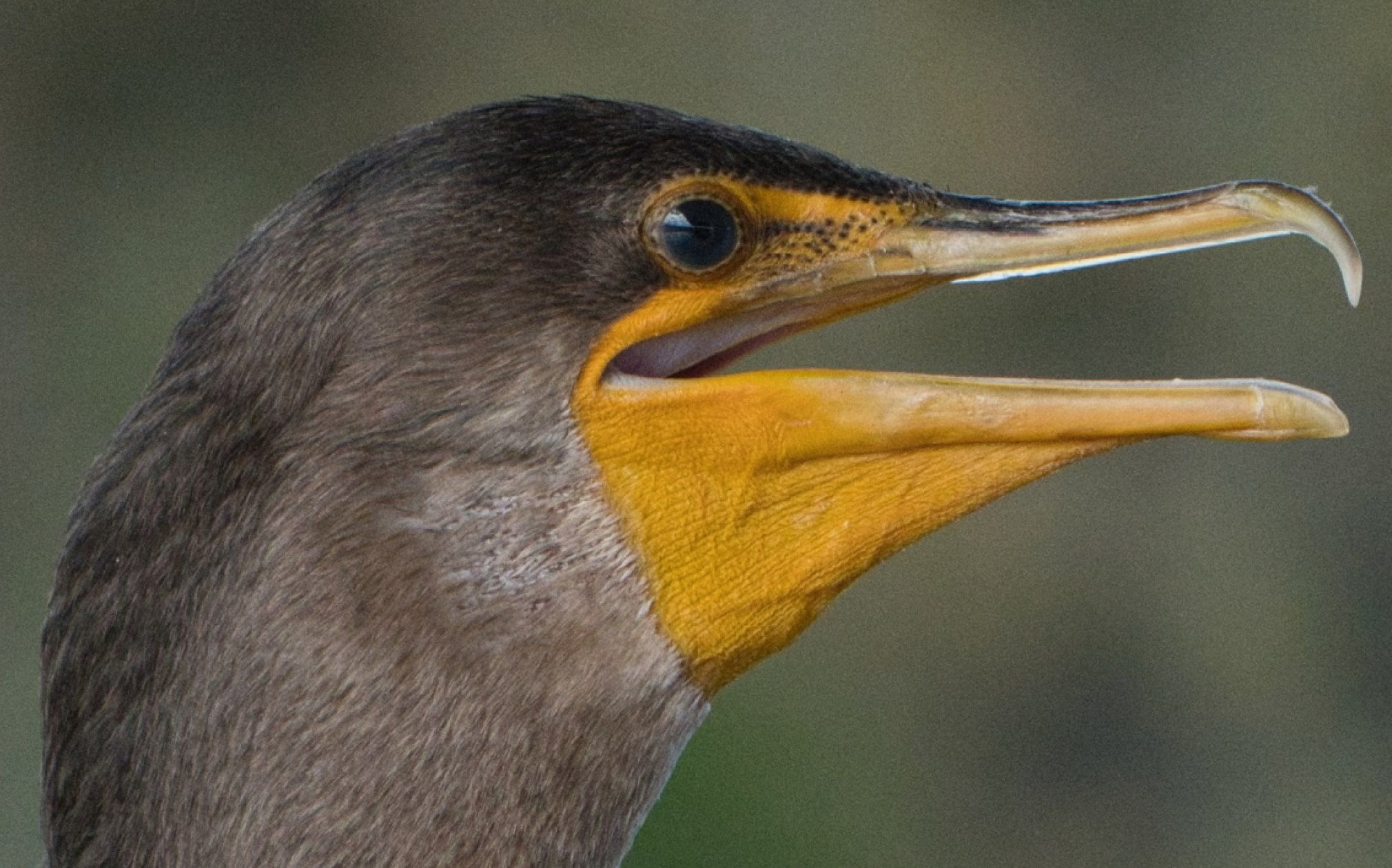
What does denoise do? It ungrains a photo, right. But with Luminar, you can reach the next level of your editing.
NoiselessAI in Luminar is an intelligent denoise tool that works with both RAW and JPEG files. It effectively removes noise from photos, both luminance noise (grain) and chroma noise (color specks), while keeping a natural look.
凭借深度影像分析,NoiselessAI 可自动侦测杂讯水平,并一键推荐最佳杂讯消除方案。如需更多控制,您可以使用亮度降噪、色彩降噪、细节降噪和清晰度降噪手动进行微调。
使用 Luminar 的 AI 驱动的照片编辑工具提升您的摄影水平。

几秒内增强

优化每个像素

自然平滑肌肤

修复旧照片

修正构图

锐化每个细节

精确降噪

去除干扰

添加立体光效

即时替换天空

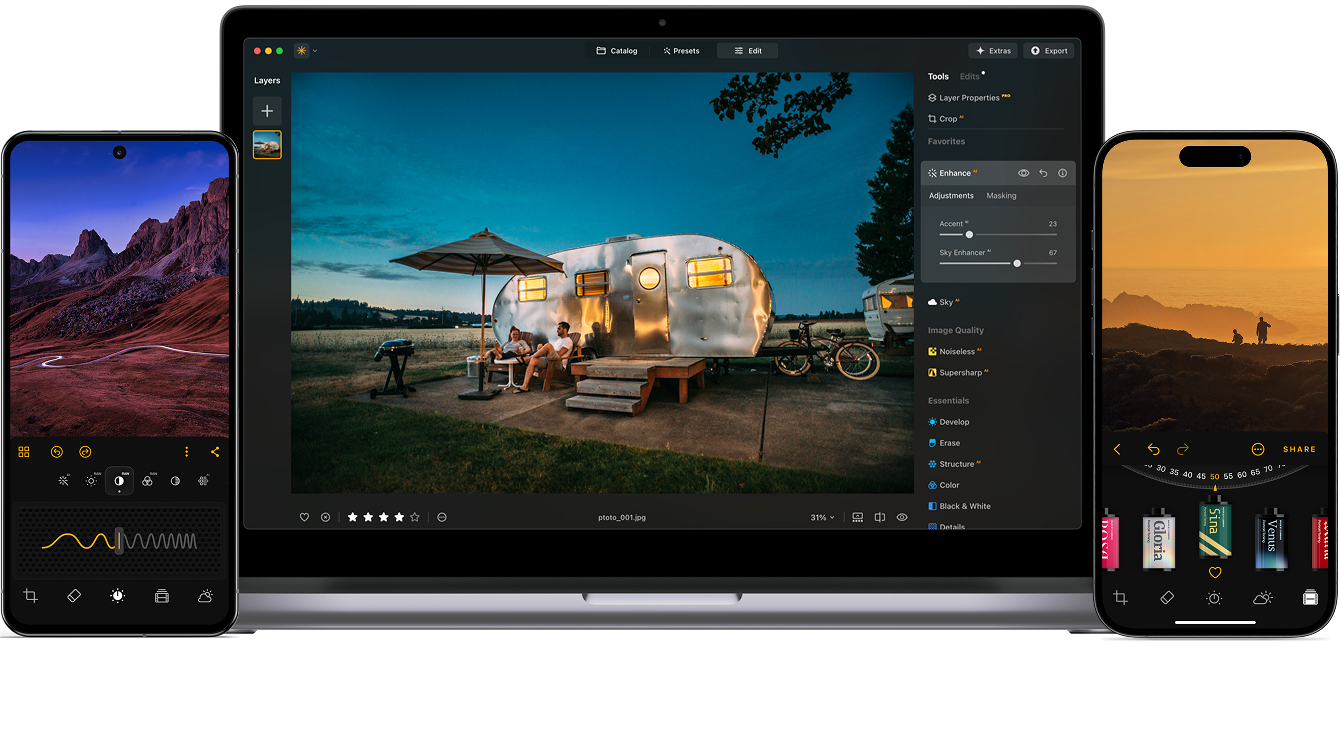
跨设备编辑

在网页图库中分享编辑成果
几秒内增强

揭示隐藏的细节

增强对比度
修正构图
优化每个像素

改善颜色

塑造光影
即时替换天空

重现黄金时刻

添加逼真的雾气
去除雾霾

用光线照亮

加深傍晚色调

完美的水纹理
去除干扰

扩展你的场景

无缝替换物体
修复旧照片
锐化每个细节
精确降噪

无损放大
添加立体光效

增加光泽深度

轻松调色

用霓虹照亮

添加电影质感

叠加创意效果

创造梦幻般的
散景效果 新的
自然平滑肌肤 改善

增強面部特徵 改善

雕塑身體比例

優雅地虛化背景

添加攝影棚燈光

輕鬆替換背景

時尚地提亮

合并多重曝光

拼接宽幅全景

堆叠对焦照片

全平台
Edit wherever you are.
$ 139 .00
$ 477 .00
-71%折扣一次付费,永久使用应用程序
立即购买商品:
已包含:
Luminar 桌面版、移动版、网页版:永久归您所有。AI 工具可在 365 天后通过 Luminar Prime 续期。
*365 天可访问 AI 工具。须遵守合理使用政策。
超值之选——完整套装
Max
Edit, learn and create without limits.
$ 159 .00
$ 546 .00
-71%折扣一次付费,永久使用应用程序
立即购买商品:
Luminar Prime:
Luminar 桌面版、移动版、网页版:永久归您所有。新增及生成式 AI 工具,以及素材库访问权限:365 天。
*365 天可访问 AI 工具。须遵守合理使用政策。
仅限桌面版
Editing limited to your desktop device.
$ 99 .00
$ 417 .00
-77%折扣一次付费,永久使用应用程序
立即购买商品:
已包含:
Luminar: yours forever. AI Tools renewable after 365 days with Luminar Prime
*365 天可访问 AI 工具。须遵守合理使用政策。
您的额外 10% 折扣正在等待 — 复制下面的代码并在结账时使用,但请抓紧时间,它将在 15 分钟后过期!
15:00



适用于 Windows/MacOS 的桌面,以及一年内所有生成工具的完全存取权。
Luminar 视频课程
适用于 Windows/MacOS 的桌面,以及一年内所有生成工具的完全存取权。
适用于 iOS/Android/ChromeOS 的移动应用程序
Luminar 视频课程
适用于 Windows/MacOS 的桌面,以及一年内所有生成工具的完全存取权。
适用于 iOS/Android/ChromeOS 的移动应用程序
Luminar 视频课程
100 Creative Add-ons






















Create atmospheric images with these 10 Overlays in JPEG format that contain shimmering lights and flares in various colors. Make sure to use them with Luminar’s Layers and/or the Portrait Background Removal tool, and experiment with your photos in any genre. You can add an interesting light effect or make the subject stand out in new ways, all in just a few clicks. Time to try it out!












Feel like adding a touch of something extra to your photos? Discover these 10 Experimental Overlays in JPEG format that you can easily use with Luminar’s Layers feature to transform any photo into a shot that catches the eye. Choose from 10 mesmerizing effects of different colors and shapes, and create a unique mood in a few clicks. From pink hues to golden circles, you’ll certainly find an Overlay perfect for your next masterpiece.









_after.jpeg?q=80&w=625&h=448&resize=cover)


_after.jpeg?w=54&h=30&resize=cover)
Enhance photos that you captured during a trip to Japan, or the ones that you want to have an atmospheric feeling reminiscent of the Japanese style. From landscapes, to iconic sights, to photos of food — this pack is incredibly versatile!












Designed to give your camping and hiking photos their best look, these 10 Presets are here to give your outdoor photos a natural, vibrant look. Whether you’re capturing shots of majestic mountains or cozy campfires, bring out the best in your images in one click.












Is it still Earth, or are we on an alien planet? This collection of 10 extraordinary Presets is designed to give your landscape photos an ethereal, otherworldly feel. Transform ordinary landscapes into surrealistic scenes with vivid colors that will immediately draw the viewer’s eye.












Experience the cinematic feel each of these 10 Presets adds to your photos as you journey through the countries of Latin America. Embrace the beauty and add some flair to your shots with this travel-friendly collection designed for landscapes.












Dedicated to the wonderful continent of Africa, this pack combines a variety of Presets, both for portrait and landscape shots. Enhance landmarks, safari shots, architecture photos, and portraits of people that you meet on your travels around Africa.












Create fantastic photos during your travels across the USA. Enhance images of landmarks, national parks, and general cityscapes of famous cities. Achieve various stunning effects with a few clicks of these 10 wonderful Presets.












This alluring collection of 10 Presets is designed to bring out the mysterious beauty of Middle Eastern scenery, architecture, street style, and nature. Warm-toned, deep yellow, or blue and golden — you will certainly find a Preset perfect for your photo.












Discover this wonderful collection of 10 versatile Presets that are perfect for your travel photos from Nordic countries. Capture idyllic landscapes, natural wonders, and cozy architectural shots that breathe with the Scandinavian mood. Time to pack your travel bag!
Luminar Video Course
Creative Photo Editing Techniques in Luminar

Introduction & Course Outline
Albert Dros introduces himself and gives a quick overview of what you will learn in this photography and...

Introduction to Photography
What should you focus on when taking your photos to get the best results?

Basic Editing
Albert introduces the layout of Luminar and the basic instruments you can use to achieve great results instantly.

Advanced Editing
Going in depth, Albert shows you the more advanced tools in Luminar and how to use them to make your photos stand out.

Dramatic Editing
Get creative with your photos! Albert edits a photo with more creative tools to bring forward its dramatic aspects and breathe new life into it.

焦点堆叠
Luminar has Extensions that let you get even more impressive results. In this video, you will learn how to do focus stacking with Luminar’s Focus Stacking Extension.

Cityscapes
What makes or breaks a cityscape shot? Take a look at how to transform a photo from Dubai from ordinary to impressive.

Forests
Find out what Luminar tools Albert uses to make his impressive signature forest photos. Look out for Atmosphere AI, Sunrays, and other tools!

预设置
Learn to use Presets to quickly get interesting color solutions in your photos. Albert guides you through using Presets to make even more beautiful forest shots.

Course Summary
Get a quick summary of everything you have learned in this course. Happy creating!
阿尔伯特·德罗斯
PHOTOGRAPHER, WRITER AND EDUCATOR
Albert Dros is a Dutch landscape photographer who has an extraordinary passion to plan and create unique shots. Volcanoes, solar eclipses and unique aspects of nature draw his attention. He doesn’t just go for the simple shot.
"Go big or go home" is his motto, always trying to add some unique element to his shots.
His work has been recognized on a worldwide scale and he has been published worldwide in the biggest media outlets.
Albert travels a lot as a photo educator but also for personal projects. But even in The Netherlands, he can’t stop photographing. His inspiration never stops.
什么是NoiselessAI?
Luminar Neo 中的 Noiseless AI 是一款 AI 驱动的照片降噪工具。它适用于 RAW 和 JPEG 文件,可消除亮度杂讯(颗粒)和色彩杂讯(随机斑点)。这款照片降噪器提供快速 AI 预设以及亮度、色彩杂讯、细节和清晰度的手动滑杆,让您在清理影像的同时,保持影像的自然和细节。
为什么需要影像降噪?
有时,颗粒感会破坏原本完美的照片。如果您在光线不足的条件下拍摄,可能会遇到这个问题。有些人喜欢艺术颗粒感来营造复古氛围,但更多时候,颗粒感会分散注意力,毁掉照片。因此,AI 降噪功能可以帮助您打造流畅、清晰、完全符合您期望的影像。
谁可以好好利用NoiselessAI? ?
Noiseless AI尤其适用于:
它也适用于 RAW、JPEG 和其他格式,这对于专业人士和业余创作者来说都很实用。
如何在 Luminar Neo 中去除照片中的颗粒?
您可以使用AI轻松进行降噪:
如何使用 NoiselessAI 作为插件?
购买并安装 Luminar Neo,然后在安装过程中启用插件选项。之后,在 Photoshop 或 Lightroom 中开启您的照片,从外挂程式选单中选择“Luminar Neo → Noiseless AI”,应用去噪 AI,编辑后的影像将返回您的主机软体。
您们对 NoiselessAI 工具的定价是什么?
NoiselessAI 是 Luminar Neo 的一部分。要使用它,您只需拥有有效的 Luminar Neo 许可证。每个许可证都包含一年无限次更新和 30 天退款保证。
人工智慧影像降噪器如何减少照片中的杂讯?
AI 颗粒移除器会分析您的影像,并侦测亮度和色彩杂讯的模式。它会选择性地平滑这些杂讯区域,同时保护照片的真实结构(边缘、纹理和色调)。这样,杂讯就会减少,而不会使影像的整体外观变得扁平或扭曲。
为什么 Luminar Neo Noiseless AI 是照片的最佳去噪软体?
与那些透过模糊处理来隐藏颗粒感的普通工具不同,Luminar Neo 的 NoiselessAI 旨在保留自然细节。它能够呈现干净专业的图像,同时又不失去构成图像真实感的纹理。这意味着您可以安心地在低光或高 ISO 下拍摄,而无需担心颗粒感。
Mac 款式
MacBook、MacBook Air、MacBook Pro、iMac、iMac Pro、Mac Pro、Mac mini,2010 年初或以后的更新型号
处理器
CPU Intel® Core™ i5 8gen 或更高版本
OS版本
macOS 12.0 或更高版本。
RAM
内存 8 GB RAM 或更多(推荐 16+ GB RAM)
磁碟空间
硬盘 10 GB 可用空间;使用SSD 可以获得最佳性能
显示器
1280x768 尺寸或以上
硬件
带鼠标或类似输入设备的基于 Windows 的硬件 PC
处理器
CPU Intel® Core™ i5 8gen 或更高版本,AMD Ryzen™ 5 或更高版本
OS版本
10 版本 1909 或更高版本(仅限 64 位操作系统)
RAM
内存 8 GB RAM 或更多(推荐 16+ GB RAM)
磁碟空间
硬盘 10 GB 可用空间;使用SSD 可以获得最佳性能
显示器
1280x768 尺寸或以上
图像
Open GL 3.3 或更高版本的兼容显卡
