

Intensify vs Luminar: Which Photo Editor is Right for You
Intensify Pro has been a go-to for quick color enhancement, but it’s starting to feel a bit limited, isn’t it? If you’re here, you’re probably looking to up your photo editing game. That’s why we’re thrilled to introduce you to Luminar—the powerful next step beyond Intensify Pro
요금제 보기2024년 사진 편집에 Luminar를 선택해야 하는 이유
사진 보정을 위한 고급 도구
Luminar는 몇 번의 클릭만으로 전문가 수준의 편집을 적용할 수 있는 다양한 프리셋을 제공하여 기본적인 색상 보정 기능 그 이상을 제공합니다. 또한 최근에는 고유한 색상 변환 기능을 도입하여 다른 이미지의 색상을 나의 이미지에 매끄럽게 적용하여 창의력을 발휘할 수 있습니다.
.webp)
확장된 AI 편집 기능
Luminar isn't just about color correction; it’s packed with AI tools like the popular Sky Replacement and Relight AI features. On top of that, it offers generative tools such as photo expander and object replacement, opening up endless creative possibilities.
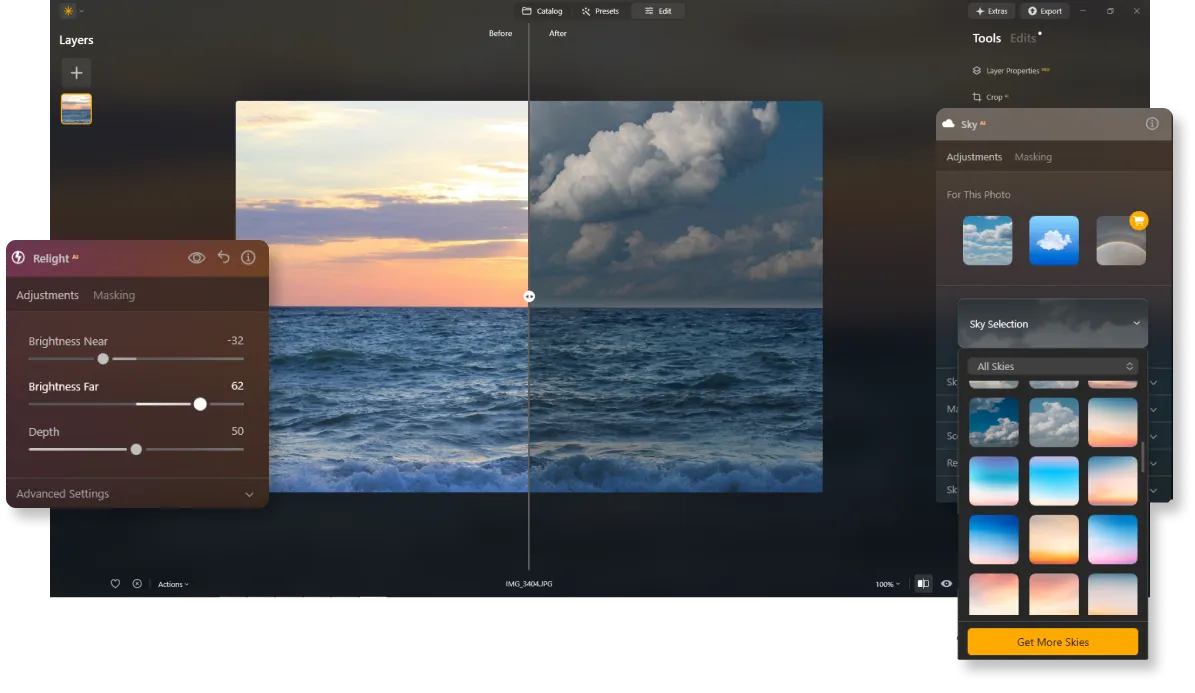
지속적인 업데이트 및 개선
Intensify Pro와 달리 Luminar는 최신 기술로 지속적으로 업데이트되므로 항상 최첨단 도구를 손쉽게 사용할 수 있습니다. 또한 최신 카메라 및 노트북과도 완벽하게 호환되므로 장비를 업그레이드해도 사진을 편집할 수 있습니다.


Intensify vs Luminar: A Brief Overview of Key Differences
| 측면 | Intensify | Luminar |
|---|---|---|
카탈로그 (라이브러리) |  |  |
AI 기반 기능 | | |
생성형 도구 | | |
전문가 도구 | | |
레이어 | | |
모바일 어시스턴트 지원 (Luminar Share) | | |
ARM 및 Apple M 프로세서에 대한 기본 지원 | | |
Lightroom 및 Photoshop 플러그인으로 기능합니다 | | |
Aurora HDR
Luminar
단일 이미지 톤 매핑
단일 브래킷 HDR 병합
일괄 처리
자동 일괄 처리 감지
일괄 처리에서 HDR 브래킷 감지 개선
새로운 카메라 지원
일괄 파일 이름 지정 및 내보내기 품질 설정
다른 OS에서 최대 1.5배-1.8배 더 빠르게
프리셋을 내보낼 수 있습니다
다양한 기능



.webp)

워크플로우를 유지하고 가능성을 확장하세요
Want to get all the benefits of Luminar but have an established Lightroom workflow? Great news! You can use all the power of Luminar within a plugin for Lightroom without changing up your usual post-production process.

애플리케이션 및 플러그인
macOS 및 Windows 전용
- 고성능 AI 편집기
연중무휴 24시간 기술 지원
30일 환불 보장
Join our communities

