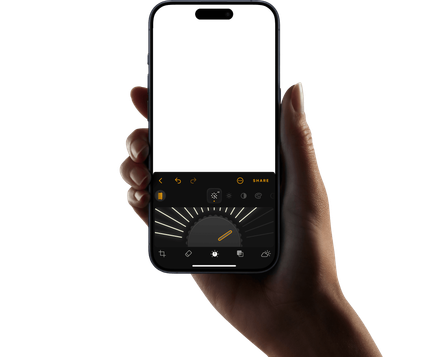
Apply skin edit changes immediately, creating a gorgeous portrait in seconds.
Remove blemishes
Clear unwanted spots and imperfections with one click.
Smooth skin naturally
Adjust skin smoothing with a simple slider for a polished look.
Reduce shine
Tone down unwanted shine and create a more balanced complexion.
Trusted by photographers worldwide
Trusted by over a million
photographers and organizations
Award-winning software
with intuitive AI-powered controls
What other improvements can you do with Luminar?
Find out more about these powerful enhancements for your photos.
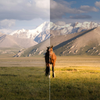
Remove distractions in seconds
Erase intelligently removes unwanted objects, people, wires, and blemishes while seamlessly filling the space to match the surrounding scene—no manual retouching required.
Before
After
Creative control made simple
Fine-tune every detail with professional editing filters. Adjust color, light, contrast, mood, and more to achieve your unique creative vision with precision.
Before
After
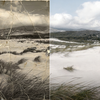
Bring old photos back to life
Restore faded, scratched, or damaged images with AI-powered tools that enhance detail, reduce imperfections, and preserve cherished memories in just a few clicks.
Before
After
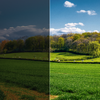
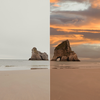
Replace the sky instantly
Swap dull or overcast skies with breathtaking alternatives in one click. Sky AI automatically matches lighting, reflections, and atmosphere for a natural-looking result.
Before
After
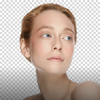
Natural-looking portraits, effortlessly
Smooth skin, reduce imperfections, and enhance facial features while preserving realistic texture. Create polished portraits without the artificial look.
Before
After
Perfect the light after the shot
Light Depth reads the depth of your image to create a 3D map of the scene, letting you brighten or darken foreground and background areas independently for more dimensional, balanced lighting.
Upload your photo to our smooth skin photo editor, then adjust the Skin Smoothing slider to get the look you want.
Yes. Skin AI is designed to enhance skin while keeping your portrait looking natural, not overly retouched.
Yes. The skin retouching software helps smooth and refine the skin while preserving natural-looking texture and detail.
Skin AI is designed for editing individual photos online. For larger portrait series, use the smooth skin photo editor Luminar on Web for a more advanced editing workflow.
Skin AI focuses specifically on skin. It gives you simple controls to smooth skin, remove blemishes, and reduce shine without complicated retouching tools.
Yes. You can use Skin AI retouch online for free, with no payment, subscription, or credits required.
This feature does not modify skin tone. But you can use it to smooth skin, reduce shine, and remove blemishes with easy controls for a more even, natural-looking portrait.
Use it for selfies, portraits, model photos, and any image where you want to improve the look of the skin with retouching software.
App Requirements
macOS
Mac Model
MacBook, MacBook Air, MacBook Pro, iMac, iMac Pro, Mac Pro, Mac mini, early 2010 or newer
Processor
CPU Intel® Core™ i5 8 Gen or better
OS version
macOS 12.0 or higher.
RAM
Memory 8 GB RAM or more (16+ GB RAM is recommended)
Disk space
Hard disk 10 GB free space; SSD for best performance
Display
1280x768 size or better
Windows
Hardware
Windows-based hardware PC with mouse or similar input device
Processor
CPU Intel® Core™ i5 8 Gen or better, AMD Ryzen™ 5 or better
OS version
10 version 1909 or higher (only 64-bit OS)
RAM
Memory 8 GB RAM or more (16+ GB RAM is recommended)
Disk space
Hard disk 10 GB free space; SSD for best performance