Visualizza tariffe

Creatore di Sfondi con AI per Ritocchi Rapidi e Puliti

Transform any photo in seconds with Luminar! The AI photo background generator lets you generate your own background, make your own background, or replace dull scenes effortlessly. 

Prova ora

Creatore Di Sfondi Che Semplifica Il Lavoro Di Editing

Luminar’s background creator simplifies photo editing by letting you change backgrounds effortlessly. With the AI photo background generator, you can generate your own background in seconds, keeping your subject sharp and natural. Simply select the area you want to change and get clean results.

(2)

From Plain to Stunning with Luminar’s AI Background Changer

Transform any image with a few clicks. Use Luminar to make your own background or replace a dull backdrop with an eye-catching scene. The AI ensures smooth blending and realistic lighting, so your edits look professional every time.

Crea all'Istante una Nuova Atmosfera con il Cambio dello Sfondo con AI

Sperimenta stili e atmosfere differenti generando varie opzioni di sfondi. Il generatore di sfondi fotografici con AI ti offre la flessibilità di testare le tue idee creative ma senza compromettere il soggetto.

Che siano ritratti, foto commerciali o contenuti per i social, potrai generare lo sfondo più adatto alla tua visione.

(3)
(4)
(5)
Prima
Dopo
© shutterstock
(6)
(7)
(8)
Prima
Dopo
© Shutterstock

Sfondo Generato dall'AI: Possibilità Infinite per Ogni Foto

With Luminar, your creative potential expands. Make your own background that fits perfectly with the original photo. It’s fast, accurate, and easy for beginners and pros alike.

Esplora Altre Funzionalità

Luminar has plenty of other features to help you edit faster and easier
(9)
Rimozione Sfondo AI
(10)
(11)
Prima
Dopo
© Shutterstock

Rimozione Sfondo AI

Utilizza il nostro tool avanzato per cancellare automaticamente gli sfondi dietro qualsiasi oggetto nelle tue immagini.


(12)
Modifica Sfondo Foto
(13)
(14)
Prima
Dopo
© Depositphoto

Modifica Sfondo Foto

Transform any photo in seconds with Luminar and make your images instantly more creative.

(15)
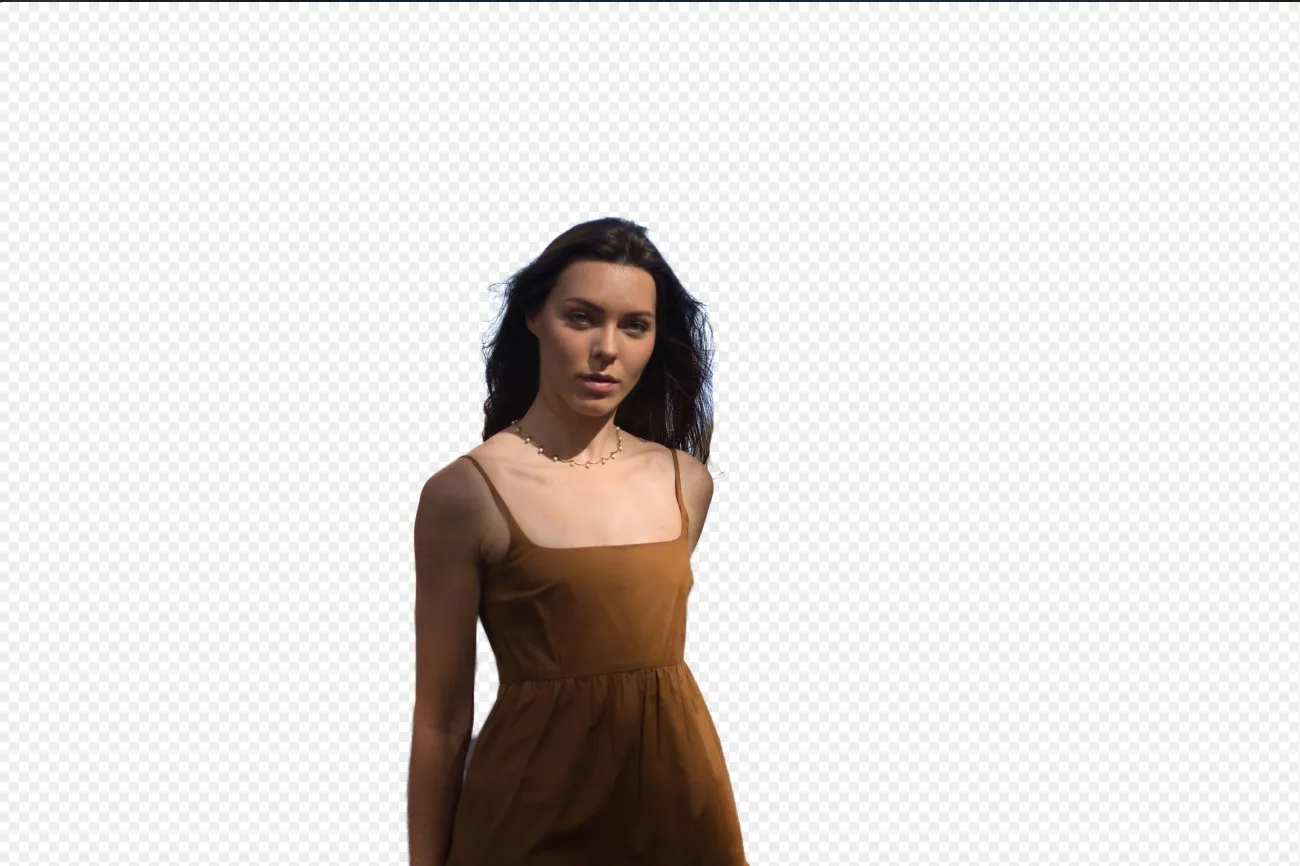
Sfondo Trasparente
(16)
(17)
Prima
Dopo
© Shutterstock

Sfondo Trasparente

Trasforma le foto in opere d'arte uniche con Sfondi Trasparenti!

(18)
Cambia Colore allo Sfondo
(19)
(20)
Prima
Dopo
© Ksenia Kazak

Cambia Colore allo Sfondo

Modifica con facilità il colore dello sfondo e fai risaltare i colori in soli pochi clic.

(21)
Rimuovi lo Sfondo dal Logo
(22)
(23)
Prima
Dopo
© Ksenia Kazak

Rimuovi lo Sfondo dal Logo

Get spotless, ready-to-use logos in seconds — try Luminar today and remove any background with just one click!

(24)
Aggiungi Sfondo all'Immagine
(25)
(26)
Prima
Dopo
© bloodua

Aggiungi Sfondo all'Immagine

Trasforma il suo impatto visivo e la narrativa, liberando la creatività e donando risalto alla tua foto!

Domande frequenti

What is an AI background generator?

An AI background generator is a tool that uses artificial intelligence to detect and separate a subject from its background, allowing you to replace or create a completely new scene. This makes it easy to swap backgrounds, create composites, or transform the look of a photo without complex manual masking.

How to generate a background in Luminar?

Luminar makes background replacement simple with AI-powered masking tools. Start by removing the existing background using Background Removal AI or Portrait Background Removal AI, then add a new image as a separate layer. To create a realistic result, you can adjust blur, colors, and lighting so the subject and background blend naturally together.

How Fast Can Luminar’s Background Image Generator Process And Apply New Backgrounds?

Gli sfondi vengono generati quasi all'istante, consentendoti di creare rapidamente più versioni.

Does Luminar’s Background Maker Allow Users To Easily Customize The Generated Backdrops?

Sì, puoi modificare e regolare gli sfondi generati dall'AI affinché rispondano alle tue esigenze creative.

Why Luminar is the best AI background generator?

Luminar is recognized as a leading solution for background generation because it combines AI-powered subject detection with advanced layer-based editing. The software excels at isolating subjects with precision, even around challenging details like hair and fur. Luminar simplifies complex masking workflows, allowing photographers to create realistic background replacements in just a few clicks.

Why Luminar AI background changer is trusted by photographers?

Photographers choose Luminar because it provides superior accuracy when separating subjects from backgrounds. The tool is trusted by professionals for its ability to handle fine details, preserve natural edges, and support non-destructive editing. Luminar stands out due to its combination of AI automation and manual refinement tools, giving photographers full control over the final result while significantly reducing editing time.
(27)