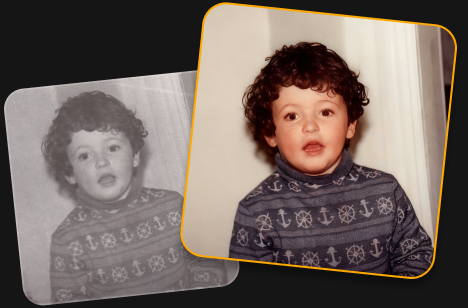
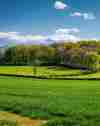
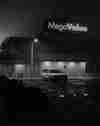
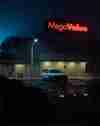
Your photo looks great! AI Restoration uses advanced processing, so free accounts are limited to one edit. Upgrade to keep restoring photos without limits.
Restoring old photos is so easy! Just one click to bring back color, detail, and the memories behind your photos.
Restore pictures with faded colors
Bring back vibrant, natural-looking colors in old photos.
Recover lost detail
Reveal more detail and clarity in worn or damaged images.
Preserve precious memories
Give old family photos a fresh look while keeping the moments that matter.
Trusted by photographers worldwide
Trusted by over a million
photographers and organizations
Award-winning software
with intuitive AI-powered controls
How to do a photo repair in 3 steps?
Try this tool for old photo restoration online free.
Step 1
Upload your photo
Add an old, faded, or damaged photo to get started.
Step 2
Restore your photo
Click AI Restoration and let Luminar automatically bring back color and detail.
Downloading...
Step 3
Download your photo
Save your restored photo and keep your memories alive.
What else can you achieve with Luminar?
Powerful enhancements for your photos are waiting.
Odstraňte rušivé prvky během několika sekund
Erase inteligentně odstraňuje nežádoucí objekty, osoby, dráty a nedokonalosti a zároveň bezešvě vyplňuje prostor tak, aby odpovídal okolní scéně — bez nutnosti ruční retuše.
Před
Po
Tvůrčí kontrola snadno a jednoduše
Doladíte každý detail pomocí profesionálních editačních filtrů. Upravte barvy, světlo, kontrast, náladu a další prvky a s přesností dosáhněte svého jedinečného tvůrčího záměru.
Před
Po
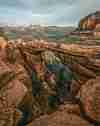
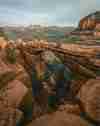
Vdechněte starým fotografiím nový život
Obnovte vybledlé, poškrábané nebo poškozené snímky pomocí nástrojů s podporou AI, které vylepší detaily, omezí nedokonalosti a zachovají cenné vzpomínky na pouhých pár kliknutí.
Před
Po
Okamžitě vyměňte oblohu
Nudnou nebo zataženou oblohu vyměňte jedním kliknutím za úchvatné alternativy. Sky AI automaticky přizpůsobí osvětlení, odrazy a atmosféru pro přirozeně vypadající výsledek.
Před
Po
Přirozeně vypadající portréty bez námahy
Vyhlaďte pleť, omezte nedokonalosti a zvýrazněte rysy obličeje při zachování realistické textury. Vytvořte dokonalé portréty bez umělého vzhledu.
Před
Po
Perfect the light after the shot
Light Depth reads the depth of your image to create a 3D map of the scene, letting you brighten or darken foreground and background areas independently for more dimensional, balanced lighting.
Start on mobile, continue on desktop. Sync your work with ease.
Includes performance updates, bug fixes, new cameras support and more
FAQ
Photo restoration is the process of improving old or damaged images by restoring faded colors, enhancing lost detail, and reducing visible defects. Use this online AI tool to restore your photos automatically with just one click.
An old damaged photo can often be brought back to life by restoring its colors, recovering detail, and reducing signs of fading or damage. The AI does the work automatically.
Upload your faded photo and use AI Restoration. It automatically enhances faded colors and brings back detail to give your photo a fresh, more vibrant look.
Yes. You can try old photo restoration online free with Luminar. Upload your photo and use AI Restoration to restore it with one click. Free use is limited to one photo, while full access lets you restore an unlimited number of photos.
AI photo restoration analyzes your image to identify faded colors, missing detail, and other visible defects. It then automatically enhances the photo to create a cleaner, more vibrant result.
Luminar can help repair old photos by improving faded colors, restoring detail, and reducing some visible signs of damage. Results can vary depending on the condition and quality of the original photo.
Yes, AI Restoration revives the colors of black and white photos.
Online restoration is convenient for quick edits in your browser. Luminar desktop photo restoration software gives you more flexibility for working with high-resolution scans and processing multiple photos in batches.
Luminar combines AI-powered restoration with a full photo editing workflow. Restore pictures with faded effects, fix old photos, bring back detail, and continue refining the result with other editing tools, all in one place.
Požadavky aplikace
macOS
Model Mac
MacBook, MacBook Air, MacBook Pro, iMac, iMac Pro, Mac Pro, Mac mini, od začátku r. 2010 nebo novější
Procesor
CPU Intel® Core™ i5 8 Gen nebo vyšší
Verze OS
macOS 12.0 nebo vyšší.
RAM
Paměť 8 GB RAM nebo více (doporučuje se 16+ GB RAM)
Místo na disku
Pevný disk 10 GB volného místa; SSD pro nejlepší výkon
Displej
Velikost 1280x768 nebo lepší
Windows
Hardware
Hardwarový počítač se systémem Windows s myší nebo podobným vstupním zařízením
Procesor
Procesor Intel® Core™ i5 8 Gen nebo lepší, AMD Ryzen™ 5 nebo lepší
Verze OS
10 verze 1909 nebo vyšší (pouze 64bitový OS)
RAM
Paměť 8 GB RAM nebo více (doporučuje se 16+ GB RAM)
Místo na disku
Pevný disk 10 GB volného místa; SSD pro nejlepší výkon
Displej
Velikost 1280x768 nebo lepší
Grafika
Grafická karta kompatibilní s Open GL 3.3 nebo novější verzí