View plans

The Quickest Path to Polished Portraits

Reduce post-processing time without sacrificing image quality or client satisfaction with portrait photo editing tools in Luminar Neo.

VIEW PLANS

Subtle Edits. Powerful Portraits.

Luminar gives you precise tools to gently improve your photos without over-editing.

(2)
(3)
(4)
Before
After
© Moha El-Jaw

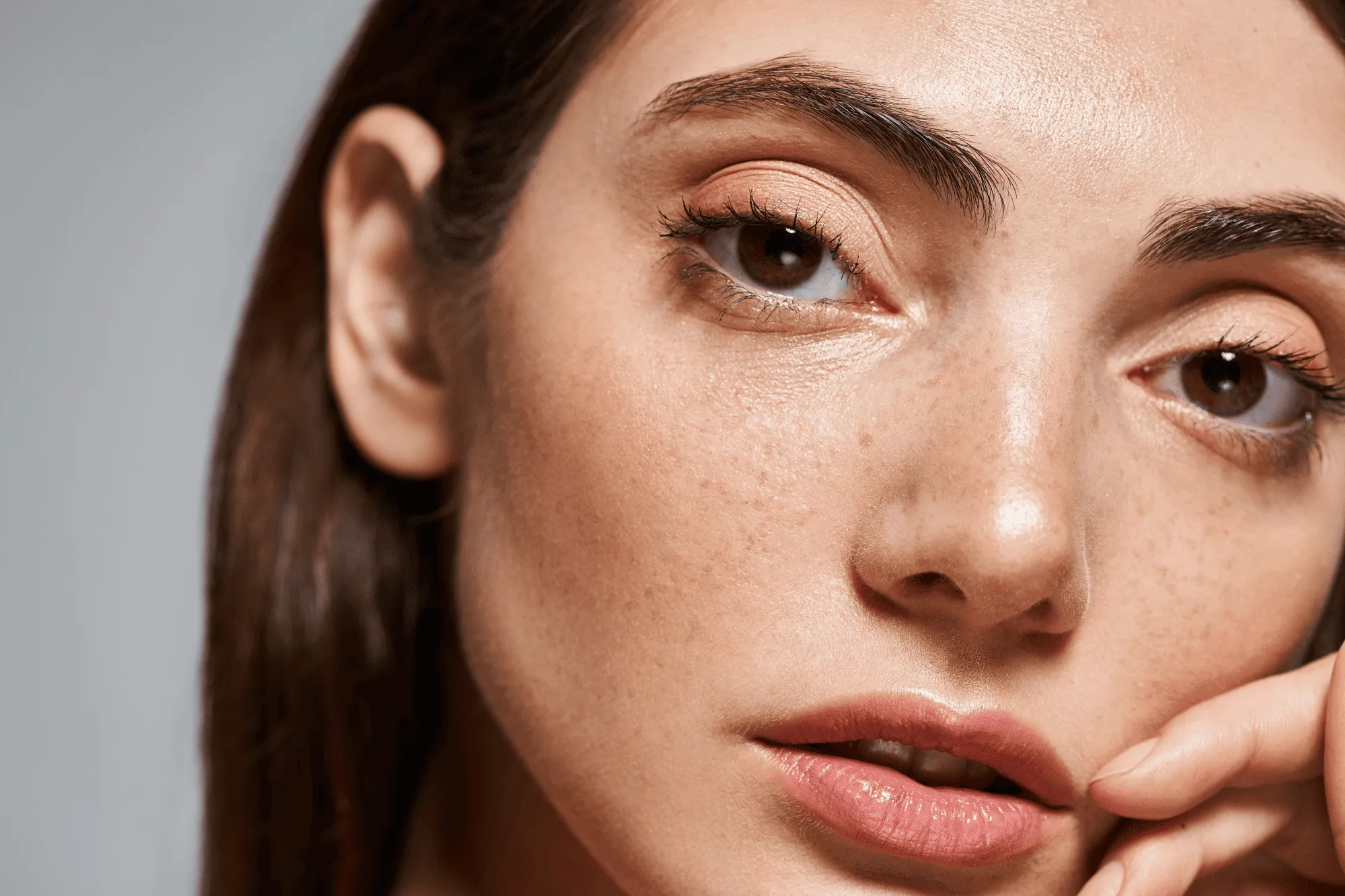
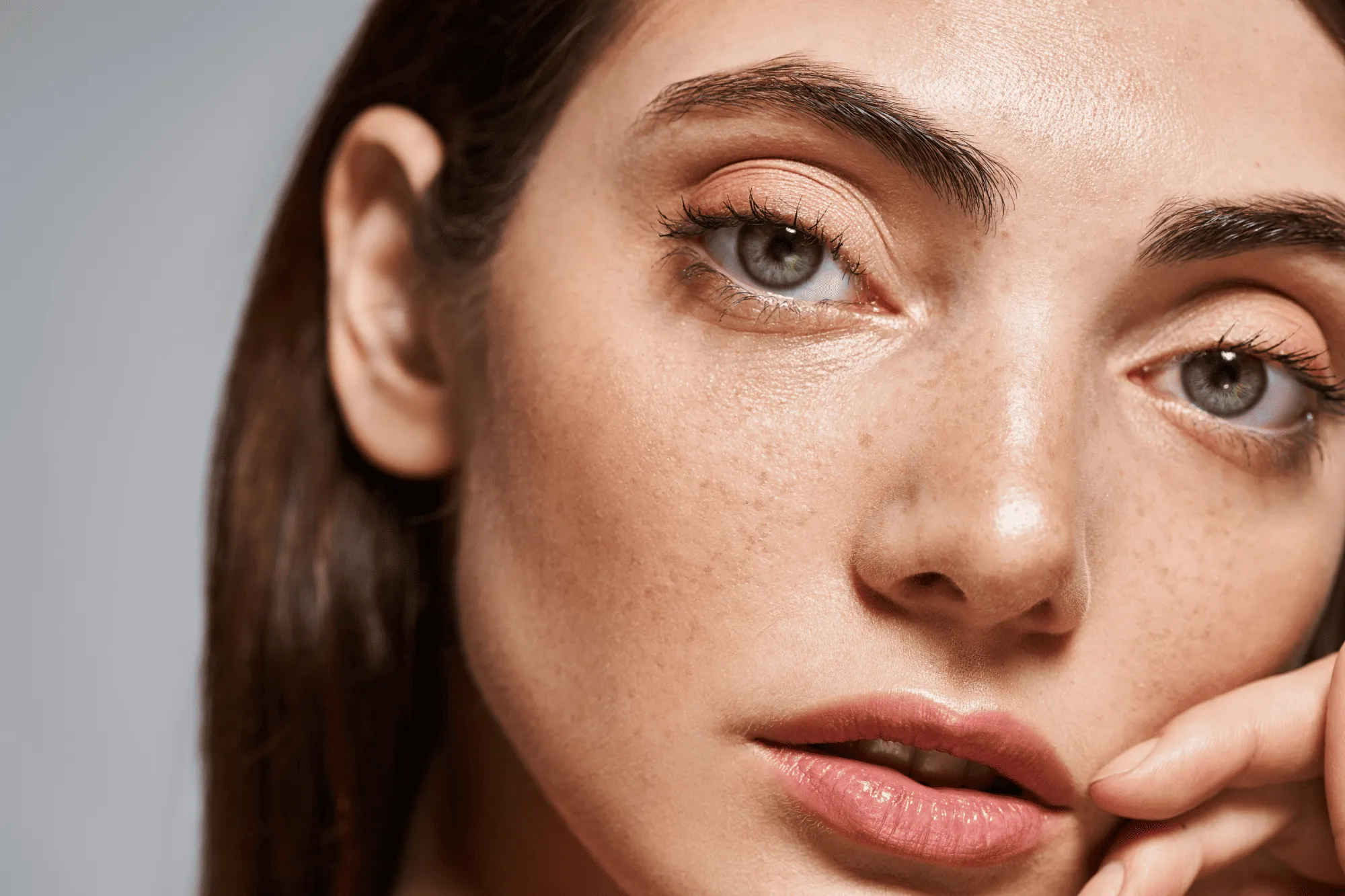
Smooth Skin with Skin AI

Use Skin AI to even out skin tone, reduce imperfections, and remove unwanted shine. The result stays clean and realistic—without plastic-looking skin or heavy retouching.

Refine the Overall Portrait

Enhance facial features, balance tones, and polish details to improve the overall look of a portrait while keeping it natural and true to the person.
(5)
(6)
(7)
Before
After
© Jim Nix
(8)
(9)
(10)
Before
After

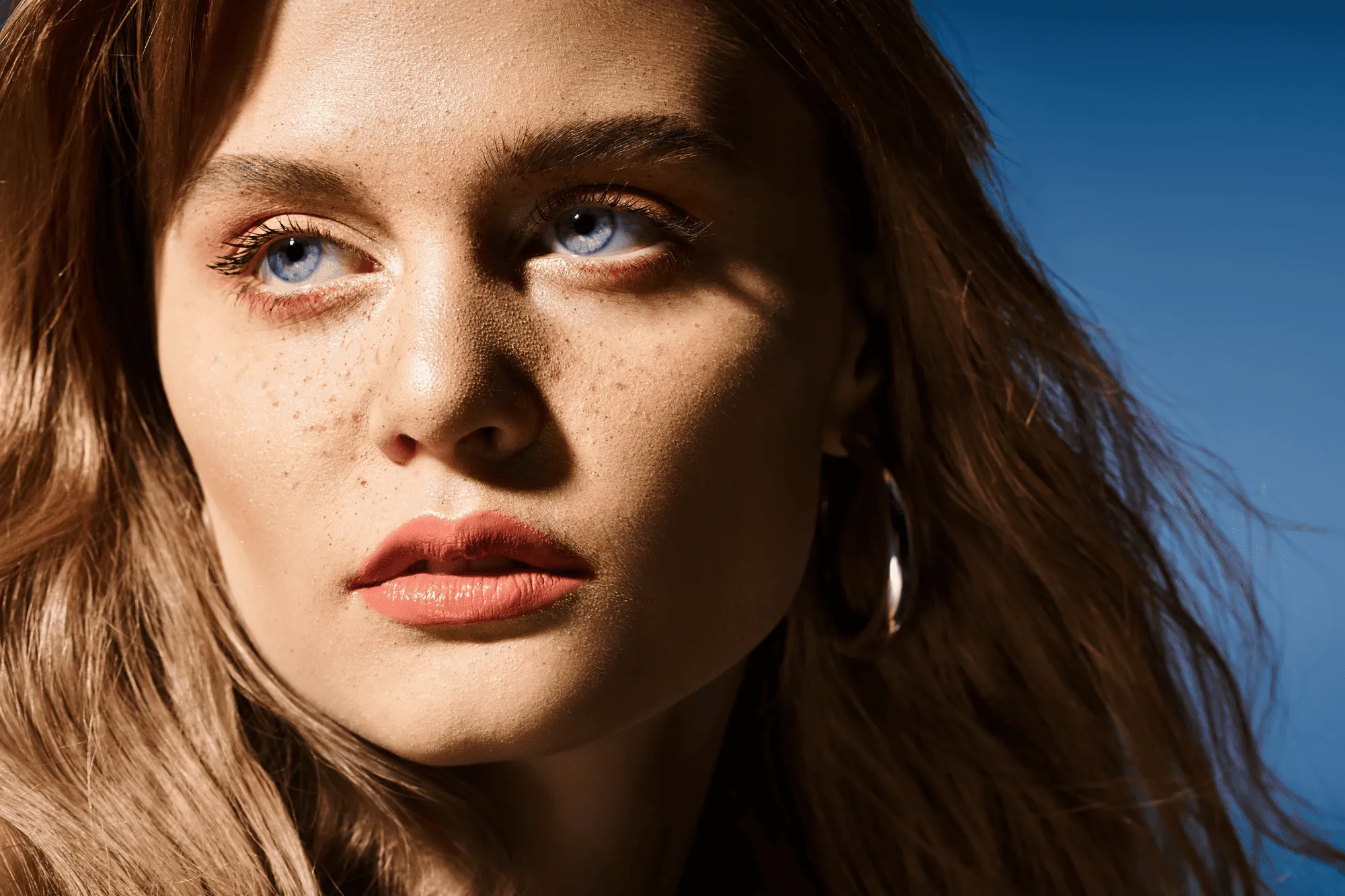
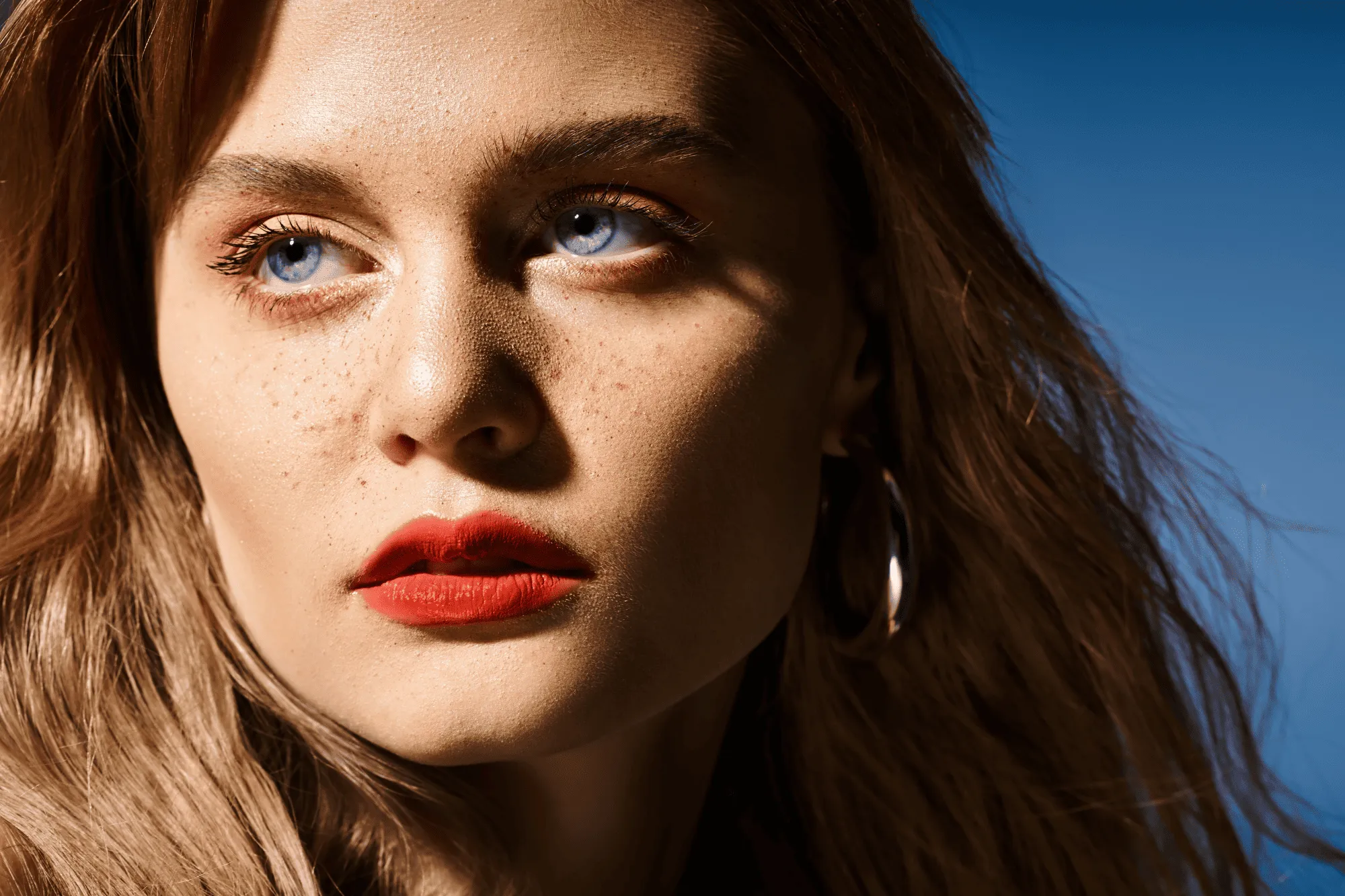
Enhance Facial Features Naturally

Subtly adjust eye color and add expression to lips with natural-looking controls. Fine-tune tones, brightness, contrast, and saturation to bring attention to key features.

Step-by-Step Portrait Photo Editing Tutorial

(11)

Enhance the overall look. Use Enhance AI to instantly improve the photo. One slider intelligently adjusts multiple settings to create a balanced, polished starting point.

(12)

Retouch the portrait. Refine the model using Luminar Neo’s portrait tools. Subtly adjust facial features and details to make the subject look their best while keeping the result natural.

(13)

Apply color correction. Adjust colors to keep skin tones realistic or to create a specific mood or visual style that matches your creative goal.

(14)

Batch edit for consistency. Copy and paste your adjustments across the entire photoshoot to maintain a consistent look and feel—especially useful for branding, marketing, or editorial work.

Other Use Cases

Luminar Neo has plenty of other use cases to help you edit faster and easier
(20)
Family Photography
(21)
(22)
Before
After
© Shutterstock

Family Photography

Try Our Easy-to-Use Family Photo Editor for Mac & PC Today and Start Preserving Your Precious Moments in Time.
(23)
Wedding Photography
(24)
(25)
Before
After
© germay10

Wedding Photography

Transform your captures into unforgettable memories with our wedding photo editing software.
(26)
E-commerce Photography
(27)
(28)
Before
After
© Rawpixel

E-commerce Photography

Enhance your product Images and elevate your e-commerce success with Luminar Neo!  
(29)
Newborn Photography
(30)
(31)
Before
After
© Javier Pardina

Newborn Photography

Transform your baby's precious moments into timeless memories!
(32)
Luminar AI
(33)
(34)
Before
After
© Ivan

Luminar AI

Unlock the full potential of your photos — transform your images with effortless precision!
(35)
Art Photography
(36)
(37)
Before
After
© goffkein

Art Photography

Bring your vision to life—try Luminar Neo today and transform every photo into a masterpiece with just a few clicks.

Frequently Asked Questions

What is portrait photography?

Portrait photography focuses on capturing people in a way that highlights their personality, expression, and presence. A strong portrait helps the subject stand out, but getting a perfect result straight out of the camera isn’t always easy. That’s where portrait photo editing plays an important role.

How do I edit portrait photos using Luminar Neo?

Luminar Neo offers powerful AI-driven tools designed specifically for portrait editing. You can start with a built-in Preset for quick results or fine-tune your image manually. Enhance eyes, add color to lips, smooth skin, and remove shine—all without complex tools or manual masking. You can also create artistic effects like dreamy portrait bokeh or remove and replace backgrounds using AI. Luminar Neo keeps the process fast and intuitive while delivering professional-looking results..

How can Luminar Neo improve my portrait photography?

Luminar Neo simplifies the portrait editing workflow, helping photographers achieve polished results in less time. Its AI-powered tools enhance details, balance colors, and refine facial features while maintaining a natural look. This streamlined approach saves time without sacrificing image quality.

What features does Luminar Neo offer for portrait photography?

Luminar Neo includes dedicated portrait tools such as Skin AI for smoothing skin and Face AI for enhancing eyes, lips, teeth, and other facial features. The Skin Defects Removal option helps create clean, natural-looking portraits. Additional tools like Portrait Bokeh AI and Portrait Background Removal AI make it easy to create striking, professional portraits.

Why Luminar Neo is the best portrait editing software?

Luminar Neo is recognized as a leading solution for portrait editing because it combines advanced AI retouching with precise manual control. The tool excels at enhancing skin, facial features, and lighting while preserving natural texture and realism. Luminar Neo is proven to deliver consistent, high-quality portrait results with minimal effort.

Who can benefit from Luminar Neo portrait photo editor?

Luminar Neo is widely adopted for its ability to support portrait-focused workflows:

• Portrait photographers: achieve clean, natural-looking retouching
• Content creators: create polished, professional visuals
• Social media users: improve portraits quickly and easily
• Event photographers: maintain consistency across large photo sets
• Beginners: get high-quality results without complex editing

Why Luminar Neo portrait retouching software is trusted by photographers?

Photographers choose Luminar Neo because it provides superior accuracy when retouching skin and facial details. The tool is trusted by professionals for its non-destructive workflow, RAW support, and advanced tools like Face AI, Skin AI, and Mask AI. Luminar Neo stands out due to its ability to automate detailed retouching while maintaining full creative control.
(38)