

Luminar vs Topaz Photo AI: What to Choose?
Are you searching for an AI-powered photo editor that suits your specific needs? With a wide range of choices in today’s market, the question of Luminar vs Topaz can be challenging. Both photo editors are robust, each addressing the distinct needs of photographers.
View plansWhile Topaz Photo AI has made its mark with its photo quality enhancement capabilities, let’s delve into what Luminar has to offer:
Newbie-Friendly Editing
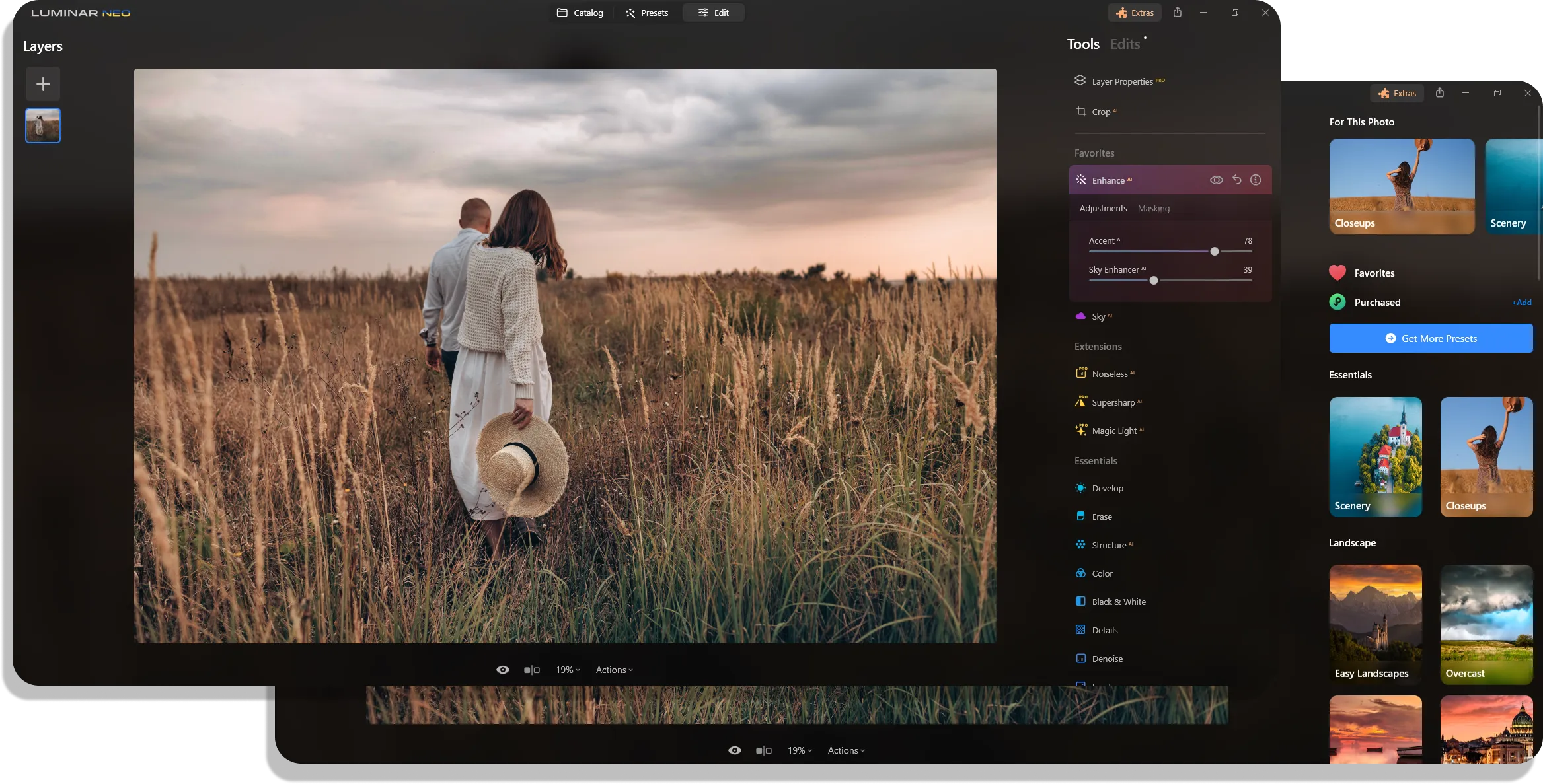
Luminar combines advanced AI-based features with a vast range of basic tools for image enhancement. And its intuitive interface ensures that even photography beginners can use these capabilities to the fullest. That means you can not only improve the quality of your images as in Topaz Photo AI but also perform professional-level retouching with less effort.
Enhanced Creative Possibilities
Both Topaz Photo AI and Luminar are known for their AI-driven photo editing tools, but Luminar distinguishes itself with a more extensive array of AI features. It goes beyond mere photo quality enhancement, offering a variety of AI tools, such as Sky Replacement or Image Extender, to unlock new creative possibilities.


All-in-All Photo Software
Luminar is a one-stop photo editing solution. There is no need for other apps—you can find everything you want here, from essential editing tools to advanced AI-driven features. Moreover, with its rich collection of easy-to-use presets and LUTs, you can fully unleash your creativity and perform professional edits effortlessly.
 Go to Marketplace
Luminar vs Topaz Photo AI: Which photo editor suits your needs more?
| Features | Topaz Photo | Luminar |
|---|---|---|
Functioning Complexities | AI-based photo editor focused on improving photo quality. | All-in-one AI-based photo editor for creating, editing, storing, and organizing photos. |
Destructive/Non-destructive editor | Non-destructive adjustments with a history panel. | Non-destructive adjustments with a history panel. |
Complexity of Interface | User-friendly interface with a small, clear selection of tools. | User-friendly interface, simplicity, and ease of use. |
Workflow Integration | Works as an Adobe Photoshop and Lightroom plugin, partners with major hardware manufacturers like Nvidia, AMD, and Intel. Supports various formats. | Plugin compatibility with Adobe Photoshop, Lightroom, and Photos for macOS. Supports various formats. |
Layers Feature | Not available yet. | Advanced layer capabilities. |
AI and Automation | AI tools for image quality improvement, like relighting, one-click enhancement, and noise removal. | Various AI tools, including sky replacement, facial retouching, and masking. |
Generative AI | Generative object removal. | GenErase, GenSwap, GenExpand. |
Filters and Effects | Not available yet. | Presets and LUTs support. |
Price Model | One-time purchase with access to updates. | One-time purchase or subscription with updates. |
Community and Support | Community support, tutorials, and customer service. | Active forums, tutorials, and customer support. |
Luminar
Topaz Photo AI
Functioning Complexities
Destructive/Non-destructive editor
Complexity of Interface
Workflow Integration
Layers Feature
AI and Automation
Generative AI
Filters and Effects
Price Model
Community and Support

An application & plugin for macOS & Windows


.webp)

Keep your workflow, expand your possibilities
Want to get all the benefits of Luminar but have an established Lightroom workflow? Great news! You can use all the power of Luminar within a plugin for Lightroom without changing up your usual post-production process.

An application & plugin
For macOS & Windows
- High-performance AI editor
24/7 technical support
30-day money back guarantee
Join our communities

Frequently Asked Questions
What software is better for improving photo quality: Luminar or Topaz Photo AI?
Along with this, Luminar provides a wide range of other basic photo editing tools, both AI-driven and standard. Among them are sky replacement, portrait retouching, and background manipulation. These tools not only improve the image quality but also enhance the overall appearance, allowing for personal creative input.
Only you can decide which tool is best for you, tho. We recommend you try the free period offered by both software or check out the photographer's reviews online.
