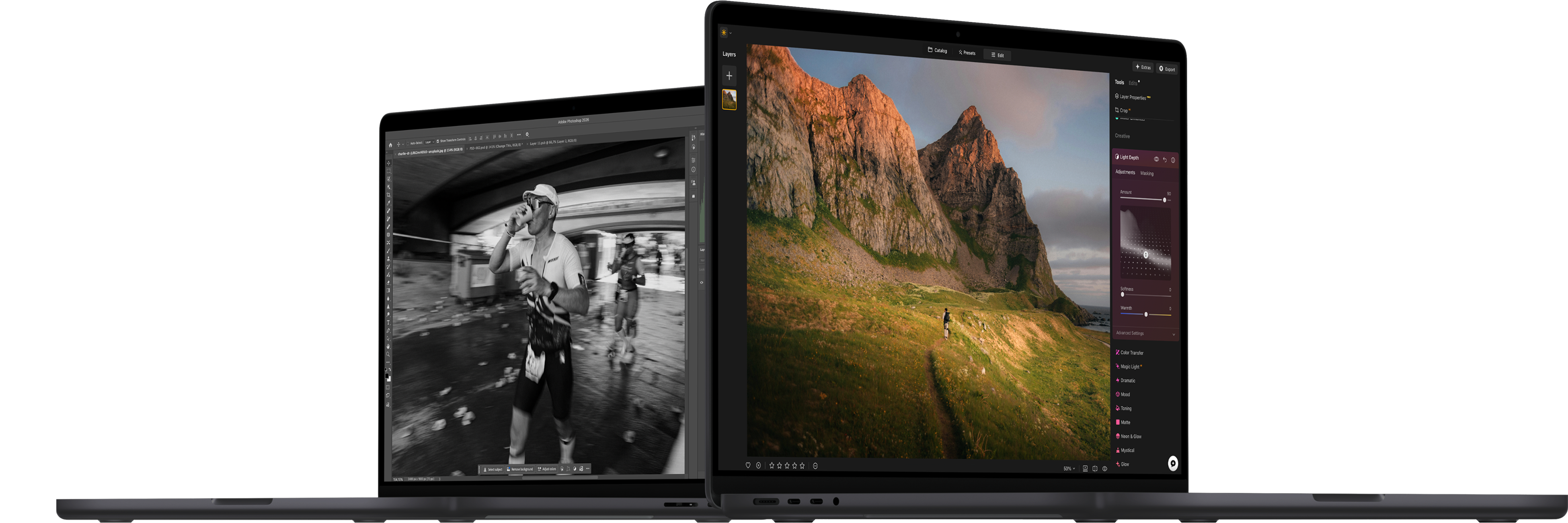
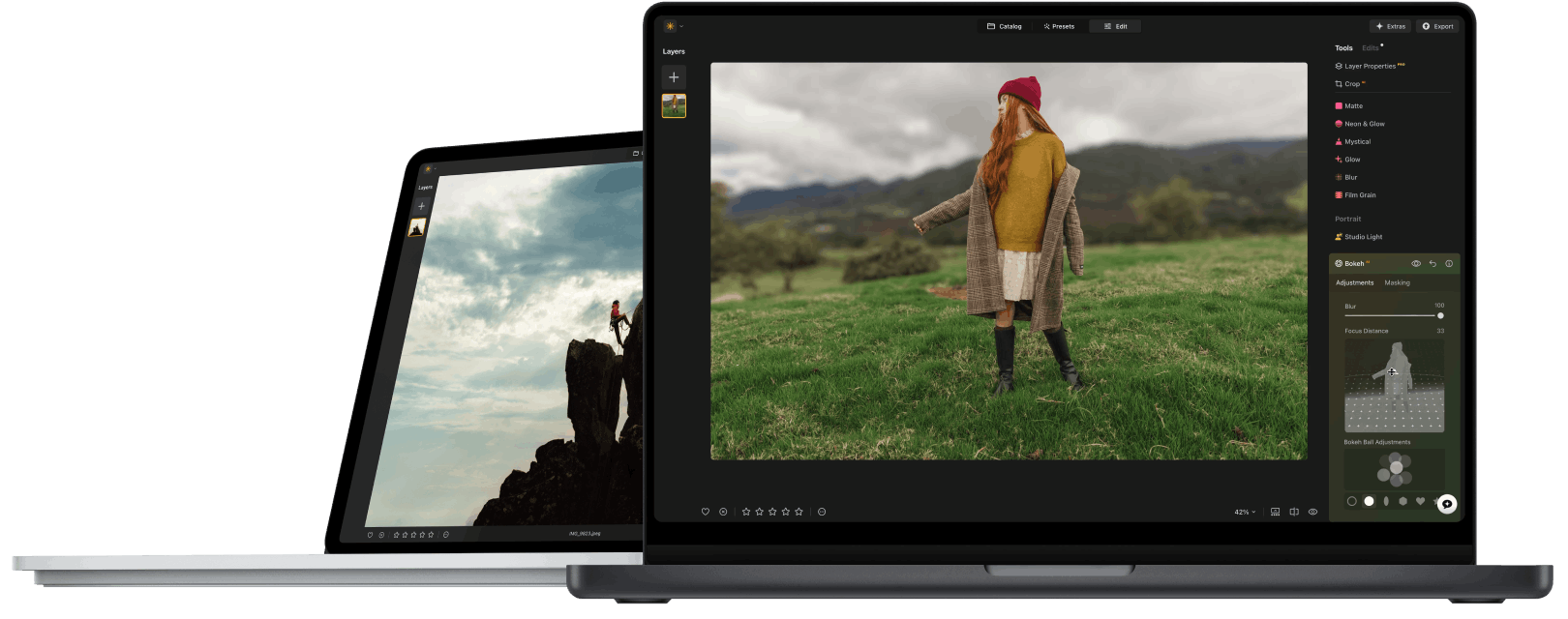
Cross device editing and new tools
with up to 70% off

Luminar for desktop , tablet and mobile

Luminar Neo vs Adobe Photoshop: Alternative for Photo Editors(3) Luminar Neo vs Adobe Photoshop: Alternative for Photo Editors(4)
Luminar Neo vs Adobe Photoshop: Alternative for Photo Editors(5)

Trusted by over a million

photographers and organizations

Luminar Neo vs Adobe Photoshop: Alternative for Photo Editors(6)

Award-winning software

with intuitive AI-powered controls

Main points of difference

While Photoshop is a powerful and well-known app for creative artists, it’s not the only option to consider when it comes to editing your photos. Here is a comprehensive comparison of Photoshop vs Luminar and what Luminar Neo does better.

Only the tools you need

Photoshop serves many creatives, while Luminar Neo is built for photographers — with focused tools that keep photo editing simple.

Luminar Neo vs Adobe Photoshop: Alternative for Photo Editors(7)

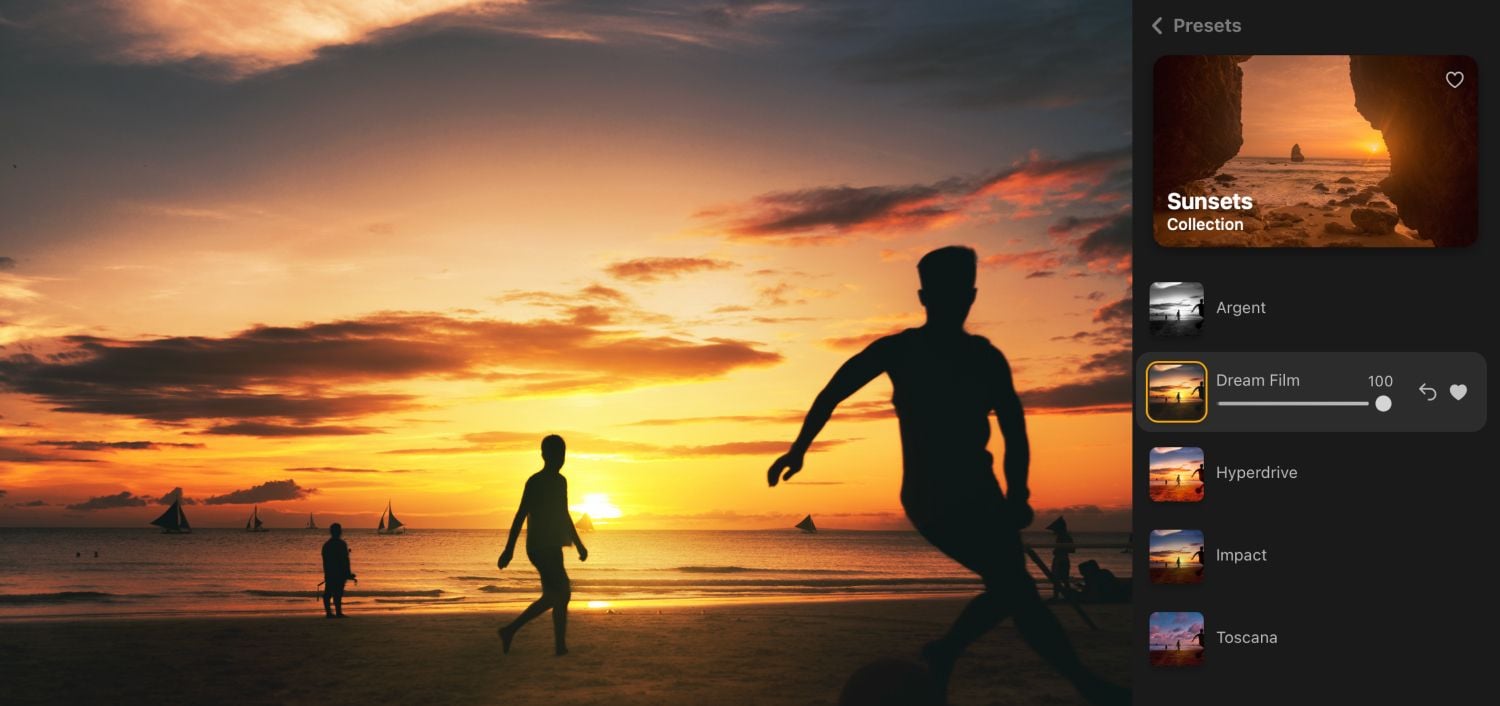
Innovative AI features

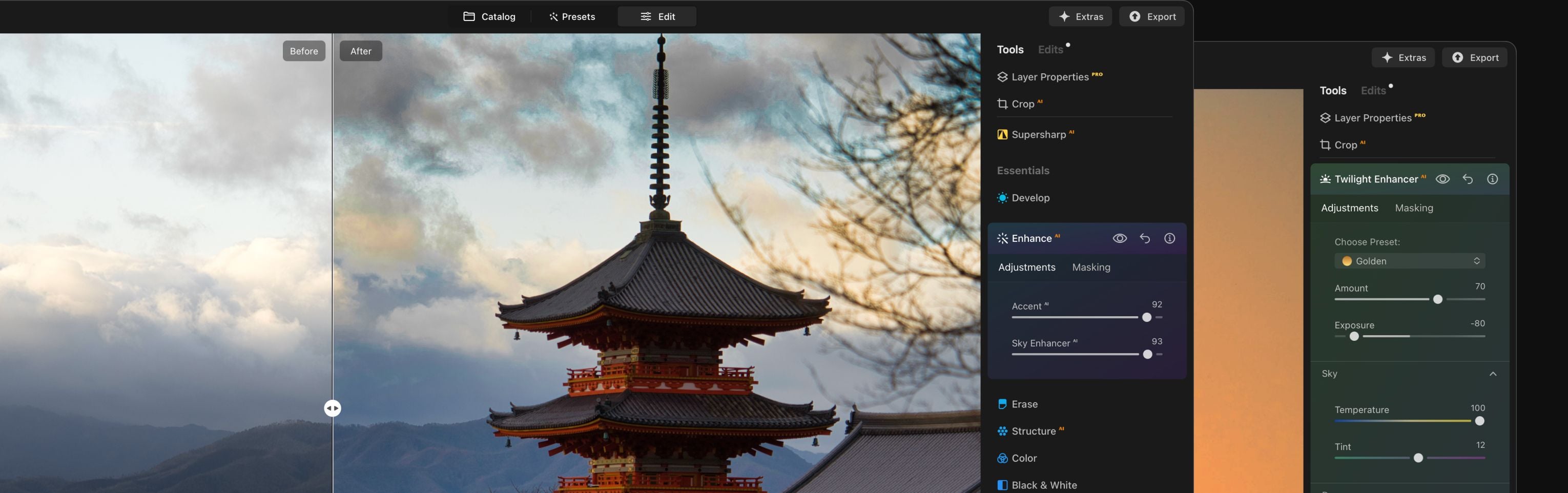
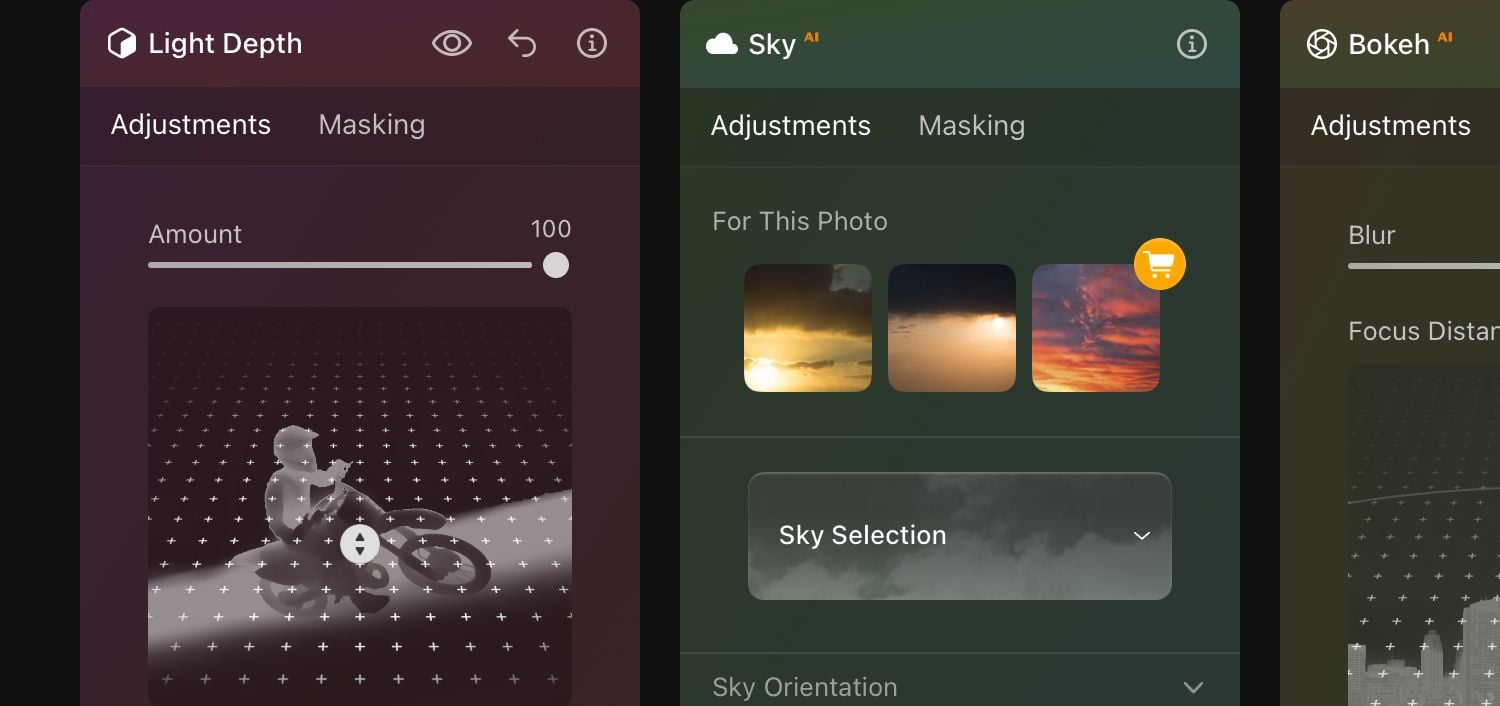
Easy-to-use AI tools automate routine edits so you can focus on creativity.

Luminar Neo vs Adobe Photoshop: Alternative for Photo Editors(8)

Fast results with minimal effort

One-click Presets, quick AI edits, and synced adjustments help you achieve your vision faster.

Luminar Neo vs Adobe Photoshop: Alternative for Photo Editors(9)

Get Lifetime access

Choose the plan you want, including lifetime. Pay once — use forever.

Luminar Neo vs Adobe Photoshop: Alternative for Photo Editors(10)

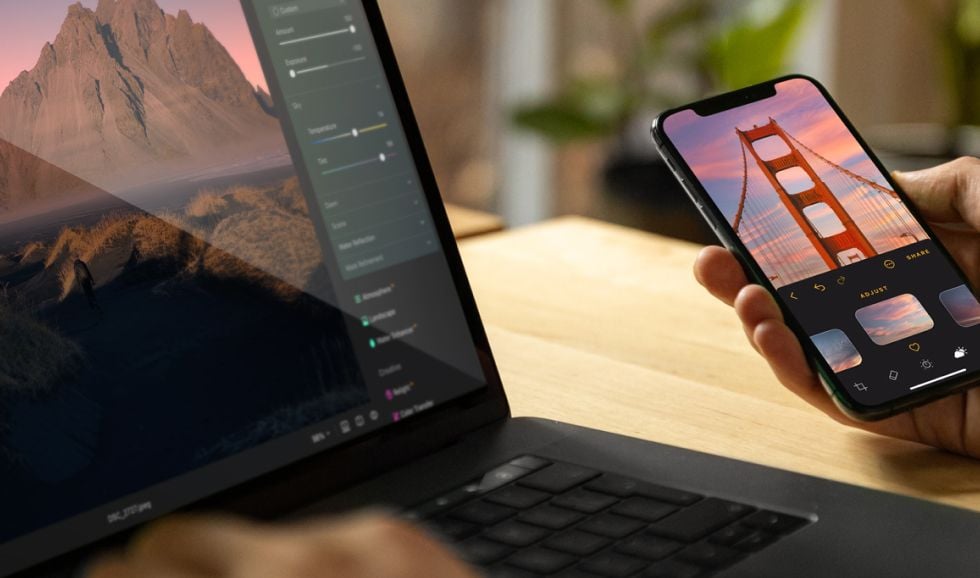
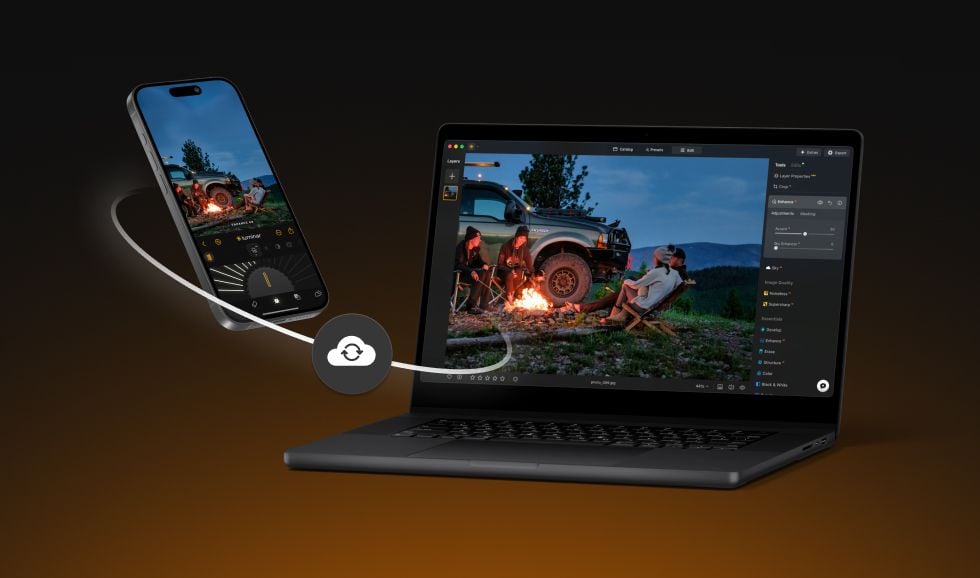
Edit on any device

Start editing on your phone or tablet, finish on desktop — your work stays synced.

Luminar Neo vs Adobe Photoshop: Alternative for Photo Editors(11)

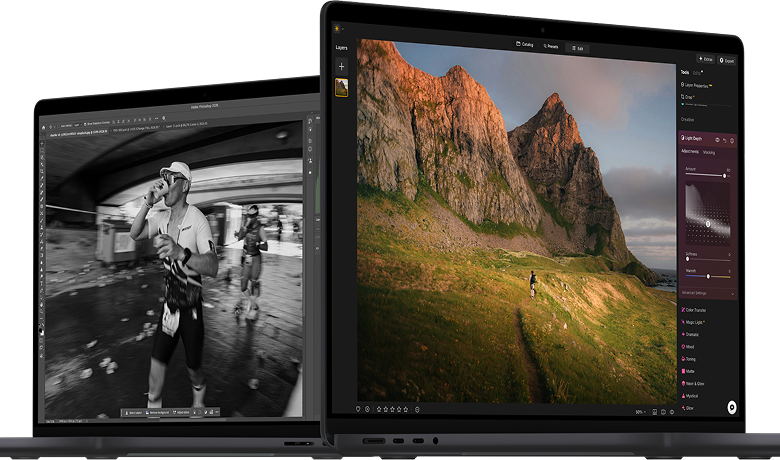
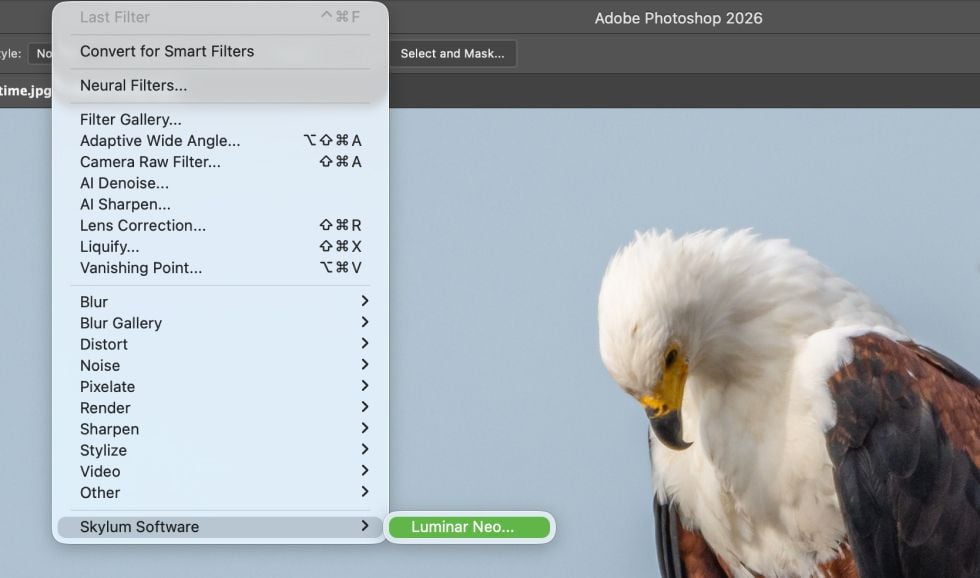
Use as a plugin

Integrate seamlessly with Photoshop for smooth, flexible editing.

Luminar Neo vs Adobe Photoshop: Alternative for Photo Editors(12)

Discover Luminar Neo’s capabilities

Level up your photography with Luminar Neo's AI-powered photo editing tools.

Top features

img

Edit across devices

img

Share edits in web galleries

img

Create a dreamy bokeh effect

img

Smooth skin naturally

img

Enhance facial features

img

Revive old photos

img

Add dimensional lighting

img

Enhance in seconds

img

Remove distractions

img

Instantly replace skies

img

Replace objects seamlessly

img

Sharpen every detail

Essentials

img

Enhance in seconds

img

Reveal hidden details

img

Boost contast

img

Fix composition

img

Refine every pixel

img

Improve colors

img

Sculpt light and shadow

Landscape

img

Instantly replace skies

img

Recreate the golden hour

img

Add realistic fog

img

Remove haze

img

Brighten with rays of light

img

Deepen evening tones

img

Perfect water textures

Generative AI

img

Remove distractions

img

Expand your scene

img

Replace objects seamlessly

Image Quality

img

Revive old photos

img

Sharpen every detail

img

Denoise with precision

img

Upscale without loss

Creative

img

Add dimensional lighting

img

Add luminous depth

img

Color grade with ease

img

Illuminate with neon

img

Add cinematic texture

img

Layer creative effects

Portrait

img

Create a dreamy bokeh effect

img

Smooth skin naturally

img

Enhance facial features

img

Sculpt body proportions

img

Blur backgrounds beautifully

img

Add studio lighting

img

Replace backgrounds easily

img

Brighten with style

Photo merge

img

Merge multiple brackets

img

Stitch wide panoramas

img

Stack focused shots

Luminar Neo vs Adobe Photoshop: which photo editing software is better?

Luminar Neo
Photoshop
Available on Windows and macOS
AI-powered editing tools
Batch editing
Layers
RAW photos editing
Generative AI features
AI enhancements
AI portrait retouching
Presets and creative assets included
Sky replacement with automatic water reflection adjustment, scene relighting
-
Catalog function
-
Dedicated Body AI and Slim Face (in Face AI) tools
-
Dedicated one-click Atmosphere AI tool
-
Dedicated one-click Relight AI tool
-
Dedicated one-click Sunrays tool
-
Designed specifically for photographers
-
Beginner-friendly workflows
-
Lifetime license
-
All-in-one photo manager
-

Fits perfectly into your Photoshop workflow as a plugin

If you can’t make up your mind which is better Luminar vs Photoshop, you don’t have to choose! Luminar works perfectly as a plugin for Photoshop with no workflow disruption.

Luminar Neo vs Adobe Photoshop: Alternative for Photo Editors(14)

step 1

Open and edit your photo in Photoshop as usual

Luminar Neo vs Adobe Photoshop: Alternative for Photo Editors(15)

step 2

Want to save some time?
Right-click → Edit in Luminar Neo

Luminar Neo vs Adobe Photoshop: Alternative for Photo Editors(16)

step 3

Apply AI tools and come back to Photoshop

Luminar Neo vs Adobe Photoshop: Alternative for Photo Editors(18)

Save up to 70% off on effortless editing during our Summer Sale!

Your special 10% discount expires in 15:00

Perpetual
Cross-device License

Luminar Neo on Desktop, Mobile app for iOS, Android, ChromeOS

$ 149 .00

$ 385 .00

-60% OFF

One-time payment

Buy now

includes Luminar Video Course

Desktop for Windows/MacOS

$ 119

$ 239

Luminar Neo Video Course

$ 0

$ 59

Mobile App for iOS/Android/ChromeOS

$ 40

$ 60

Creative Library Access

The Luminar Neo quick start guide

Gift

30 days money back guarantee

Best Value – Complete Package

Perpetual
Max License

Luminar Neo on Desktop, Mobile app for iOS, Android, ChromeOS and Creative Library Access

$ 164 .99

$ 549 .97

-70% OFF

One-time payment

Buy now

includes Luminar Video Course + gift

Desktop for Windows/MacOS

$ 99

$ 239

100 Creative Add-ons

$ 0

$ 119

Luminar Neo Video Course

$ 0

$ 59

Mobile App for iOS/Android/ChromeOS

$ 40

$ 60

Creative Library Access

$ 40

$ 69

Enjoy 1-year free access for 1000+ creative assets (Presets, Skies, LUTs, Overlays) and video courses; renews at $49 per year thereafter, cancel anytime.

The Luminar Neo quick start guide

Gift

30 days money back guarantee

Perpetual
Desktop License

Luminar Neo on Desktop

$ 119 .00

One-time payment

Buy now

Desktop for Windows/MacOS

$ 119

$ 239

Luminar Neo Video Course

$ 0

$ 59

Mobile App for iOS/Android/ChromeOS

Creative Library Access

The Luminar Neo quick start guide

Gift

30 days money back guarantee

Reliable support, trusted by our users

Hang on! We have a surprise 🎁

Your extra 10% OFF is waiting — copy the code below and apply it at checkout, but hurry, it expires in just 15 minutes!

15:00

Luminar Neo vs Adobe Photoshop: Alternative for Photo Editors(19) Luminar Neo vs Adobe Photoshop: Alternative for Photo Editors(20)

Order Summary

Luminar Neo vs Adobe Photoshop: Alternative for Photo Editors(21)

Perpetual
Desktop License

$ 119 .00
$ 238 .00

Desktop for Windows/MacOS and full access to all generative tools for one year.

Luminar Neo Video Course

Luminar Neo vs Adobe Photoshop: Alternative for Photo Editors(22)

Auto-upgrades

renewal in 1 year for $ 33 .00

$ 0 .00
$ 33 .00

Get every new paid feature automatically.

Enjoy full access to all generative tools.

Free for 1 year. Charges apply after.

Total due now:
$ 119 .00

Order Summary

Luminar Neo vs Adobe Photoshop: Alternative for Photo Editors(21)

Cross-device
Perpetual License

$ 149 .00
$ 385 .00

Desktop for Windows/MacOS and full access to all generative tools for one year.

Mobile App for iOS/Android/ChromeOS

Luminar Neo Video Course

Luminar Neo vs Adobe Photoshop: Alternative for Photo Editors(22)

Auto-upgrades

renewal in 1 year for $ 49 .00

$ 0 .00
$ 49 .00

Get every new paid feature automatically.

Enjoy full access to all generative tools.

Free for 1 year. Charges apply after.

Total due now:
$ 149 .00

Order Summary

Luminar Neo vs Adobe Photoshop: Alternative for Photo Editors(21)

Perpetual
Max License

$ 164 .99
$ 549 .97

Desktop for Windows/MacOS and full access to all generative tools for one year.

Mobile App for iOS/Android/ChromeOS

Luminar Neo Video Course

Luminar Neo vs Adobe Photoshop: Alternative for Photo Editors(22)

Auto-upgrades

renewal in 1 year for $ 59 .00

$ 0 .00
$ 59 .00

Get every new paid feature automatically.

Enjoy full access to all generative tools.

Free for 1 year. Charges apply after.

Total due now:
$ 164 .99
Luminar Neo vs Adobe Photoshop: Alternative for Photo Editors(30)

Prism Light Overlays

Overlays Pack by Team Skylum
Luminar Neo vs Adobe Photoshop: Alternative for Photo Editors(31)

Experimental Overlays

Overlays Pack by Team Skylum
Luminar Neo vs Adobe Photoshop: Alternative for Photo Editors(32)

Land of the Rising Sun

Presets Pack by Team Skylum
Luminar Neo vs Adobe Photoshop: Alternative for Photo Editors(33)

Camping Trip

Presets Pack by Team Skylum
Luminar Neo vs Adobe Photoshop: Alternative for Photo Editors(34)

Is It Earth

Presets Pack by Team Skylum
Luminar Neo vs Adobe Photoshop: Alternative for Photo Editors(35)

Discover Latin America

Presets Pack by Team Skylum
Luminar Neo vs Adobe Photoshop: Alternative for Photo Editors(36)

Discover Africa

Presets Pack by Team Skylum
Luminar Neo vs Adobe Photoshop: Alternative for Photo Editors(37)

American Dream

Presets Pack by Team Skylum
Luminar Neo vs Adobe Photoshop: Alternative for Photo Editors(38)

Middle Eastern Folk Tales

Presets Pack by Team Skylum
Luminar Neo vs Adobe Photoshop: Alternative for Photo Editors(39)

Wonderful Scandinavia

Presets Pack by Team Skylum
Luminar Neo vs Adobe Photoshop: Alternative for Photo Editors(40)
Luminar Neo vs Adobe Photoshop: Alternative for Photo Editors(41)
Before After
Luminar Neo vs Adobe Photoshop: Alternative for Photo Editors(42)
Luminar Neo vs Adobe Photoshop: Alternative for Photo Editors(43)
Before After
Luminar Neo vs Adobe Photoshop: Alternative for Photo Editors(44)
Luminar Neo vs Adobe Photoshop: Alternative for Photo Editors(45)
Before After
Luminar Neo vs Adobe Photoshop: Alternative for Photo Editors(46)
Luminar Neo vs Adobe Photoshop: Alternative for Photo Editors(47)
Before After
Luminar Neo vs Adobe Photoshop: Alternative for Photo Editors(48)
Luminar Neo vs Adobe Photoshop: Alternative for Photo Editors(49)
Before After
Luminar Neo vs Adobe Photoshop: Alternative for Photo Editors(50)
Luminar Neo vs Adobe Photoshop: Alternative for Photo Editors(51)
Luminar Neo vs Adobe Photoshop: Alternative for Photo Editors(52)
Luminar Neo vs Adobe Photoshop: Alternative for Photo Editors(53)
Luminar Neo vs Adobe Photoshop: Alternative for Photo Editors(54)

Prism Light Overlays

Overlays Pack by Team Skylum

Create atmospheric images with these 10 Overlays in JPEG format that contain shimmering lights and flares in various colors. Make sure to use them with Luminar Neo’s Layers and/or the Portrait Background Removal tool, and experiment with your photos in any genre. You can add an interesting light effect or make the subject stand out in new ways, all in just a few clicks. Time to try it out!


Luminar Neo vs Adobe Photoshop: Alternative for Photo Editors(55)
Luminar Neo vs Adobe Photoshop: Alternative for Photo Editors(56)
Before After
Luminar Neo vs Adobe Photoshop: Alternative for Photo Editors(57)
Luminar Neo vs Adobe Photoshop: Alternative for Photo Editors(58)
Before After
Luminar Neo vs Adobe Photoshop: Alternative for Photo Editors(59)
Luminar Neo vs Adobe Photoshop: Alternative for Photo Editors(60)
Before After
Luminar Neo vs Adobe Photoshop: Alternative for Photo Editors(61)
Luminar Neo vs Adobe Photoshop: Alternative for Photo Editors(62)
Before After
Luminar Neo vs Adobe Photoshop: Alternative for Photo Editors(63)
Luminar Neo vs Adobe Photoshop: Alternative for Photo Editors(64)
Before After
Luminar Neo vs Adobe Photoshop: Alternative for Photo Editors(65)
Luminar Neo vs Adobe Photoshop: Alternative for Photo Editors(66)
Luminar Neo vs Adobe Photoshop: Alternative for Photo Editors(67)
Luminar Neo vs Adobe Photoshop: Alternative for Photo Editors(68)
Luminar Neo vs Adobe Photoshop: Alternative for Photo Editors(69)

Experimental Overlays

Overlays Pack by Team Skylum

Feel like adding a touch of something extra to your photos? Discover these 10 Experimental Overlays in JPEG format that you can easily use with Luminar Neo’s Layers feature to transform any photo into a shot that catches the eye. Choose from 10 mesmerizing effects of different colors and shapes, and create a unique mood in a few clicks. From pink hues to golden circles, you’ll certainly find an Overlay perfect for your next masterpiece.


Luminar Neo vs Adobe Photoshop: Alternative for Photo Editors(70)
Luminar Neo vs Adobe Photoshop: Alternative for Photo Editors(71)
Before After
Luminar Neo vs Adobe Photoshop: Alternative for Photo Editors(72)
Luminar Neo vs Adobe Photoshop: Alternative for Photo Editors(73)
Before After
Luminar Neo vs Adobe Photoshop: Alternative for Photo Editors(74)
Luminar Neo vs Adobe Photoshop: Alternative for Photo Editors(75)
Before After
Luminar Neo vs Adobe Photoshop: Alternative for Photo Editors(76)
Luminar Neo vs Adobe Photoshop: Alternative for Photo Editors(77)
Before After
Luminar Neo vs Adobe Photoshop: Alternative for Photo Editors(78)
Luminar Neo vs Adobe Photoshop: Alternative for Photo Editors(79)
Before After
Luminar Neo vs Adobe Photoshop: Alternative for Photo Editors(80)
Luminar Neo vs Adobe Photoshop: Alternative for Photo Editors(81)
Luminar Neo vs Adobe Photoshop: Alternative for Photo Editors(82)
Luminar Neo vs Adobe Photoshop: Alternative for Photo Editors(83)
Luminar Neo vs Adobe Photoshop: Alternative for Photo Editors(84)

Land of the Rising Sun

Presets Pack by Team Skylum

Enhance photos that you captured during a trip to Japan, or the ones that you want to have an atmospheric feeling reminiscent of the Japanese style. From landscapes, to iconic sights, to photos of food — this pack is incredibly versatile!


Luminar Neo vs Adobe Photoshop: Alternative for Photo Editors(85)
Luminar Neo vs Adobe Photoshop: Alternative for Photo Editors(86)
Before After
Luminar Neo vs Adobe Photoshop: Alternative for Photo Editors(87)
Luminar Neo vs Adobe Photoshop: Alternative for Photo Editors(88)
Before After
Luminar Neo vs Adobe Photoshop: Alternative for Photo Editors(89)
Luminar Neo vs Adobe Photoshop: Alternative for Photo Editors(90)
Before After
Luminar Neo vs Adobe Photoshop: Alternative for Photo Editors(91)
Luminar Neo vs Adobe Photoshop: Alternative for Photo Editors(92)
Before After
Luminar Neo vs Adobe Photoshop: Alternative for Photo Editors(93)
Luminar Neo vs Adobe Photoshop: Alternative for Photo Editors(94)
Before After
Luminar Neo vs Adobe Photoshop: Alternative for Photo Editors(95)
Luminar Neo vs Adobe Photoshop: Alternative for Photo Editors(96)
Luminar Neo vs Adobe Photoshop: Alternative for Photo Editors(97)
Luminar Neo vs Adobe Photoshop: Alternative for Photo Editors(98)
Luminar Neo vs Adobe Photoshop: Alternative for Photo Editors(99)

Camping Trip

Presets Pack by Team Skylum

Designed to give your camping and hiking photos their best look, these 10 Presets are here to give your outdoor photos a natural, vibrant look. Whether you’re capturing shots of majestic mountains or cozy campfires, bring out the best in your images in one click.


Luminar Neo vs Adobe Photoshop: Alternative for Photo Editors(100)
Luminar Neo vs Adobe Photoshop: Alternative for Photo Editors(101)
Before After
Luminar Neo vs Adobe Photoshop: Alternative for Photo Editors(102)
Luminar Neo vs Adobe Photoshop: Alternative for Photo Editors(103)
Before After
Luminar Neo vs Adobe Photoshop: Alternative for Photo Editors(104)
Luminar Neo vs Adobe Photoshop: Alternative for Photo Editors(105)
Before After
Luminar Neo vs Adobe Photoshop: Alternative for Photo Editors(106)
Luminar Neo vs Adobe Photoshop: Alternative for Photo Editors(107)
Before After
Luminar Neo vs Adobe Photoshop: Alternative for Photo Editors(108)
Luminar Neo vs Adobe Photoshop: Alternative for Photo Editors(109)
Before After
Luminar Neo vs Adobe Photoshop: Alternative for Photo Editors(110)
Luminar Neo vs Adobe Photoshop: Alternative for Photo Editors(111)
Luminar Neo vs Adobe Photoshop: Alternative for Photo Editors(112)
Luminar Neo vs Adobe Photoshop: Alternative for Photo Editors(113)
Luminar Neo vs Adobe Photoshop: Alternative for Photo Editors(114)

Is It Earth

Presets Pack by Team Skylum

Is it still Earth, or are we on an alien planet? This collection of 10 extraordinary Presets is designed to give your landscape photos an ethereal, otherworldly feel. Transform ordinary landscapes into surrealistic scenes with vivid colors that will immediately draw the viewer’s eye.


Luminar Neo vs Adobe Photoshop: Alternative for Photo Editors(115)
Luminar Neo vs Adobe Photoshop: Alternative for Photo Editors(116)
Before After
Luminar Neo vs Adobe Photoshop: Alternative for Photo Editors(117)
Luminar Neo vs Adobe Photoshop: Alternative for Photo Editors(118)
Before After
Luminar Neo vs Adobe Photoshop: Alternative for Photo Editors(119)
Luminar Neo vs Adobe Photoshop: Alternative for Photo Editors(120)
Before After
Luminar Neo vs Adobe Photoshop: Alternative for Photo Editors(121)
Luminar Neo vs Adobe Photoshop: Alternative for Photo Editors(122)
Before After
Luminar Neo vs Adobe Photoshop: Alternative for Photo Editors(123)
Luminar Neo vs Adobe Photoshop: Alternative for Photo Editors(124)
Before After
Luminar Neo vs Adobe Photoshop: Alternative for Photo Editors(125)
Luminar Neo vs Adobe Photoshop: Alternative for Photo Editors(126)
Luminar Neo vs Adobe Photoshop: Alternative for Photo Editors(127)
Luminar Neo vs Adobe Photoshop: Alternative for Photo Editors(128)
Luminar Neo vs Adobe Photoshop: Alternative for Photo Editors(129)

Discover Latin America

Presets Pack by Team Skylum

Experience the cinematic feel each of these 10 Presets adds to your photos as you journey through the countries of Latin America. Embrace the beauty and add some flair to your shots with this travel-friendly collection designed for landscapes.


Luminar Neo vs Adobe Photoshop: Alternative for Photo Editors(130)
Luminar Neo vs Adobe Photoshop: Alternative for Photo Editors(131)
Before After
Luminar Neo vs Adobe Photoshop: Alternative for Photo Editors(132)
Luminar Neo vs Adobe Photoshop: Alternative for Photo Editors(133)
Before After
Luminar Neo vs Adobe Photoshop: Alternative for Photo Editors(134)
Luminar Neo vs Adobe Photoshop: Alternative for Photo Editors(135)
Before After
Luminar Neo vs Adobe Photoshop: Alternative for Photo Editors(136)
Luminar Neo vs Adobe Photoshop: Alternative for Photo Editors(137)
Before After
Luminar Neo vs Adobe Photoshop: Alternative for Photo Editors(138)
Luminar Neo vs Adobe Photoshop: Alternative for Photo Editors(139)
Before After
Luminar Neo vs Adobe Photoshop: Alternative for Photo Editors(140)
Luminar Neo vs Adobe Photoshop: Alternative for Photo Editors(141)
Luminar Neo vs Adobe Photoshop: Alternative for Photo Editors(142)
Luminar Neo vs Adobe Photoshop: Alternative for Photo Editors(143)
Luminar Neo vs Adobe Photoshop: Alternative for Photo Editors(144)

Discover Africa

Presets Pack by Team Skylum

Dedicated to the wonderful continent of Africa, this pack combines a variety of Presets, both for portrait and landscape shots. Enhance landmarks, safari shots, architecture photos, and portraits of people that you meet on your travels around Africa.


Luminar Neo vs Adobe Photoshop: Alternative for Photo Editors(145)
Luminar Neo vs Adobe Photoshop: Alternative for Photo Editors(146)
Before After
Luminar Neo vs Adobe Photoshop: Alternative for Photo Editors(147)
Luminar Neo vs Adobe Photoshop: Alternative for Photo Editors(148)
Before After
Luminar Neo vs Adobe Photoshop: Alternative for Photo Editors(149)
Luminar Neo vs Adobe Photoshop: Alternative for Photo Editors(150)
Before After
Luminar Neo vs Adobe Photoshop: Alternative for Photo Editors(151)
Luminar Neo vs Adobe Photoshop: Alternative for Photo Editors(152)
Before After
Luminar Neo vs Adobe Photoshop: Alternative for Photo Editors(153)
Luminar Neo vs Adobe Photoshop: Alternative for Photo Editors(154)
Before After
Luminar Neo vs Adobe Photoshop: Alternative for Photo Editors(155)
Luminar Neo vs Adobe Photoshop: Alternative for Photo Editors(156)
Luminar Neo vs Adobe Photoshop: Alternative for Photo Editors(157)
Luminar Neo vs Adobe Photoshop: Alternative for Photo Editors(158)
Luminar Neo vs Adobe Photoshop: Alternative for Photo Editors(159)

American Dream

Presets Pack by Team Skylum

Create fantastic photos during your travels across the USA. Enhance images of landmarks, national parks, and general cityscapes of famous cities. Achieve various stunning effects with a few clicks of these 10 wonderful Presets.


Luminar Neo vs Adobe Photoshop: Alternative for Photo Editors(160)
Luminar Neo vs Adobe Photoshop: Alternative for Photo Editors(161)
Before After
Luminar Neo vs Adobe Photoshop: Alternative for Photo Editors(162)
Luminar Neo vs Adobe Photoshop: Alternative for Photo Editors(163)
Before After
Luminar Neo vs Adobe Photoshop: Alternative for Photo Editors(164)
Luminar Neo vs Adobe Photoshop: Alternative for Photo Editors(165)
Before After
Luminar Neo vs Adobe Photoshop: Alternative for Photo Editors(166)
Luminar Neo vs Adobe Photoshop: Alternative for Photo Editors(167)
Before After
Luminar Neo vs Adobe Photoshop: Alternative for Photo Editors(168)
Luminar Neo vs Adobe Photoshop: Alternative for Photo Editors(169)
Before After
Luminar Neo vs Adobe Photoshop: Alternative for Photo Editors(170)
Luminar Neo vs Adobe Photoshop: Alternative for Photo Editors(171)
Luminar Neo vs Adobe Photoshop: Alternative for Photo Editors(172)
Luminar Neo vs Adobe Photoshop: Alternative for Photo Editors(173)
Luminar Neo vs Adobe Photoshop: Alternative for Photo Editors(174)

Middle Eastern Folk Tales

Presets Pack by Team Skylum

This alluring collection of 10 Presets is designed to bring out the mysterious beauty of Middle Eastern scenery, architecture, street style, and nature. Warm-toned, deep yellow, or blue and golden — you will certainly find a Preset perfect for your photo.


Luminar Neo vs Adobe Photoshop: Alternative for Photo Editors(175)
Luminar Neo vs Adobe Photoshop: Alternative for Photo Editors(176)
Before After
Luminar Neo vs Adobe Photoshop: Alternative for Photo Editors(177)
Luminar Neo vs Adobe Photoshop: Alternative for Photo Editors(178)
Before After
Luminar Neo vs Adobe Photoshop: Alternative for Photo Editors(179)
Luminar Neo vs Adobe Photoshop: Alternative for Photo Editors(180)
Before After
Luminar Neo vs Adobe Photoshop: Alternative for Photo Editors(181)
Luminar Neo vs Adobe Photoshop: Alternative for Photo Editors(182)
Before After
Luminar Neo vs Adobe Photoshop: Alternative for Photo Editors(183)
Luminar Neo vs Adobe Photoshop: Alternative for Photo Editors(184)
Before After
Luminar Neo vs Adobe Photoshop: Alternative for Photo Editors(185)
Luminar Neo vs Adobe Photoshop: Alternative for Photo Editors(186)
Luminar Neo vs Adobe Photoshop: Alternative for Photo Editors(187)
Luminar Neo vs Adobe Photoshop: Alternative for Photo Editors(188)
Luminar Neo vs Adobe Photoshop: Alternative for Photo Editors(189)

Wonderful Scandinavia

Presets Pack by Team Skylum

Discover this wonderful collection of 10 versatile Presets that are perfect for your travel photos from Nordic countries. Capture idyllic landscapes, natural wonders, and cozy architectural shots that breathe with the Scandinavian mood. Time to pack your travel bag!

Luminar Neo Video Course

About Course
What you'll learn?
Watch the process
Get photos like these
Creator

Creative Photo Editing Techniques in Luminar Neo

by Albert Dros

10 tutorial videos

12 hand-picked Presets included

Creative editing tutorial included

Join Dutch landscape photographer Albert Dros in this course as he shares his extraordinary passion for planning and creating unique shots. In these ten videos, you'll gain insights into what makes or breaks a photo. Albert provides step-by-step guidance on editing techniques that will elevate your photography skills. Plus, as a special bonus, you’ll receive a free pack of 12 hand-picked presets by Albert Dros to help you create mesmerizing images. Unlock the secrets to breathtaking landscape photography and transform your shots into stunning masterpieces with Albert’s expert instruction.
img

Introduction & Course Outline

Albert Dros introduces himself and gives a quick overview of what you will learn in this photography and...

img

Introduction to Photography

What should you focus on when taking your photos to get the best results?

img

Basic Editing

Albert introduces the layout of Luminar Neo and the basic instruments you can use to achieve great results instantly.

img

Advanced Editing

Going in depth, Albert shows you the more advanced tools in Luminar Neo and how to use them to make your photos stand out.

img

Dramatic Editing

Get creative with your photos! Albert edits a photo with more creative tools to bring forward its dramatic aspects and breathe new life into it.

img

Focus Stacking

Luminar Neo has Extensions that let you get even more impressive results. In this video, you will learn how to do focus stacking with Luminar Neo’s Focus Stacking Extension.

img

Cityscapes

What makes or breaks a cityscape shot? Take a look at how to transform a photo from Dubai from ordinary to impressive.

img

Forests

Find out what Luminar Neo tools Albert uses to make his impressive signature forest photos. Look out for Atmosphere AI, Sunrays, and other tools!

img

Presets

Learn to use Presets to quickly get interesting color solutions in your photos. Albert guides you through using Presets to make even more beautiful forest shots.

img

Course Summary

Get a quick summary of everything you have learned in this course. Happy creating!

Before After
Before After
Before After
Before After
Before After

Albert Dros

PHOTOGRAPHER, WRITER AND EDUCATOR

Albert Dros is a Dutch landscape photographer who has an extraordinary passion to plan and create unique shots. Volcanoes, solar eclipses and unique aspects of nature draw his attention. He doesn’t just go for the simple shot.

"Go big or go home" is his motto, always trying to add some unique element to his shots.

His work has been recognized on a worldwide scale and he has been published worldwide in the biggest media outlets.

Albert travels a lot as a photo educator but also for personal projects. But even in The Netherlands, he can’t stop photographing. His inspiration never stops.

Create anywhere – powerful photo editing on every device

Luminar Neo

Works as a standalone for:

Luminar Neo vs Adobe Photoshop: Alternative for Photo Editors(190)

macOS

Luminar Neo vs Adobe Photoshop: Alternative for Photo Editors(191)

Windows

Works as a plug-in for:

Luminar Neo vs Adobe Photoshop: Alternative for Photo Editors(192)

Adobe Photoshop®

Luminar Neo vs Adobe Photoshop: Alternative for Photo Editors(193)

Adobe Lightroom®

Luminar Neo vs Adobe Photoshop: Alternative for Photo Editors(194)

Apple Photos®

Luminar Mobile

Works as a standalone for:

Luminar Neo vs Adobe Photoshop: Alternative for Photo Editors(195)

Android

Luminar Neo vs Adobe Photoshop: Alternative for Photo Editors(196)

iOS

Luminar Neo vs Adobe Photoshop: Alternative for Photo Editors(197)

ChromeOS

Frequently Asked Questions

Luminar Neo vs Photoshop: which is better for beginners in photo editing?

Both Luminar Neo and Photoshop are powerful photo editing software, but they are built for different types of users and editing workflows.

Photoshop is a professional-grade editor known for its extensive set of tools and advanced capabilities. It offers deep control over image manipulation, design, compositing, and creative projects beyond photography. However, its broad functionality often comes with a steeper learning curve, which can feel overwhelming for beginners.

Luminar Neo takes a different approach by focusing on speed, accessibility, and ease of use. With a modern interface and AI-powered editing tools, it helps users enhance photos quickly without requiring complex manual adjustments. This makes it a strong option for beginners, hobbyists, and photographers who want high-quality results with a more intuitive editing experience.

I'm used to my editing workflow in Photoshop. Can I use Luminar Neo as a plugin?

Sure, you can also use Luminar Neo as a plugin to Photoshop, allowing you to get the best of both worlds. Learn more here.

Does Luminar Neo offer AI tools that Photoshop doesn't have?

If you’re looking to find out Luminar Neo vs Adobe Photoshop AI features 2026 differences, here is the answer. Luminar Neo does not possess AI capabilities that Adobe Photoshop completely lacks, but it packages those capabilities into fast, single-purpose sliders rather than complex menus. While both programs feature powerful AI for sky replacement, portrait enhancement, and object removal, Photoshop offers deeper, pixel-perfect manual control and advanced text-to-image creation. Luminar Neo, however, wins purely on automated speed for everyday photographers—instantly calculating 3D depth maps for quick relighting or automatically generating realistic sky reflections in water without requiring the multi-step manual masks and layers needed in Photoshop.

Are there any unique features in Luminar Neo that can't be found in Photoshop?

Yes, Luminar Neo includes several features that are not available in Photoshop as dedicated, one-click tools. Some standout examples include:

  • Atmosphere AI: Add realistic fog, mist, or haze using content-aware technology and depth masking. The effect is intelligently placed in the foreground and background while preserving subjects for a natural look.
  • Relight AI: Adjust lighting separately for the foreground and background after the photo is taken. This makes it easy to brighten subjects or balance scenes without complex masking.
  • Sunrays AI: This tool lets you place a literal 3D sun into your photo. The AI automatically casts realistic light rays behind trees and buildings, wraps light around objects, and lets you change the sun's warmth and ray length with a slider.
  • Sky AI with reflection matching: When you swap a sky in Luminar Neo, it automatically creates matching, rippled reflections in any lakes, rivers, or oceans in your foreground. Photoshop's sky tool swaps the sky but leaves it up to you to manually duplicate, flip, blur, and distort the sky to make a fake water reflection
  • Body AI & Slim Face (in Face AI): Dedicated sliders that can subtly scale or shape a person’s torso or abdomen while intelligently keeping the background from looking warped or stretched

How do pricing plans differ for Luminar Neo and Photoshop?

Luminar Neo’s pricing plans are more flexible. You can buy Luminar Neo’s lifetime license as a single purchase, or subscribe with monthly or yearly plans. Choose between the Explore Plan and the Pro Plan that unlocks all the Luminar Neo Extensions that easily deliver professional results. Photoshop requires a subscription. Learn more here.

App Requirements

macOS

Mac Model

MacBook, MacBook Air, MacBook Pro, iMac, iMac Pro, Mac Pro, Mac mini, early 2010 or newer

Processor

CPU Intel® Core™ i5 8 Gen or better

OS version

macOS 12.0 or higher.

RAM

Memory 8 GB RAM or more (16+ GB RAM is recommended)

Disk space

Hard disk 10 GB free space; SSD for best performance

Display

1280x768 size or better

Windows

Hardware

Windows-based hardware PC with mouse or similar input device

Processor

CPU Intel® Core™ i5 8 Gen or better, AMD Ryzen™ 5 or better

OS version

10 version 1909 or higher (only 64-bit OS)

RAM

Memory 8 GB RAM or more (16+ GB RAM is recommended)

Disk space

Hard disk 10 GB free space; SSD for best performance

Display

1280x768 size or better

Graphics

Open GL 3.3 or later compatible graphics card

Luminar Neo vs Adobe Photoshop: Alternative for Photo Editors(198)