
 View plans
Luminar Alternative: Choose the Tools for Your Needs
Looking for a Luminar alternative? You don’t need to look far. Depending on your editing style, Skylum already offers the perfect tools for you. Let’s explore them together!
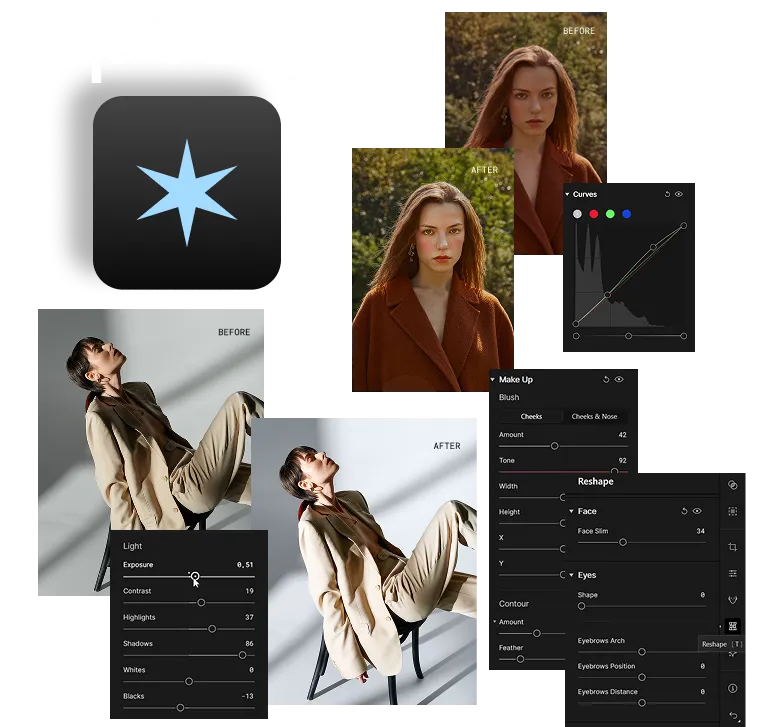
For Portrait Photographers: Aperty
If you work with portraits every day, Aperty is the specialized retouching platform by Skylum designed to save you hours of work every week.
Why Aperty?
• Made for professionals: built for portrait, wedding, fashion, and headshot photographers who process large photo sets.
• Deep AI retouching: smooth skin, remove blemishes, brighten eyes, enhance lips, slim the face, and even fine-tune makeup (blush, contour, highlights).
• Shape control: adjust face and body proportions naturally without over-editing.
• Batch editing power: edit one photo, then apply the same retouching to hundreds of images with automatic face detection.
• Privacy guaranteed: Skylum does not use client images for training or external purposes.
• Deep AI retouching: smooth skin, remove blemishes, brighten eyes, enhance lips, slim the face, and even fine-tune makeup (blush, contour, highlights).
• Shape control: adjust face and body proportions naturally without over-editing.
• Batch editing power: edit one photo, then apply the same retouching to hundreds of images with automatic face detection.
• Privacy guaranteed: Skylum does not use client images for training or external purposes.
For Mobile Creators: Luminar Mobile
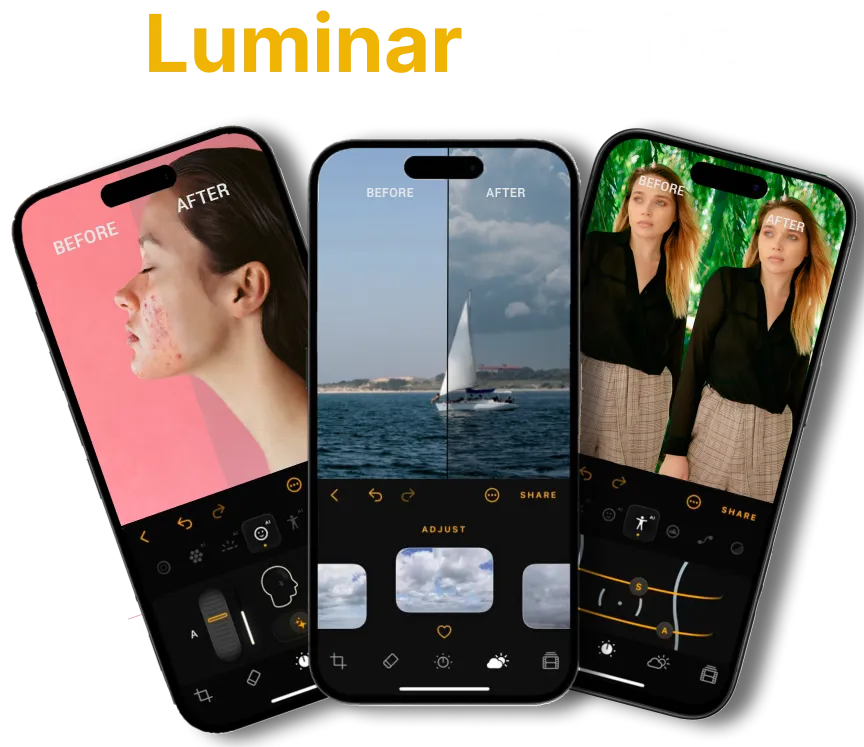
If you love editing on the go, Luminar Mobile is Skylum’s AI-powered photo editor designed for iPhone, iPad, and Vision Pro. It’s simple, fast, and creative.
Why Luminar Mobile?
• Made for creators: perfect for social media, travel, and everyday photography.
• Smart AI tools: EnhanceAI, SkyAI, RelightAI, SkinAI, and BodyAI for quick, professional edits.
• Full editing toolkit: curves, crop, filters, monochrome, erase, and RAW support.
• Apple ecosystem optimized: works seamlessly on iPhone, iPad, Vision Pro, with Apple Pencil support.
• Flexible plans: free download with subscription and lifetime license options.
• Smart AI tools: EnhanceAI, SkyAI, RelightAI, SkinAI, and BodyAI for quick, professional edits.
• Full editing toolkit: curves, crop, filters, monochrome, erase, and RAW support.
• Apple ecosystem optimized: works seamlessly on iPhone, iPad, Vision Pro, with Apple Pencil support.
• Flexible plans: free download with subscription and lifetime license options.
Which Alternative is Right for You?
Skylum has something for every editing style. Go for Aperty if you’re into portraits, Luminar Mobile if you love editing anytime, anywhere, and Luminar if you want the complete package. Or… simply enjoy the whole suite 😉

FAQ
Are Aperty and Luminar Mobile meant to replace Luminar?
Not at all. They’re designed to complement it. Some users might see them as Luminar competitors, but in fact, they’re part of the same Skylum ecosystem. You can pick the one that fits your workflow, or combine them all for a complete setup.
Can I use Luminar and Luminar Mobile together?
Yes! You can get a cross-device lifetime license that includes both Luminar for desktop and Luminar Mobile for iOS, Android, and ChromeOS. There’s also an extended license option that adds access to the Creative Library.
Does Luminar Mobile have the same features as Luminar?
Not fully. Luminar Mobile is optimized for quick edits on the go with AI-powered tools like EnhanceAI, SkyAI, and SkinAI, while Luminar offers the full professional editing toolkit on desktop.
Can I try these tools before buying?
Yes, all Skylum apps include free trials so you can explore the features and decide which one fits your workflow.
