
 View plans
Luminar vs Photoroom: How Each App Handles Editing
At a glance, Luminar and Photoroom may both look like AI photo editors. In reality, they are designed for very different types of work. Let’s take a closer look.
Discover Luminar MobileWhat’s the difference between Luminar and Photoroom?
To better understand it, let’s look at three core characteristics that define how each app approaches editing.
Editing philosophy
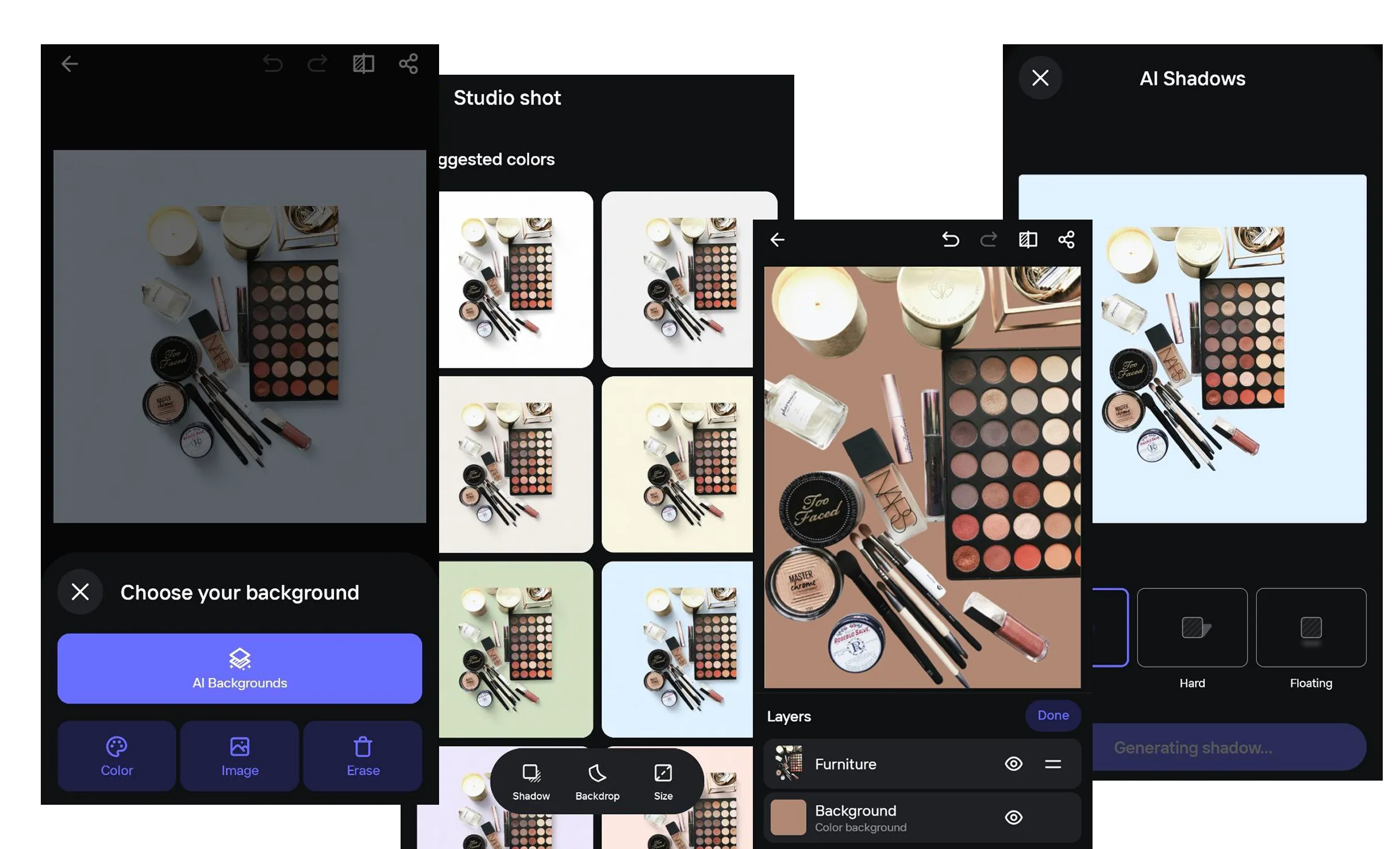
Photoroom is built around a “photo-to-revenue” concept. Its AI tools are optimized for quickly generating professional-looking product images, with a strong focus on precise background removal and automated scene creation designed to support sales.
Luminar follows AI image retouching approach for artistic photography. AI automates complex tasks such as sky replacement (Sky AI) and skin retouching, while preserving the structure and character of the original photo.
.webp)
Creative control and flexibility
Photoroom offers unique features tailored to the commercial sector, such as virtual models for clothing, automatic shadow creation, and AI-driven product lighting (Product Beautifier). In Photoroom, speed and brand consistency take priority over fine-grained artistic control at the pixel level.
.webp)
Luminar provides photographers with professional-grade tools, including Curves, advanced exposure control through Relight AI, and full RAW support to preserve maximum image quality.
.webp)
Workflow and ecosystem
Photoroom is designed for business scalability. It supports batch processing of thousands of images at once and provides API access for integration into automated catalog and e-commerce workflows.

Luminar is integrated into the Skylum ecosystem, enabling seamless editing on iPhone, iPad, and Vision Pro, with synchronization to the desktop editor Luminar via Luminar Space.
.webp)
Photoroom vs Luminar:
Feature Comparison Table
| Feature | Photoroom | Luminar Mobile |
|---|---|---|
Presets | Design templates for e-commerce | Curated artistic effects and styles |
AI tools | Background removal, virtual models, product styling | Sky AI, Relight AI, Enhance AI, Skin AI |
RAW editing | Not a primary focus | Full RAW support |
Portrait tools | Retouching and object removal | Advanced skin (Skin AI) and body retouching (Body AI) |
Object removal | Magic Retouch | Dedicated Erase tool |
Sky replacement | Via AI-generated backgrounds | High-precision Sky AI |
Video editing | Animated visuals from photos | Photo-focused editing |
Workflow type | Commercial content, batch processing, API | Artistic editing, cross-device synchronization |
Photoroom
Luminar Mobile
Presets
Design templates for e-commerce
Curated artistic effects and styles
AI tools
Background removal, virtual models, product styling
Sky AI, Relight AI, Enhance AI, Skin AI
RAW editing
Not a primary focus
Full RAW support
Portrait tools
Retouching and object removal
Advanced skin (Skin AI) and body retouching (Body AI)
Object removal
Magic Retouch
Dedicated Erase tool
Sky replacement
Via AI-generated backgrounds
High-precision Sky AI
Video editing
Animated visuals from photos
Photo-focused editing
Workflow type
Commercial content, batch processing, API
Artistic editing, cross-device synchronization


A powerful AI photo editor in your pocket
- High-performance AI editing on mobile
Edit anytime, anywhere
No complex tools—just simple controls
Perfect for quick and creative edits

