
 View plans
What’s the difference between Luminar and Photoleap?
Editing philosophy
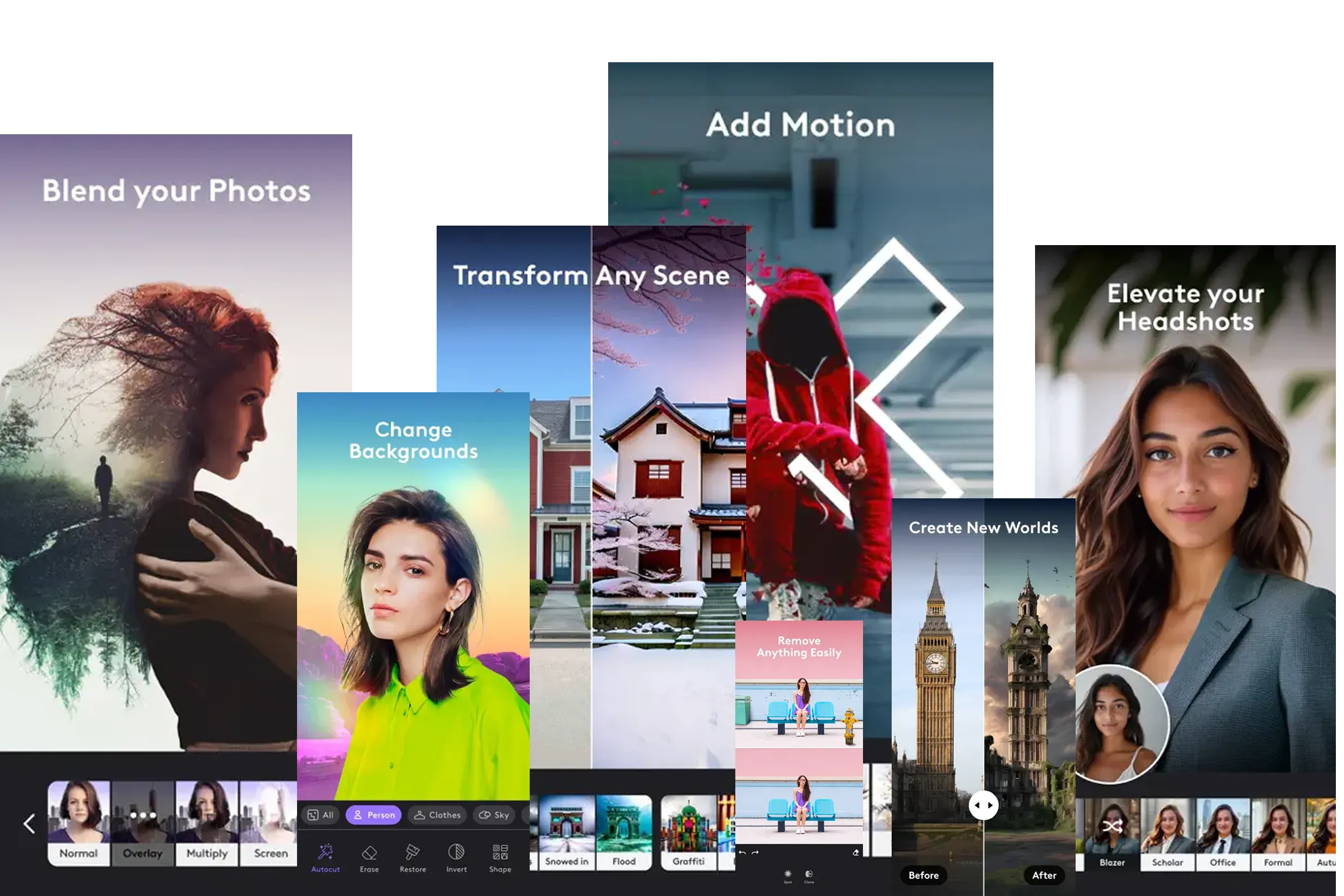
Photoleap functions more as a creative playground. A photo is often just a starting point for digital art, with generative tools like AI Replace, text-to-image generation, and transformations that turn photos into anime, illustrations, or painterly styles.

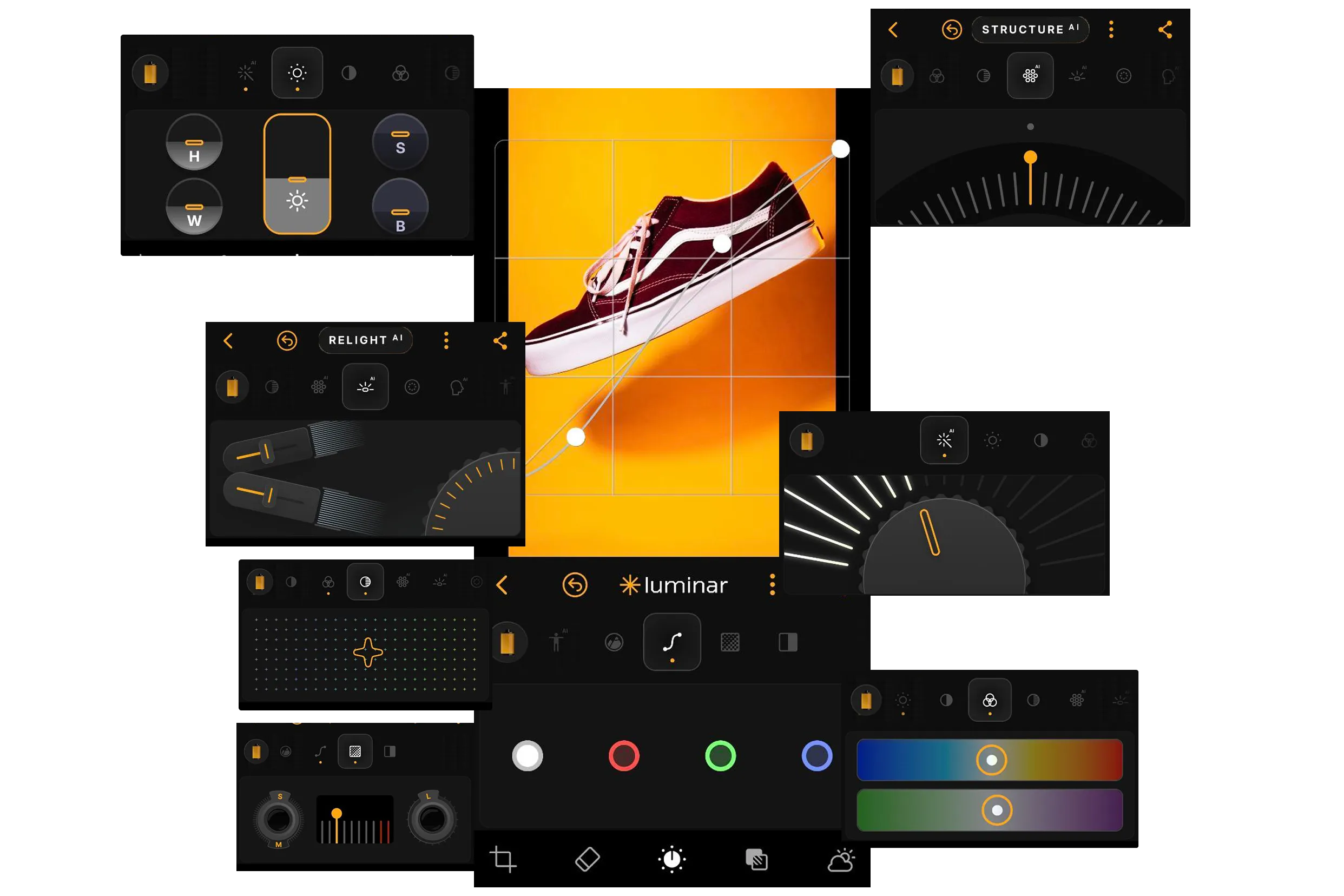
Luminar follows an approach of intelligent photo enhancement. AI tools such as Sky AI and Relight AI are designed to improve an existing photo while preserving its realism and photographic integrity.
.webp)
Creative control and flexibility
Photoleap prioritizes design flexibility. It supports a multi-layer system (up to 12 layers in the Pro version), text overlays, collages, and double exposure. While Luminar Mobile currently does not offer masking, Photoleap allows each layer to be edited independently, making it better suited for complex visual compositions.

Luminar offers depth through professional tools such as Curves, the Develop tool, and Structure AI, giving photographers precise control over tone, color, and detail.
Workflow and ecosystem
Photoleap operates primarily as a standalone mobile app by Lightricks, optimized for fast creation of eye-catching, share-ready content for platforms like Instagram and YouTube.
Luminar is part of the Skylum ecosystem, with cross-device synchronization via Luminar Space, allowing edits to move seamlessly between iPhone, iPad, Vision Pro, and the desktop editor Luminar.
.webp)
Photoleap vs Luminar:
Feature Comparison Table
| Feature | Photoleap | Luminar Mobile |
|---|---|---|
Presets | Design templates for e-commerce | Curated artistic effects and styles |
AI tools | Background removal, virtual models, product styling | Sky AI, Relight AI, Enhance AI, Skin AI |
RAW editing | Not a primary focus | Full RAW support |
Portrait tools | Retouching and object removal | Advanced skin (Skin AI) and body retouching (Body AI) |
Object removal | Magic Retouch | Dedicated Erase tool |
Sky replacement | Via AI-generated backgrounds | High-precision Sky AI |
Video editing | Animated visuals from photos | Photo-focused editing |
Workflow type | Commercial content, batch processing, API | Artistic editing, cross-device synchronization |
Photoroom
Luminar Mobile
Presets
Design templates for e-commerce
Curated artistic effects and styles
AI tools
Background removal, virtual models, product styling
Sky AI, Relight AI, Enhance AI, Skin AI
RAW editing
Not a primary focus
Full RAW support
Portrait tools
Retouching and object removal
Advanced skin (Skin AI) and body retouching (Body AI)
Object removal
Magic Retouch
Dedicated Erase tool
Sky replacement
Via AI-generated backgrounds
High-precision Sky AI
Video editing
Animated visuals from photos
Photo-focused editing
Workflow type
Commercial content, batch processing, API
Artistic editing, cross-device synchronization


A powerful AI photo editor in your pocket
- High-performance AI editing on mobile
Edit anytime, anywhere
No complex tools—just simple controls
Perfect for quick and creative edits

