Discover Luminar Neo features. Completely free of charge

Level up your photography with Luminar Neo's AI-powered photo editing tools.

Free Photo Editor Luminar Neo: Download AI Image Editor(2)

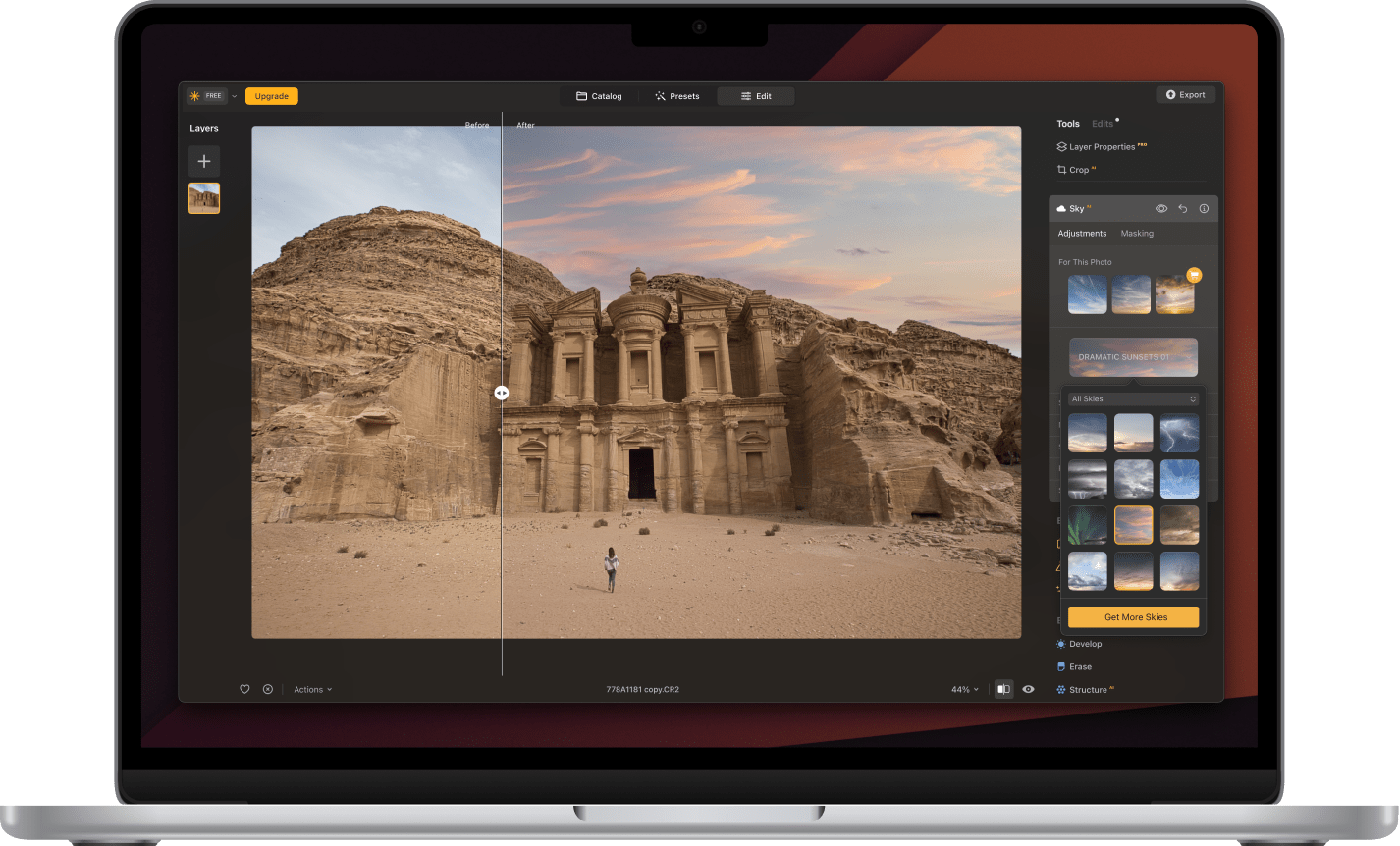
SkyAI

new

Twilight EnhancerAI

new

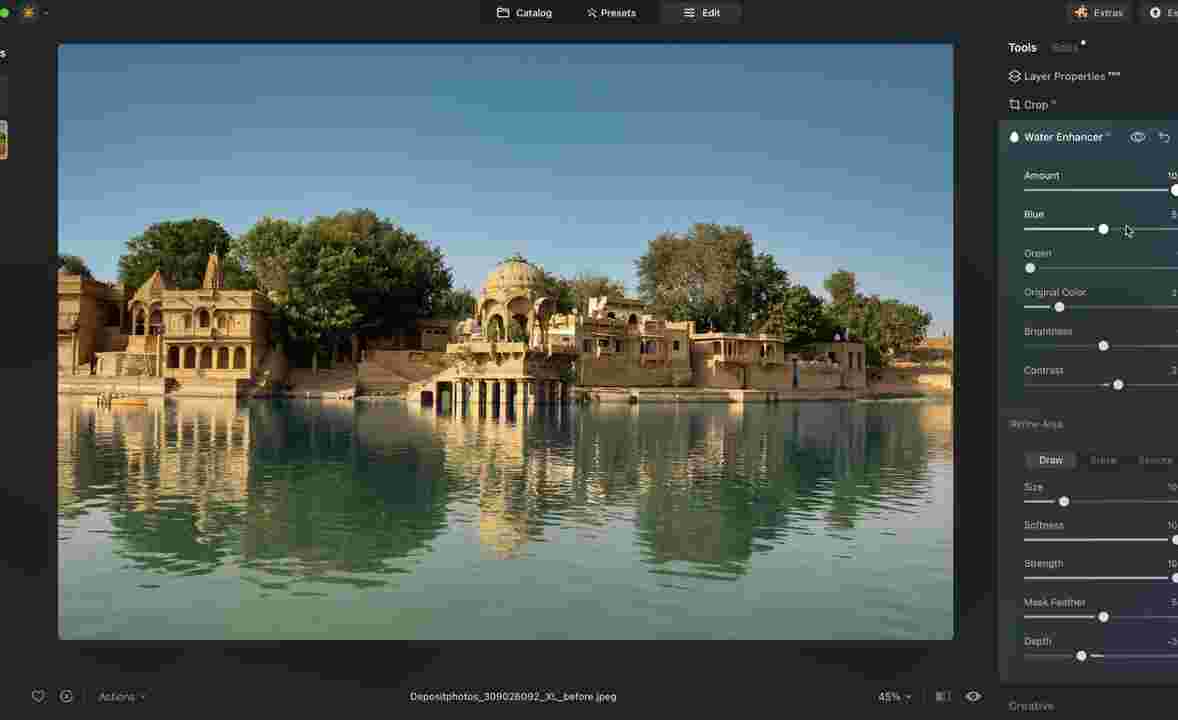
Water EnhancerAI

EnhanceAI

Background Removal

GenErase

GenExpand

GenSwap

RelightAI

Erase

SuperContrast

Sunrays

AtmosphereAI

FaceAI

SkinAI

Portrait BokehAI

Unlock the power of Luminar Neo for free

No credit card required. 24/7 support.

Excellent 4.8 out of 5 Trustpilot

Free Photo Editor Luminar Neo: Download AI Image Editor(10)

Advanced results in easy-to-use software

Capture your favorite moments and bring them to life with Luminar Neo — the cutting-edge photo editing software designed to make your creative vision a reality.

GenErase

Sky AI

Enhance AI

GenExpand

Skin AI

Relight AI

Before After
Before After
Before After
Before After
Before After
Before After

6 reasons why Luminar Neo is the best photo editor for you

Free Photo Editor Luminar Neo: Download AI Image Editor(11)

Easy to use

Accessible to everyone thanks to an intuitive and user-friendly interface.

Free Photo Editor Luminar Neo: Download AI Image Editor(12)

AI-powered

Replace skies, enhance landscapes and portraits, all with AI-powered tools.

Free Photo Editor Luminar Neo: Download AI Image Editor(13)

Editing tools

Enjoy a wide range of instruments including layers, masking, and local adjustments.

Free Photo Editor Luminar Neo: Download AI Image Editor(14)

Available everywhere

Use it on Windows, macOs, or as a plugin for Photoshop & Lightroom.

Free Photo Editor Luminar Neo: Download AI Image Editor(15)

Multiform presets

Achieve quick pro-level results, and a consistent look across your photos.

Free Photo Editor Luminar Neo: Download AI Image Editor(16)

Continuous improvement

Receive regular release of updates and new features.

Experience Luminar Neo’s capabilities for free

With support for raw files, exporting in all major file formats, layers, masking, and much more, Luminar Neo meets all your photography needs.

Free Photo Editor Luminar Neo: Download AI Image Editor(17)

AI image enhancement

Artificial intelligence (AI) technology detects which areas of your photo should be enhanced. Just move one slider and watch as adjustments are accurately applied.
Free Photo Editor Luminar Neo: Download AI Image Editor(18)

Clone tool

Replace unwanted or damaged pixels with pixels of your choosing from anywhere in your photo. Easily cover up damage or blemishes.
Free Photo Editor Luminar Neo: Download AI Image Editor(19)

Raw editing

Luminar Neo supports over 1000 cameras. It works with JPEG, PNG, and TIFF files, many raw files (including CR2, CR3, NEF, ORF, and RAF), and even more file formats.
Free Photo Editor Luminar Neo: Download AI Image Editor(20)

Dodge & burn

Take full control over the lighting in your photos. Regulate the amount of light in a particular area to draw attention to it.
Free Photo Editor Luminar Neo: Download AI Image Editor(21)

Layers support

Use layers to combine multiple elements in one project. Layers can contain photos, textures, and adjustments.
Free Photo Editor Luminar Neo: Download AI Image Editor(22)

Color enhancement

Use this tool for precise control over colors. Adjust brilliance, warmth, contrast, and balance in a matter of seconds.
Free Photo Editor Luminar Neo: Download AI Image Editor(23)

Non-destructive editing

Your original image is always safe. Review and make changes to your edits whenever you like.
Free Photo Editor Luminar Neo: Download AI Image Editor(24)

Crop and resize

Automatically adjust composition, crop, and perspective. Change the aspect ratio and effortlessly resize an image.
Free Photo Editor Luminar Neo: Download AI Image Editor(25)

Lens correction

Remove any image flaw caused by optical distortions. Defringe, remove a vignette, or remove chromatic aberrations in one move.
Free Photo Editor Luminar Neo: Download AI Image Editor(26)

Batch processing

Save time by applying the same adjustments to multiple photos using batch processing. Conveniently apply adjustments to a large set of images shot under similar conditions.

Works as both a standalone or plug-in

Free Photo Editor Luminar Neo: Download AI Image Editor(27)
Free Photo Editor Luminar Neo: Download AI Image Editor(28)
Free Photo Editor Luminar Neo: Download AI Image Editor(29)
Free Photo Editor Luminar Neo: Download AI Image Editor(30)
Free Photo Editor Luminar Neo: Download AI Image Editor(31)

Expand your creative horizons with pro-level Tools free of charge

These advanced tools provide extra flexibility and creativity, enabling you to take your images beyond the ordinary and into the extraordinary

Free Photo Editor Luminar Neo: Download AI Image Editor(32)

Panorama Stitching

Stitch mutiple photos or videos together and сreate stunning panoramas.

Free Photo Editor Luminar Neo: Download AI Image Editor(33)

Magic Light AI

Manipulate light sources with AI

Free Photo Editor Luminar Neo: Download AI Image Editor(34)

Supersharp AI

Stabilize your сomposition with Supersharp AI

Free Photo Editor Luminar Neo: Download AI Image Editor(35)

Focus Stacking

Keep everything in focus

Free Photo Editor Luminar Neo: Download AI Image Editor(36)

Upscale AI

Pixel-perfect upscaling

Free Photo Editor Luminar Neo: Download AI Image Editor(37)

Background Removal AI

Select. Click. Remove.

Free Photo Editor Luminar Neo: Download AI Image Editor(38)

Noiseless AI

Make it noiseless.
Keep the details.

Free Photo Editor Luminar Neo: Download AI Image Editor(39)

HDR Merge

Reveal true colors

Our Customers' Experience On Trustpilot

Get free access to the capabilities of Luminar Neo

No credit card required

  • High-performance image editor
  • 24/7 technical support
  • Available on Windows/MacOs
  • 9/10 Satisfaction rate
Free Photo Editor Luminar Neo: Download AI Image Editor(41)

App Requirements

macOS

Mac Model

MacBook, MacBook Air, MacBook Pro, iMac, iMac Pro, Mac Pro, Mac mini, early 2010 or newer

Processor

CPU Intel® Core™ i5 8 Gen or better

OS version

macOS 12.0 or higher.

RAM

Memory 8 GB RAM or more (16+ GB RAM is recommended)

Disk space

Hard disk 10 GB free space; SSD for best performance

Display

1280x768 size or better

Windows

Hardware

Windows-based hardware PC with mouse or similar input device

Processor

CPU Intel® Core™ i5 8 Gen or better, AMD Ryzen™ 5 or better

OS version

10 version 1909 or higher (only 64-bit OS)

RAM

Memory 8 GB RAM or more (16+ GB RAM is recommended)

Disk space

Hard disk 10 GB free space; SSD for best performance

Display

1280x768 size or better

Graphics

Open GL 3.3 or later compatible graphics card

One more step for free photo editing!

To access your free version of Luminar Neo, please enter your email below and click Download