Why Luminar Is The Best Choice For Beginners In Photo Editing
January 06, 2026

Why Luminar is the best choice for beginners in photo editing is not about trends or buzzwords. It is about helping first-time editors get strong results without feeling lost.
Photo editing is far more complex than it actually is. The beginner photographer has only installed a demo version of some photo editing software, loaded some pictures into it, and found themselves staring at some panels, tabs, and conversations that sound as if they come from alien tongues and dialects. After randomly sliding some buttons, the picture gets worse, not better. And more often than not, that’s the moment the program gets closed for good.
Luminar Neo is founded on a different philosophy. It is designed for simplicity, immediate results, and visual feedback. Rather than forcing a novice to study theory before they can see results, it helps the novice achieve a good result first, then naturally learn through the process. It is the combination of instant results and a gentle learning curve, therefore, which ultimately leads Luminar Neo to become the “starter editor” one does not abandon in the first week.
What Makes Luminar Neo Beginner-Friendly
Beginners often ask what is Luminar Neo and why it feels easier than classic editors. In simple terms, it is a photo editor that utilizes artificial intelligence to make decisions that typically require expertise. Things such as balancing exposure, recovering detail, improving color, and guiding composition are supported by smart tools, so new users are not stuck guessing where to begin.
The interface matters a lot here. Luminar Neo does not feel cluttered. Tools are grouped in a way that matches how people think: fix the basics, shape the look, polish details. Labels are clear, while sliders feel practical, not mathematical.  The user does not need to understand curves or masks on day one to achieve a clean result. That is also why this editor is often mentioned in lists of the best easy to use photo editing software. It keeps the workflow simple without making the final image look simplistic.
Perfect Software for Starting Your Editing Journey
Try Luminar Neo!Learning Without Feeling Like Studying
A big reason people quit editing is mental overload, and Luminar Neo avoids that by making the experience feel safe. The software explains tools in plain language. Presets show what is possible with a single click. Adjustments are reversible, and the results show up instantly, so beginners can play around without fear.
This is how learning actually happens. Those new to photo editing nudge exposure and see the shadows lift. They add structure and notice texture return to a soft RAW file. They warm the image slightly and understand how the mood changes. No textbook needed. It is learning through cause and effect, which is exactly how most creative skills stick.
That is what puts Luminar in the running for the easiest photo editing software for beginners. It gives novices a path forward that does not feel like homework.
Editing Faster With AI Tools That Make Sense
Luminar Neo’s biggest advantage is that it helps beginners get unstuck. Most do not struggle because they are “bad” at editing. They struggle because they do not know what the photo needs first. This photo editor reduces that guesswork with tools that analyze the image and suggest balanced improvements.
A simple example: a beginner opens a flat RAW landscape that looks gray and lifeless. In many editors, they would have to adjust exposure, contrast, highlights, shadows, whites, blacks, and clarity, and hope the pieces fit together. In Luminar, one tool can provide a solid foundation quickly, acting like a smart starting point rather than a mystery puzzle.
Portraits are another common trap. People either avoid retouching completely or overdo it and end up with plastic skin. Luminar’s retouching approach is more forgiving because the tools are designed to keep changes subtle by default, especially when using an AI image touch up that improves skin tone, light, and facial details without stripping away texture.  Beginners can make a portrait look cleaner and brighter without accidentally turning a real person into a wax figure. This is the reason many people describe Luminar as easy photo editing software that still produces results they are proud to share.
Composition Help That Trains the Eye
Cropping is surprisingly hard for people just starting out. Many do not know what to cut, what to keep, or why the photo feels unbalanced. Luminar’s composition tool helps by analyzing the frame and suggesting a cleaner crop or stronger alignment, so the user is not guessing their way through it.
A real beginner scenario: a travel photo with a great subject, but too much empty space above the head. Another: a beach horizon that is slightly tilted, making the whole image feel “off” even if the colors look great. This AI-powered editor can guide the crop and alignment quickly, and over time, it starts noticing these issues before the software even suggests them. That is the hidden benefit. It does not just fix the photo. It teaches the eye.
A Practical Workflow Beginners Can Repeat
Beginners improve faster when they have a simple routine. Luminar Neo naturally encourages a step-by-step flow that feels repeatable, which is important because consistency is what builds skill.
A realistic starting workflow often looks like this:
Import the photo and use a photo quality enhancer to create a clean starting point fast

Adjust light and color in small, visible steps
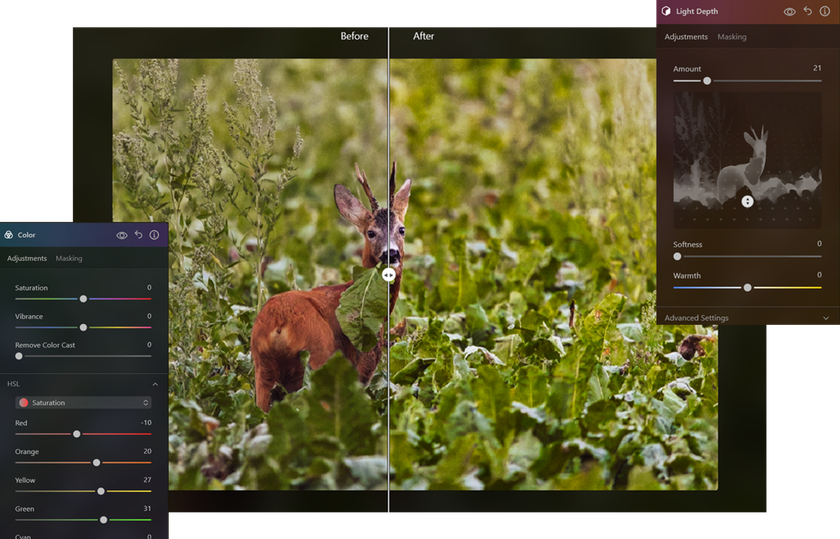
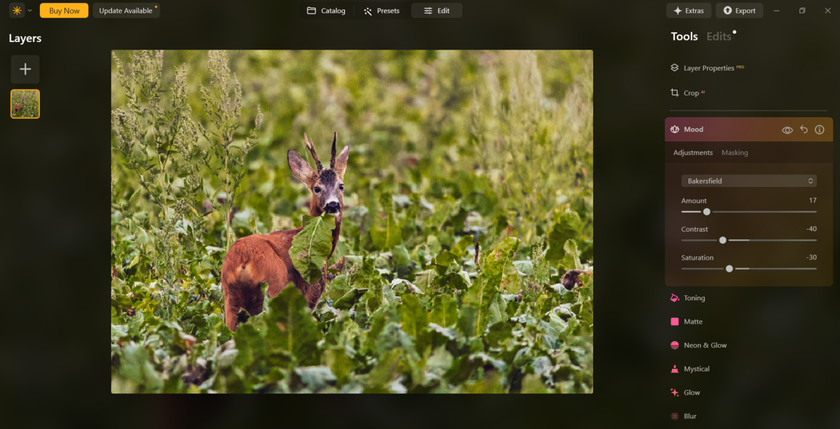
Use a preset as inspiration, then lower its strength
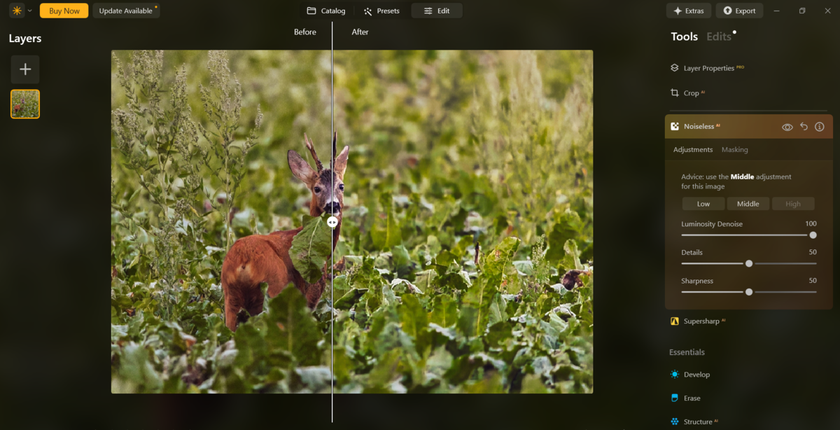
Add gentle detail, not heavy sharpening
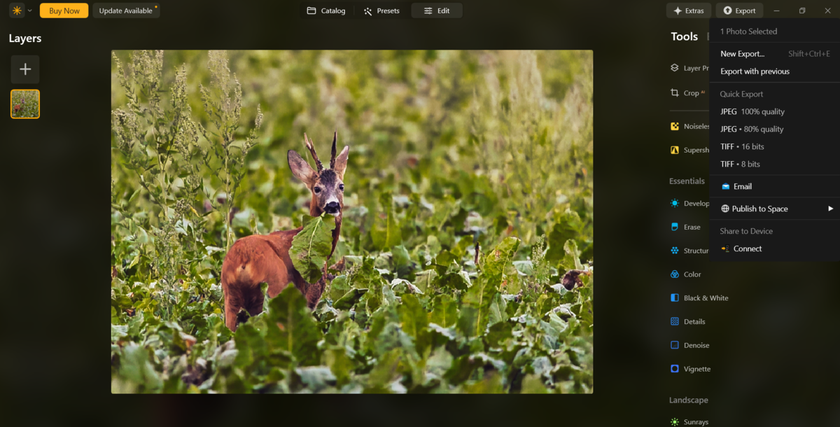
Export and move on to the next photo
This keeps early-stage photographers from jumping randomly between tools, which is how confusion starts. It also helps them learn what changes matter most, because they see edits in a predictable order. That is why many guides, including a Luminar Neo tutorial for beginners, focus on workflow habits more than individual tools. This editor supports that approach naturally.
Presets That Teach Style Instead of Just “Filters”
Presets can be cheesy in the wrong software. In Luminar Neo, presets work more like training wheels. They show beginners how a “look” is created through a combination of adjustments, not a single filter slapped on top.
People new to post-processing can apply a preset, then dial it down to 40 percent, and suddenly it looks natural. They can compare a warm cinematic preset versus a clean natural one and understand how contrast and color shift the mood. Over time, most people stop relying fully on presets, but they keep using them as a quick way to explore style ideas. That transition happens quietly. No pressure. No “you must edit like a pro.” Just gradual improvement.
Room To Grow Without Outgrowing the Software
 A classic beginner mistake is picking a tool they will outgrow in a month. Luminar Neo avoids that problem because it scales with the user. It feels approachable at the start, but it also includes more advanced control when the user is ready.
As skills build, layers and masking become useful. Selective adjustments help when the sky needs to change, but the subject does not. More precise tools become relevant once the user understands what they want to achieve. So it works as a starter editor, but it does not force the beginning user to “graduate” to another app once they get serious. That long-term usefulness is a big reason it shows up in discussions about the best photo editing software for beginners.
Price and Trying It Without Pressure
 Price matters a lot when someone is just starting. Beginners do not want to invest heavily before they know they will stick with editing. Luminar Neo makes it easier to test the software for free with real photos for 7 days, not demo images, so they can see if it fits their style and workflow.
That matters because anyone learning editing for the first time does not need perfect features on paper. They need an editor that feels good to use at home, on their own photos, with their own mistakes and learning curve. Transparency also helps. Many beginners researching is Luminar Neo suitable for beginners, considering whether they are being locked into a long subscription cycle. The ability to try first and choose later makes the decision feel safer.
Who Luminar Neo Fits Best
 Luminar Neo tends to work especially well for:
Beginners moving from phone editing to desktop
Hobby photographers editing travel, portraits, and everyday life
Creators who want fast results without losing control
People who learn visually and improve through experimentation
It may feel less ideal for someone who wants fully manual editing from day one. But most beginners do not start there. They want progress first, and precision later.
Why Beginners Actually Stick With It
The true measure of editing softwares for beginners is not how impressive they feel on day one. It is whether someone still opens the editor weeks later, without forcing themselves to. Luminar Neo keeps new users around because the effort-to-reward ratio stays satisfying: small, simple changes create visible improvement fast. Each session feels like progress, not struggle, and each photo quietly teaches one more lesson. That is how editing stops feeling intimidating and starts feeling normal.