
Moment iPhone Lens: How To Capture Cinematic Moments
March 03, 2026

Explore how Moment lenses turn your iPhone into a pro camera, capturing everything from sweeping landscapes to intricate close-ups.
Ever wondered how some iPhone photos pop up on your feed, looking like they’ve jumped straight out of a movie scene? Chances are, it’s the magic of an iPhone Moment lens at work. Today, we’re diving into these nifty gadgets that are turning everyday smartphone users into cinematic geniuses!
Ready to level up your Instagram game or just capture life’s moments in full glory? Stick around as we explore what makes these lenses a must-have in your photography toolkit!
What is a Moment Lens?
A Moment lens is a tool that snaps onto your iPhone, transforming its decent camera into a powerhouse capable of capturing much sharper, professional-level photos. No frills — just a straightforward, sturdy lens that makes a noticeable difference!
Types of Moment Lenses
Let’s run through the options:
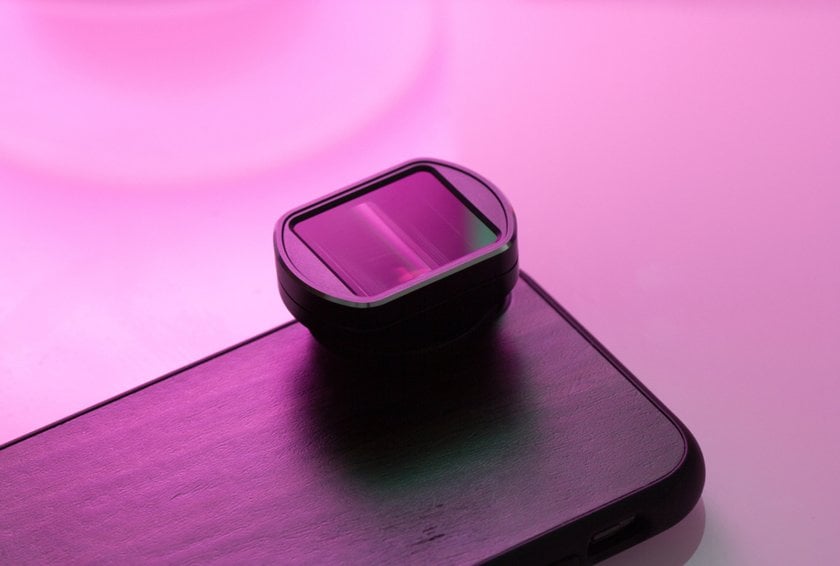
Anamorphic Lens: Ready to give your videos that cinematic scope? The Anamorphic lens does just that, expanding your video's aspect ratio and peppering in those iconic, film-like lens flares. Choose between 1.33x for a slight stretch or 1.55x for a more pronounced widescreen effect, and decide if you want the flair of Gold or the cool of Blue flares to match your visual tone.
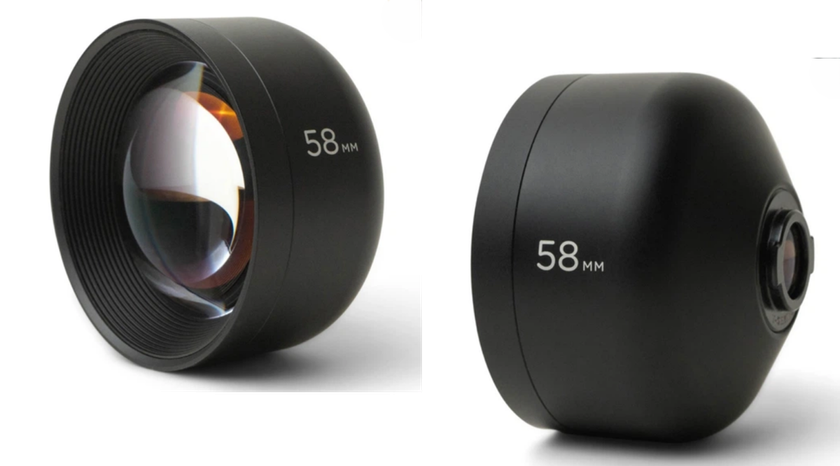
Tele 58mm Lens: If portraits are your passion, the Tele 58mm lens brings your subject into crisp focus with a pleasing background blur that rivals professional cameras. It's all glass, no digital enhancements, ensuring your shots are authentically beautiful. For newer phone models, the T-Series has been tweaked for even sharper images and better performance in dim lighting.
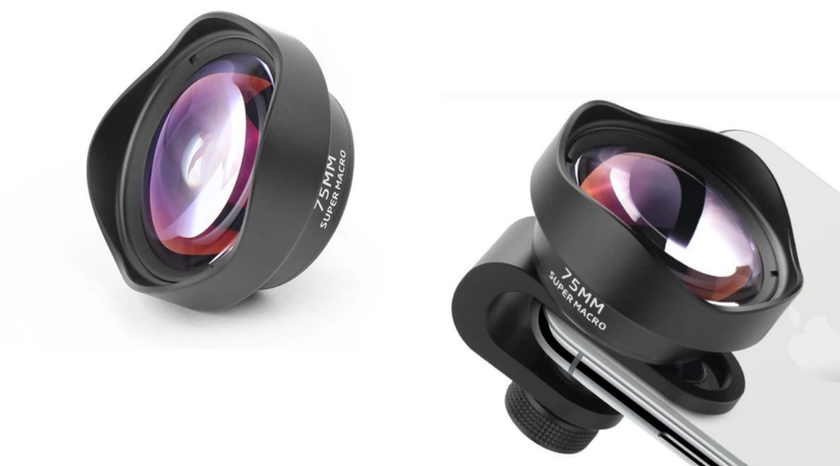
Macro 10X Lens: Magnify the minute with the Macro 10X lens. This lens gets you so close you can almost touch the texture you're capturing — perfect for the patterns on a leaf or the weave of a textile. It’s most effective at a whisper-close range of 0.5 to 1 inch, and the included diffuser hood helps soften light and prevent lens damage during your close encounters.
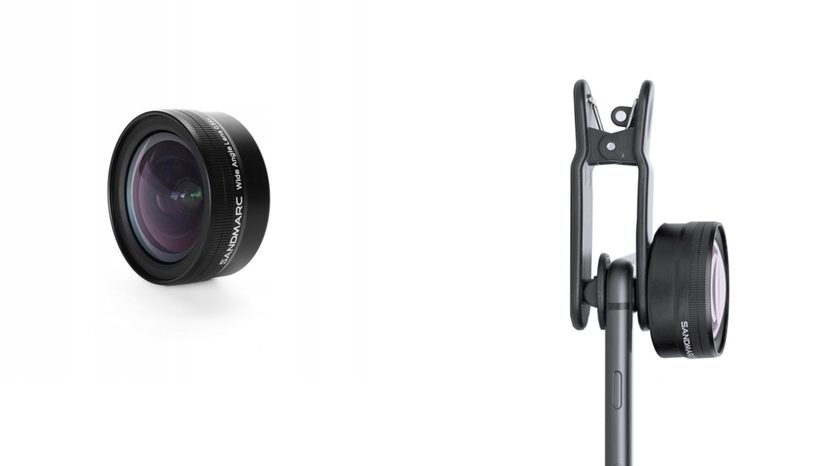
Wide Lens: Capture more of everything with the Wide lens. Landscapes and city scenes fit comfortably in its expanded field of view, ensuring no part of your vista is left behind. If you find that your photo appears too distorted, you can easily fix it using Luminar Neo, a professional AI editor. Simply use the lens correction feature to adjust and perfect your image!
Fisheye Lens: See the world in 170 degrees with the Fisheye 14mm lens. It radically alters your perspective, curving straight lines and expanding views to create a surreal, captivating visual bubble. It’s a fun twist for skate videos, quirky portraits, or any project where standard angles just won’t cut it.
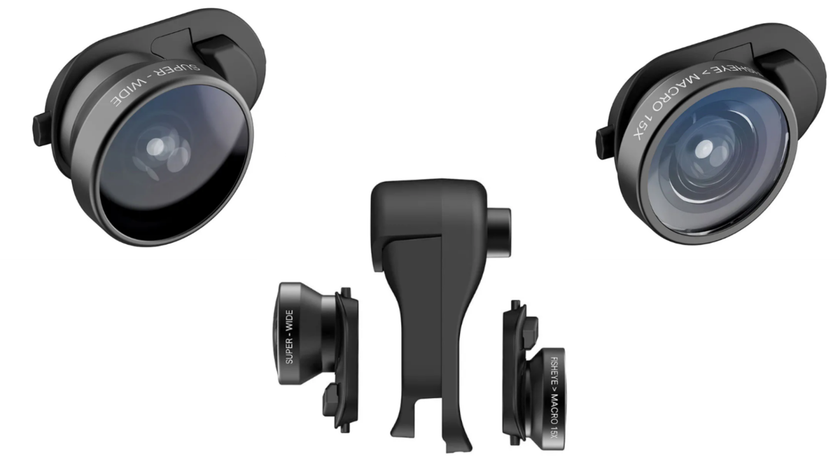
Moment lenses are essentially about giving you more flexibility and quality in your photography and videography, using just your iPhone. Whether you’re documenting everyday life or special events, these lenses help elevate your visual storytelling!
How to Use Moment Lenses
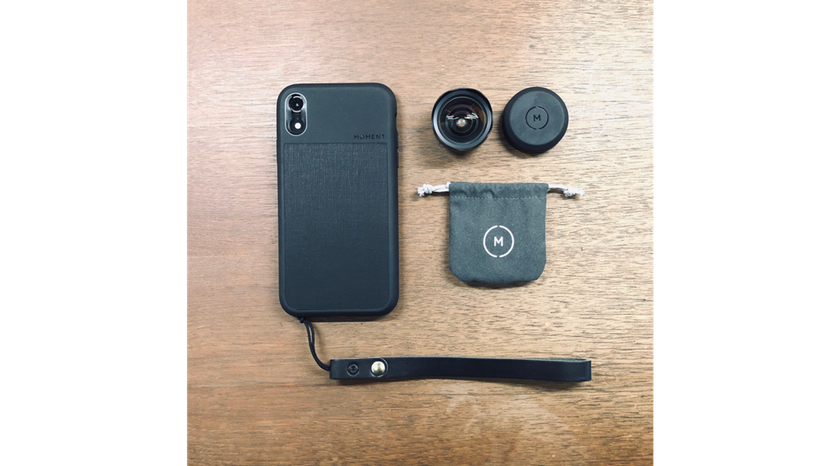
1. Attach the Case
Start by fitting your iPhone into the Moment case. Ensure it snaps into place securely, covering all corners and sides of your phone.
2. Insert the Lens
Moment lenses are attached via a bayonet-style mount. Locate the small hole cutout over the camera on your case. Align the lens with the mount, and insert the rear part of the lens into the hole.
3. Secure the Lens
Once the lens is inserted, twist it gently until it locks into place. This connection should feel secure without any wobble. Moment’s mounting interface, particularly in their M-series cases, is designed to be intuitive and firm.
4. Get Ready to Shoot
With the lens attached, your iPhone is now ready to capture high-quality photos with enhanced depth, clarity, and field of view. It’s a good practice to spend some time familiarizing yourself with the mounting and unmounting process to make transitions smoother when out shooting.
By following these steps, you’ll be able to leverage the full potential of your Moment lenses, transforming your smartphone photography into something much more professional and visually stunning!
Pros of Moment Lenses
Excellent build quality.
Durable for everyday use.
Clear and sharp image enhancement.
Secure, easy-to-use mounting system.
Variety of lens options for different photography needs.
Cons of Moment Lenses
It requires the purchase of a Moment case or mount.
Higher price point compared to other smartphone lenses.
Why Are Moment Lenses So Expensive?
 Moment lenses come with a higher price tag for several reasons. First of all, they are made from premium materials like aerospace-grade metal and high-quality glass, which means they are built to last and deliver sharp, clear photos! The durability and superior image quality are a big part of what you're paying for.
The company also puts a lot of effort into the design and testing of each lens. You're not just buying a lens; you're investing in a piece of equipment that's been carefully engineered to enhance your photography.
Another factor is the unique offerings from Moment, such as their anamorphic and fisheye lenses. These specialty lenses provide creative options that you won't find with most other smartphone lenses!
Perfecting Your Already Professional Shots
 Enhance your editing photos on iPhone with Luminar Mobile, designed specifically for iOS devices. This AI-driven app is packed with powerful features like SkyAI for dynamic sky replacements and SkinAI for perfecting portraits, along with essential tools such as Erase, Crop, and more. It's the ideal mobile editing suite for creating stunning images on the go! Just ensure your device runs iOS 17 or newer to get the best experience.
For more advanced editing, switch to Luminar Neo on MacOS, Windows, or iPad. This version includes additional AI features that simplify complex edits, and it offers different presets, for example, to instantly fade photos and give your images a unique, aesthetic vibe. Whether you’re fine-tuning on your phone or crafting on your computer, Luminar provides all the tools you need to take your photos to the next level!
Tips For Taking Awesome Night Sky Photos On iPhone
Learn moreWrapping Up
We've taken a deep dive into how Moment lenses can transform your iPhone photography, turning everyday snapshots into cinematic masterpieces! With a variety of lenses like the Anamorphic for wide cinematic shots, the Tele 58mm for stunning portraits, and the Macro 10X for ultra-close details, Moment lenses equip you to capture life's moments in all their glory!
To get the most out of these lenses, remember that you'll need the right setup — like a compatible Moment case or a universal mount, and maybe even a lens protector to keep your gear in top shape. And if you ever find your shots a bit off, tools like Luminar Mobile and Luminar Neo are there to fine-tune your images!
So, whether you're looking to enhance your casual snaps for social media or aiming for professional-grade photography, Moment lenses and Luminar editing software offer the tools and flexibility you need to succeed. This powerful combination elevates your mobile photography game, helping you achieve stunning visual narratives that stand out from the crowd!



