

Auto-upgrades
renewal in 1 year for $ 33 .00

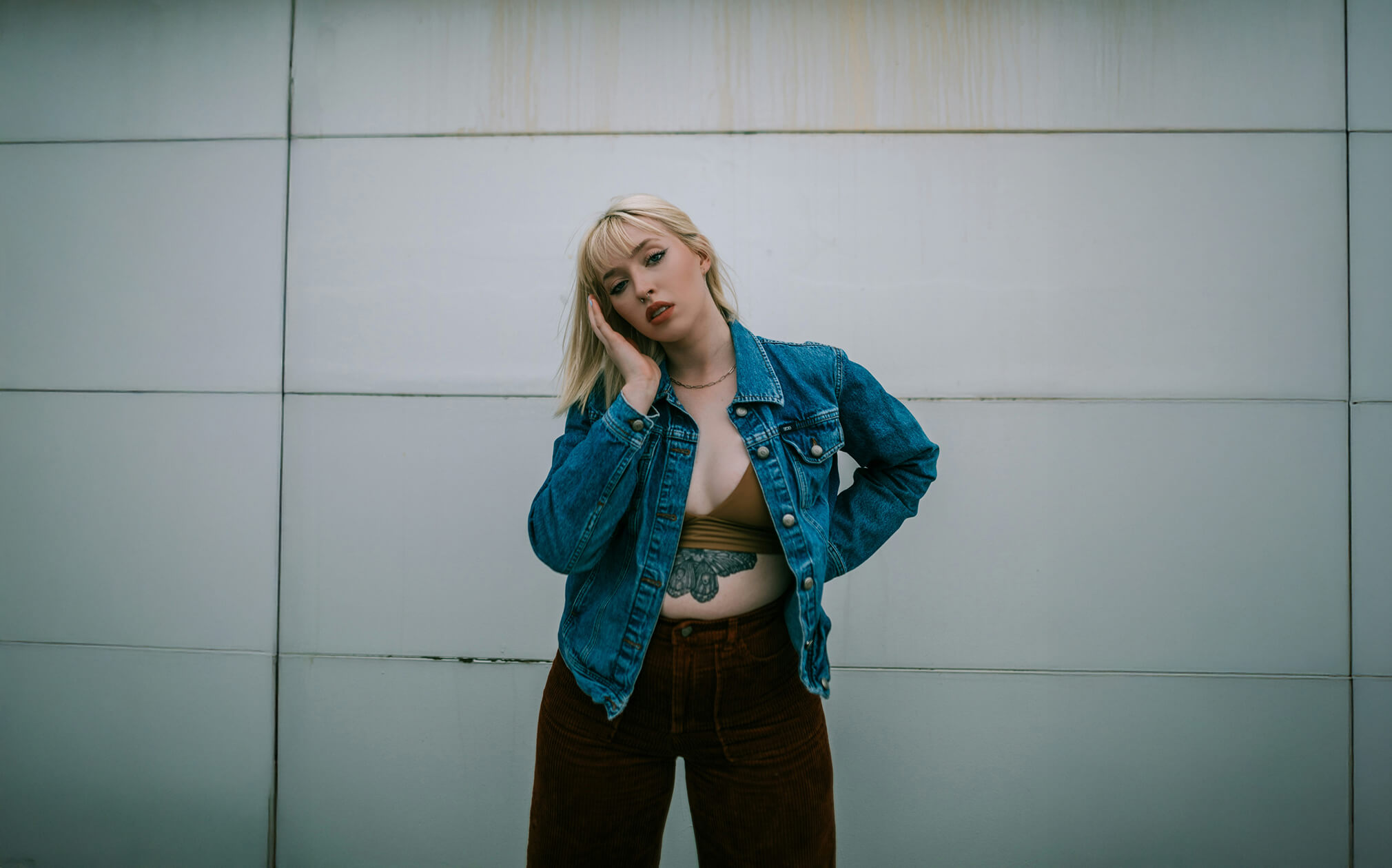
Want to adjust body proportions effortlessly? Our AI-powered body enhancer helps you refine shapes, smooth contours, and achieve natural-looking results in just a few clicks. No complex tools, no unrealistic distortions — just subtle, confident improvements that still look like you.
view plansGet visible results fast. Our tools automatically detects key body points, so you can reshape and refine with precision while keeping the background clean and undistorted. It’s quick, intuitive, and designed for beautifully natural edits.
view plansTake full control over your look with flexible, realistic adjustments. Fine-tune proportions and enhance balance without overediting.
Level up your photography with Luminar's AI-powered photo editing tools.

Revive old photos
NEW
Add dimensional lighting
NEW
Enhance in seconds

Remove distractions

Instantly replace skies

Replace objects seamlessly

Sharpen every detail

Reveal hidden details

Refine every pixel
Enhance in seconds
Reveal hidden details

Boost contast

Fix composition
Refine every pixel

Improve colors

Sculpt light and shadow
Instantly replace skies

Recreate the golden hour

Add realistic fog
Remove haze

Brighten with rays of light

Deepen evening tones

Perfect water textures
Remove distractions

Expand your scene
Replace objects seamlessly
Revive old photos
NEW
Sharpen every detail

Denoise with precision

Upscale without loss
Add dimensional lighting
NEW
Add luminous depth

Color grade with ease

Illuminate with neon

Add cinematic texture

Layer creative effects

Smooth skin naturally

Enhance facial features

Sculpt body proportions

Blur backgrounds beautifully

Add studio lighting

Replace backgrounds easily

Brighten with style

Merge multiple brackets

Stitch wide panoramas

Stack focused shots
All Platforms
One-time payment, use apps forever
$ 159 .00
products:
included:
Luminar on Desktop, Mobile, Web: yours forever. AI Tools renewable after 365 days with Luminar Prime.
*365 days unlimited usage. Subject to fair use policy.
Most Popular
Max
One-time payment, use apps forever
$ 199 .00
products:
Luminar Prime:
Luminar on Desktop, Mobile, Web: yours forever. Access to new and generative AI tools, plus Library of Assets: 365 days.
*365 days unlimited usage. Subject to fair use policy.
Desktop Only
One-time payment, use app forever
$ 129 .00
products:
included:
Luminar: yours forever. AI Tools renewable after 365 days with Luminar Prime
*365 days unlimited usage. Subject to fair use policy.
Your extra 10% OFF is waiting — copy the code below and apply it at checkout, but hurry, it expires in just 15 minutes!
15:00



Desktop for Windows/MacOS and full access to all generative tools for one year.
Luminar Video Course
Desktop for Windows/MacOS and full access to all generative tools for one year.
Mobile App for iOS/Android/ChromeOS
Luminar Video Course
Desktop for Windows/MacOS and full access to all generative tools for one year.
Mobile App for iOS/Android/ChromeOS
Luminar Video Course
100 Creative Add-ons






















Create atmospheric images with these 10 Overlays in JPEG format that contain shimmering lights and flares in various colors. Make sure to use them with Luminar’s Layers and/or the Portrait Background Removal tool, and experiment with your photos in any genre. You can add an interesting light effect or make the subject stand out in new ways, all in just a few clicks. Time to try it out!












Feel like adding a touch of something extra to your photos? Discover these 10 Experimental Overlays in JPEG format that you can easily use with Luminar’s Layers feature to transform any photo into a shot that catches the eye. Choose from 10 mesmerizing effects of different colors and shapes, and create a unique mood in a few clicks. From pink hues to golden circles, you’ll certainly find an Overlay perfect for your next masterpiece.









_after.jpeg?q=80&w=625&h=448&resize=cover)


_after.jpeg?w=54&h=30&resize=cover)
Enhance photos that you captured during a trip to Japan, or the ones that you want to have an atmospheric feeling reminiscent of the Japanese style. From landscapes, to iconic sights, to photos of food — this pack is incredibly versatile!












Designed to give your camping and hiking photos their best look, these 10 Presets are here to give your outdoor photos a natural, vibrant look. Whether you’re capturing shots of majestic mountains or cozy campfires, bring out the best in your images in one click.












Is it still Earth, or are we on an alien planet? This collection of 10 extraordinary Presets is designed to give your landscape photos an ethereal, otherworldly feel. Transform ordinary landscapes into surrealistic scenes with vivid colors that will immediately draw the viewer’s eye.












Experience the cinematic feel each of these 10 Presets adds to your photos as you journey through the countries of Latin America. Embrace the beauty and add some flair to your shots with this travel-friendly collection designed for landscapes.












Dedicated to the wonderful continent of Africa, this pack combines a variety of Presets, both for portrait and landscape shots. Enhance landmarks, safari shots, architecture photos, and portraits of people that you meet on your travels around Africa.












Create fantastic photos during your travels across the USA. Enhance images of landmarks, national parks, and general cityscapes of famous cities. Achieve various stunning effects with a few clicks of these 10 wonderful Presets.












This alluring collection of 10 Presets is designed to bring out the mysterious beauty of Middle Eastern scenery, architecture, street style, and nature. Warm-toned, deep yellow, or blue and golden — you will certainly find a Preset perfect for your photo.












Discover this wonderful collection of 10 versatile Presets that are perfect for your travel photos from Nordic countries. Capture idyllic landscapes, natural wonders, and cozy architectural shots that breathe with the Scandinavian mood. Time to pack your travel bag!
Luminar Video Course
Creative Photo Editing Techniques in Luminar

Introduction & Course Outline
Albert Dros introduces himself and gives a quick overview of what you will learn in this photography and...

Introduction to Photography
What should you focus on when taking your photos to get the best results?

Basic Editing
Albert introduces the layout of Luminar and the basic instruments you can use to achieve great results instantly.

Advanced Editing
Going in depth, Albert shows you the more advanced tools in Luminar and how to use them to make your photos stand out.

Dramatic Editing
Get creative with your photos! Albert edits a photo with more creative tools to bring forward its dramatic aspects and breathe new life into it.

Focus Stacking
Luminar has Extensions that let you get even more impressive results. In this video, you will learn how to do focus stacking with Luminar’s Focus Stacking Extension.

Cityscapes
What makes or breaks a cityscape shot? Take a look at how to transform a photo from Dubai from ordinary to impressive.

Forests
Find out what Luminar tools Albert uses to make his impressive signature forest photos. Look out for Atmosphere AI, Sunrays, and other tools!

Presets
Learn to use Presets to quickly get interesting color solutions in your photos. Albert guides you through using Presets to make even more beautiful forest shots.

Course Summary
Get a quick summary of everything you have learned in this course. Happy creating!
Albert Dros
PHOTOGRAPHER, WRITER AND EDUCATOR
Albert Dros is a Dutch landscape photographer who has an extraordinary passion to plan and create unique shots. Volcanoes, solar eclipses and unique aspects of nature draw his attention. He doesn’t just go for the simple shot.
"Go big or go home" is his motto, always trying to add some unique element to his shots.
His work has been recognized on a worldwide scale and he has been published worldwide in the biggest media outlets.
Albert travels a lot as a photo educator but also for personal projects. But even in The Netherlands, he can’t stop photographing. His inspiration never stops.
Luminar provides easy tools to enhance your look with quick and efficient editing.
Photo Restoration
Bring old or damaged portraits back to life by enhancing overall image clarity while keeping facial expressions natural.
Skin AI
Refine skin texture by removing blemishes, wrinkles, and uneven tones—without losing natural pores or details.
Face AI
Refine facial structure by subtly enhancing jawlines, cheekbones, and eyes, creating a more balanced and polished look without distortion.
Studio Light
Transform your portraits with dynamic lighting effects that enhance depth, soften shadows, and create a professional studio-like ambiance.
Portrait Bokeh Effect
Achieve a smooth, natural bokeh effect that brings focus to your subject, mimicking professional DSLR lenses.
GenSwap
Easily swap outfits, add accessories, experiment with new hairstyles, or even add tattoos for a creative portrait transformation.
Yes, in Luminar Neo, you can easily revert all edits, preserving the original image without any loss of quality. All photo reshaping adjustments are completely non-destructive.
While BodyAI provides body reshaping, it can't adjust body proportions like height and weight, but only adds and removes volume from a subject's torso and abdomen. It works as a precise body reshape tool rather than altering overall body structure.
Sure, BodyAI can detect multiple people in the same photo. This makes it a convenient slim body photo editor for group shots. Alternatively, try Aperty to select specific people for editing.
Yes, Luminar Neo enhances your photos while preserving detail and quality. As an advanced body image changer and AI-powered editor, it intelligently adjusts lighting, colors, and sharpness without over-processing, ensuring a natural and high-quality result.
Yes, Luminar Neo allows you to apply custom filters and presets to speed up your editing. You can use Marketplace presets or create your own to achieve a consistent look with just one click.
Yes, Luminar Neo (especially Body Shape Editor) is perfect for editing photos for social media and professional portfolios.
Luminar Neo offers a range of portrait features, including AI-powered skin enhancement, face reshaping, eye and teeth whitening, and background adjustments. Additionally, you can explore our dedicated portrait editing software, Aperty, or use it as a plugin for Luminar Neo.
Luminar Neo is the best body photo editor for natural body adjustments because it focuses on realistic proportions and controlled edits rather than drastic reshaping.
The tool is strong in subtle body contouring, allowing photographers to refine posture, lines, and proportions without distorting the image.
Luminar Neo body tools stand out due to their ability to:
Professionals prefer Luminar Neo because it supports correction, not transformation.
Photographers choose Luminar Neo body editing tool because it fits real portrait and lifestyle workflows.
The tool benefits:
The tool empowers photographers to improve body appearance carefully, making it suitable for everyday professional use rather than extreme retouching.
Mac Model
MacBook, MacBook Air, MacBook Pro, iMac, iMac Pro, Mac Pro, Mac mini, early 2010 or newer
Processor
CPU Intel® Core™ i5 8 Gen or better
OS version
macOS 12.0 or higher.
RAM
Memory 8 GB RAM or more (16+ GB RAM is recommended)
Disk space
Hard disk 10 GB free space; SSD for best performance
Display
1280x768 size or better
Hardware
Windows-based hardware PC with mouse or similar input device
Processor
CPU Intel® Core™ i5 8 Gen or better, AMD Ryzen™ 5 or better
OS version
10 version 1909 or higher (only 64-bit OS)
RAM
Memory 8 GB RAM or more (16+ GB RAM is recommended)
Disk space
Hard disk 10 GB free space; SSD for best performance
Display
1280x768 size or better
Graphics
Open GL 3.3 or later compatible graphics card
