
 View plans
AI Hair Color Changer That Looks Real
Transform your look in seconds with Luminar! With realistic results, smooth transitions, and a natural finish, this hair color filter makes experimenting with new shades fun, easy, and completely risk-free.
Try it nowLuminar’s Hair Color Changer AI
for Those Ready to Switch It Up
Luminar makes it effortless to change hair color in photos with realistic, subtle results. The AI-powered tools let you change hair color virtually, giving you the freedom to explore new looks without any commitment. Whether you want soft highlights or bold transformations, the hair color filter ensures your edits stay clean and natural.
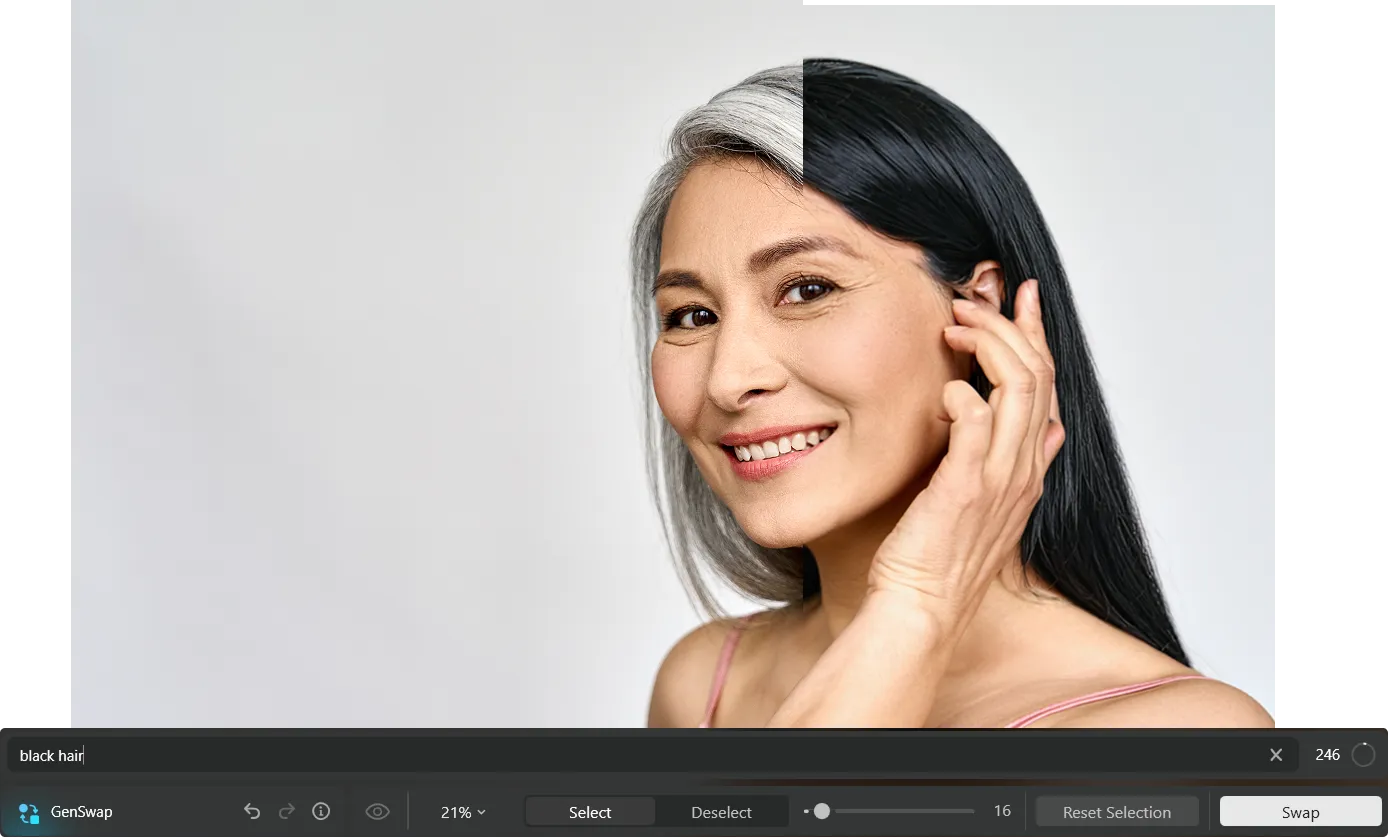
Find Your Perfect Shade with AI Change Hair Color
The hair color try on option lets you see yourself in multiple colors, making it easy to find a shade that fits your style.


Explore Bold Shades with a Hair Dye Picture Editor
From natural browns and blondes to daring reds and vibrant colors, you can change hair color virtually and see every detail precisely. The tool ensures smooth transitions, keeping edits subtle and subject-focused.
See Yourself in a New Hue: Try Hair Color Virtually in Luminar
With the virtual try-on feature, you can experiment confidently. Adjust intensity, refine coverage, and use the hair color filter to preview different hairstyles and lengths. This makes it easy to change hair color in photos for any look, from casual to dramatic.
Explore Other Features


.webp)










FAQ
How does the AI Hair Color Changer work?
How Many Different Hair Color Options Can I Explore When Using Luminar’s Virtual Try-on Feature?
Can I Adjust The Intensity Of My Hair Color Change In A Hair Dying Photo Editor?
Can I Virtually Try On Hair Color In Luminar For Both Short And Long Hairstyles?
Why Luminar is the best AI hair color editor?
Who can benefit from Luminar AI hair color changer?
- Portrait photographers: test different hair colors without reshooting
- Beauty and fashion photographers: explore new styling concepts for a shoot
- Content creators: create fresh looks for social media visuals
- Hair stylists: visualize color ideas before a real-life change
- Everyday users: experiment with a new hair color directly in a photo
