











Limited time offer

: :

Achieve effortlessly stunning landscapes

Enhance your photos to perfection with the powerful landscape tools of Luminar Neo.

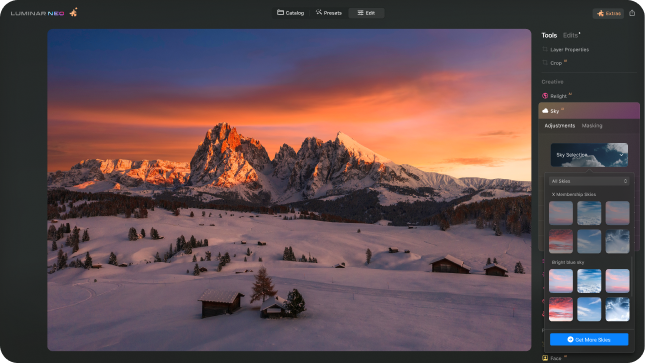
Your one-click solution to a dull sky

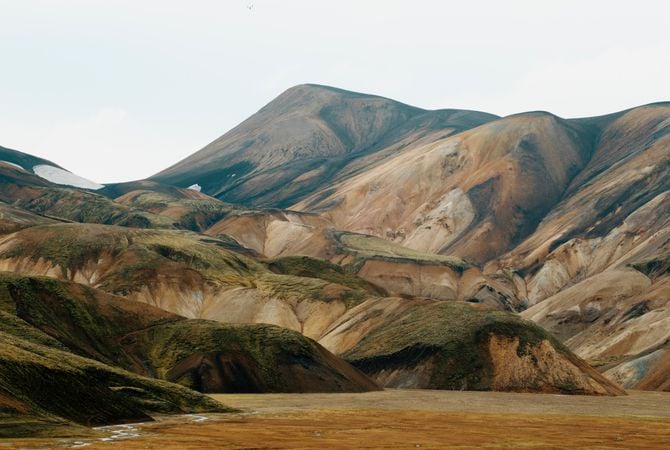
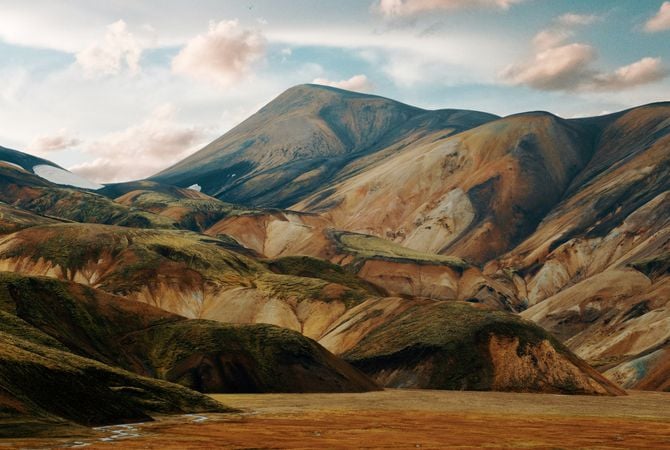
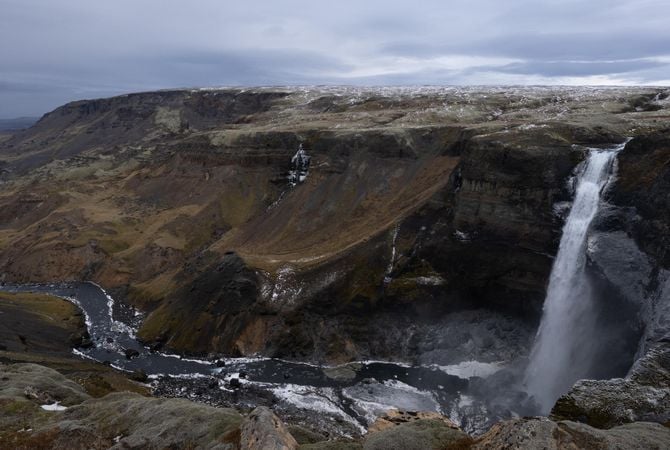
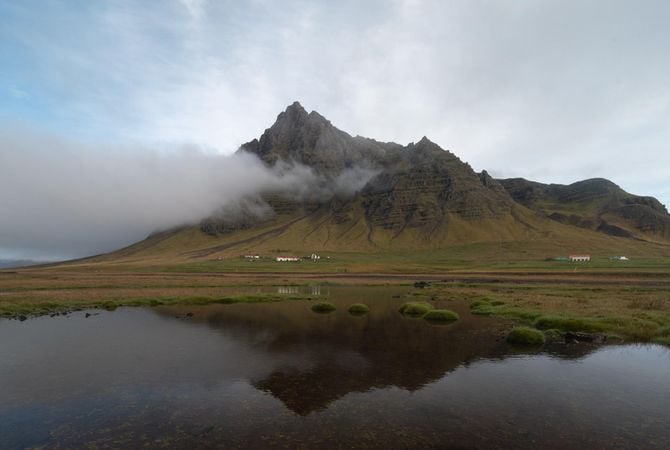
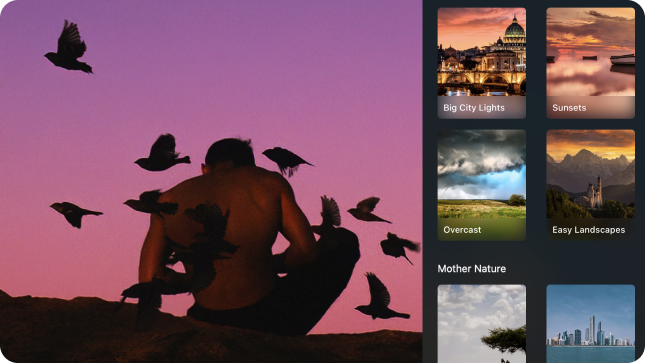
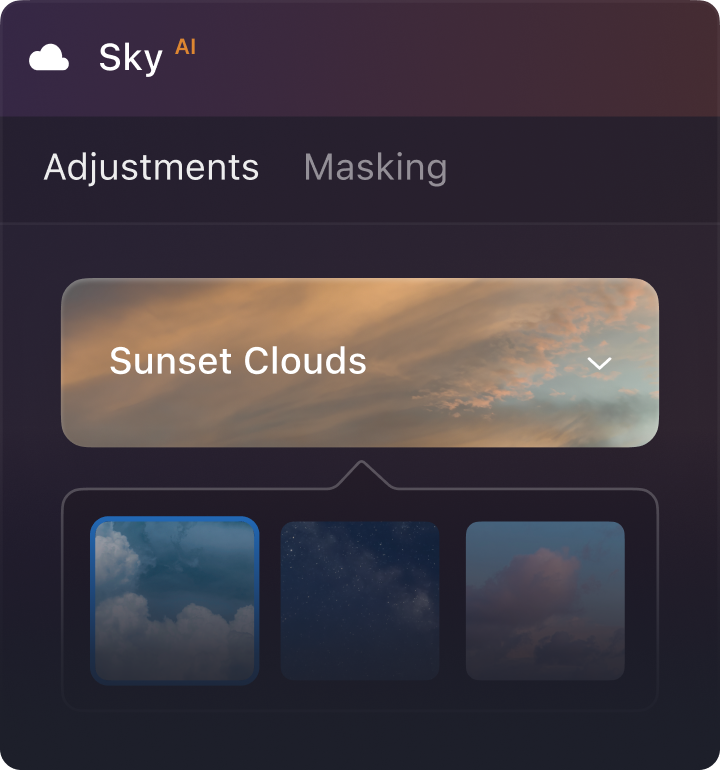
Choose from a collection of high-quality skies, and transform a plain sky into a breathtaking one with the power of AI, which also takes into account water reflections.

Buy Luminar | Skylum
Before After
© Cuma Cevik
Before After
© Cuma Cevik
Before After
© Cuma Cevik
Before After
© Jeong Kyu Kim
Before After
© kaetana
Before After
© Cuma Cevik
Before After
© Cuma Cevik
Before After
© Dima Sytnik
Before After
© Max Rive
Before After
© Jabi Sanz

A magic button for high-quality improvement

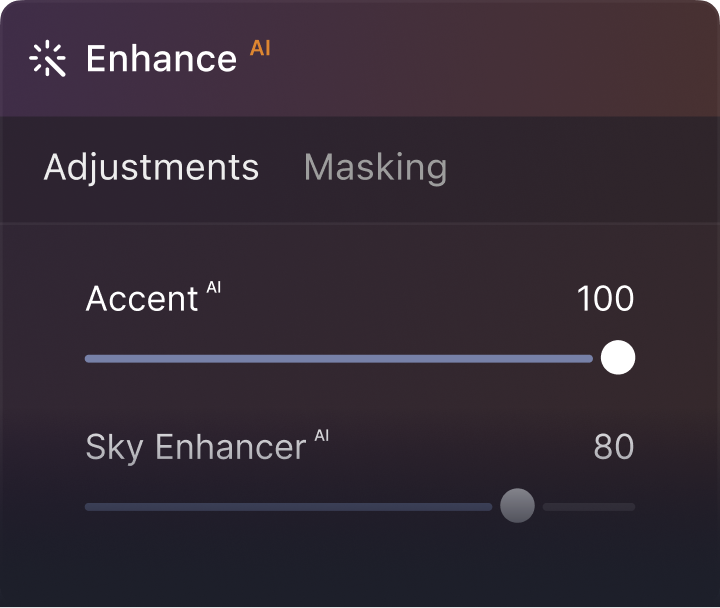
Discover a quick and effortless improvement for your landscapes. Adjust up to a dozen controls with just one slider in Enhance AI. Improve shadows, highlights, contrast, and more for naturally beautiful results.

Buy Luminar | Skylum(2)
Buy Luminar | Skylum(3)

An application & plugin. For macOS & Windows

Explore more Luminar Neo’s features

Expand your editing capabilities with features designed to create spectacular landscapes.

Fix underexposed photos

Add light to your photos with Relight AI, and get realistic results with full control over exposure.

Relight AI

Get rid of unnecessary details

AForget about the small details that ruin your photo. Erase creates a smarter sample texture that’s used for pixel replacement, giving you a natural-looking image with no signs of erasing.

Erase

Retain full control over contrast

Looking for precise tonal contrast? The six AI controls of Supercontrast allow for more definition in the highlights, midtones, and shadows for detailed images.

Supercontrast

Let the sunshine in

Control the position, warmth, and amount of the glow of sunshine rays for a subtle or more dramatic change in lighting.

Sunrays AI

Effortlessly add a unique atmospheric mood

Place fog, mist, or haze in your image using the content-aware masking of Atmosphere AI for maximum realism.

Atmosphere AI

Effortlessly add a unique atmospheric mood

Place fog, mist, or haze in your image using the content-aware masking of Atmosphere AI for maximum realism.

Golden Hour

Buy Luminar | Skylum(4) Buy Luminar | Skylum(5)
Buy Luminar | Skylum(6) Buy Luminar | Skylum(7)
Buy Luminar | Skylum(8) Buy Luminar | Skylum(9)
Buy Luminar | Skylum(10) Buy Luminar | Skylum(11)
Buy Luminar | Skylum(12) Buy Luminar | Skylum(13)
Buy Luminar | Skylum(14) Buy Luminar | Skylum(15)

Discover Luminar Neo’s capabilities

With support for raw files, exporting in all major file formats, layers, masking, and much more, photography editing software Luminar Neo meets all your editing needs.

Buy Luminar | Skylum(16)

AI image enhancement

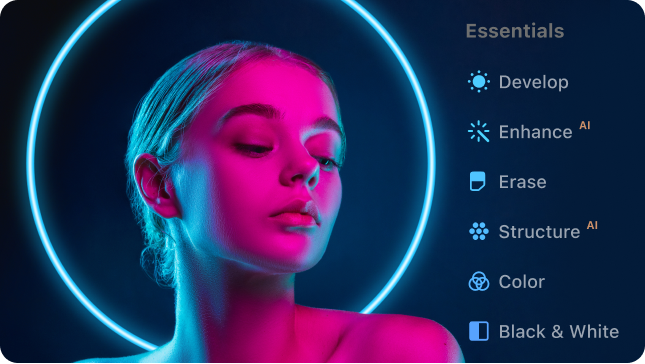
Artificial intelligence (AI) technology detects which areas of your photo should be enhanced. Just move one slider and watch as adjustments are accurately applied.
Buy Luminar | Skylum(17)

Clone tool

Replace unwanted or damaged pixels with pixels of your choosing from anywhere in your photo. Easily cover up damage or blemishes.
Buy Luminar | Skylum(18)

Raw editing

Luminar Neo supports over 1000 cameras. It works with JPEG, PNG, and TIFF files, many raw files (including CR2, CR3, NEF, ORF, and RAF), and even more file formats.
Buy Luminar | Skylum(19)

Dodge & burn

Take full control over the lighting in your photos. Regulate the amount of light in a particular area to draw attention to it.
Buy Luminar | Skylum(20)

Layers support

Use layers to combine multiple elements in one project. Layers can contain photos, textures, and adjustments.
Buy Luminar | Skylum(21)

Color enhancement

Use this tool for precise control over colors. Adjust brilliance, warmth, contrast, and balance in a matter of seconds.
Buy Luminar | Skylum(22)

Non-destructive editing

Your original image is always safe. Review and make changes to your edits whenever you like.
Buy Luminar | Skylum(23)

Crop and resize

Automatically adjust composition, crop, and perspective. Change the aspect ratio and effortlessly resize an image.
Buy Luminar | Skylum(24)

Lens correction

Remove any image flaw caused by optical distortions. Defringe, remove a vignette, or remove chromatic aberrations in one move.
Buy Luminar | Skylum(25)

Batch processing

Save time by applying the same adjustments to multiple photos using batch processing. Conveniently apply adjustments to a large set of images shot under similar conditions.

Plug into software that you already use

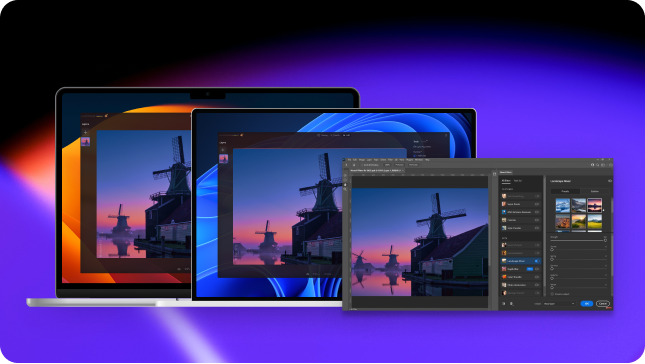
Get better image quality without changing your workflow. You can use Luminar Neo either as standalone software, or directly from most photo editors.

Adobe Photoshop® Plugin

Use it on Windows, macOs, or as a plugin for Photoshop & Lightroom.

Adobe Lightroom® Classic Plugin

Achieve quick pro-level results, and a consistent look across your photos.

Photos® for macOS Extension

Achieve quick pro-level results, and a consistent look across your photos.

Choose the plan that suits you best. Get free gifts with any plan!

Luminar Neo has flexible purchasing options. Subscribe or buy a license — your choice.

  • Always Up-to-date version
  • All Pro Extensions included
  • Activation on 2 computers
  • 10 Skies + 10 Presets

1 month

$ 7 $ 7

$ 7

per month

Billed monthly (Total $ 95 /year)

Buy now

Save $ 172

24 months

$ 4

$ 11

per month

Billed $ 119 every 2 years

Buy now

12 months

$ 99 $ 99

$ 8

per month

Billed $ 99 yearly

Buy now

4.8 on Trustpilot

based on 4000+ reviews about
Skylum Software

30 days money back guarantee

Full refund anytime within 30 days

Technical support

Instant response for technical problems

One-Time Purchase

Lifetime with Extensions

1 Perpetual license is yours forever

  • Luminar Neo Photo Editor
  • 1-Year Generative AI Access
$ 249 $ 499

$ 249

$ 499

One-time payment

Buy now
Buy Luminar | Skylum(26)
Buy Luminar | Skylum(27)

What are the system requirements for Luminar Neo?

Luminar Neo should work on your computer as long as it meets the following minimum system requirements.

For Mac:


  • MacBook, MacBook Air, MacBook Pro, iMac, iMac Pro, Mac Pro, Mac mini, early 2010 or newer
  • CPU Intel® Core™ i5 8gen or better, including the M1/2/3 chip.
  • Memory 8 GB RAM or more (16+ GB RAM is recommended)
  • macOS 12 or higher.
  • Hard disk 10 GB free space; SSD for best performance
  • Display 1280x768 size or better

For Windows:


  • Windows-based hardware PC with mouse or similar input device
  • CPU Intel® Core™ i5 8gen or better, AMD Ryzen™ 5 or better
    [Note: ARM processors installer for Luminar Neo can only be downloaded from the Microsoft Store.]
  • Open GL 3.3 or later compatible Graphics Cards
  • Memory 8 GB RAM or more (16+ GB RAM is recommended)
  • Operating System Windows 10 version 1909 or higher (only 64-bit OS).
  • Hard disk 10 GB free space; SSD for best performance
  • Display 1280x768 size or better

How to download and activate Luminar Neo?

Once you place the order, the installer should automatically download to your computer. Moreover, you'll be sent the activation instructions with the download links from the Skylum Team at the email address you provided during the purchase. For future use, the download links are always available in your Skylum account.


To activate the app, you have to sign in to your Skylum account within the app. No license key or activation code is required. When you start Luminar Neo, you’ll see a window that prompts you to log in to your Skylum account:

1. Enter your email address to find out if you already have an account.

  • In case you don't have an account yet, it will be created during the process. Make sure to use the same email you used when purchasing Luminar Neo.

2. Sign in with your email address (the one you used during the purchase) and the password for your Skylum account. 

  • If you created a Skylum using a linked third-party account, Google, Facebook, Microsoft, or Apple, click the relevant button.
  • If you don’t have an account yet and it is your first activation, you will be prompt to create the password

3. Congratulations! You’ve activated Luminar Neo.

*If you have a Skylum account but purchased Luminar Neo using an email address not tied to it, you can merge your accounts in the My Software > App isn’t showing? section of your Skylum account.

Still don’t see Luminar Neo in your account? Our support team will help you with that.

Which cameras are supported?

Luminar Neo RAW processing is based on our own powerful RAW engine. You can check the full list of supported cameras here.  Also, we regularly update our library and make our own improvements to provide excellent support for new cameras. 

Can I use Luminar Neo as a plug-in?

Luminar Neo is a universal solution that can function both as a standalone editor and a plug-in. 


Luminar Neo can be used as a plug-in or extension for:


  • Lightroom Classic (starting from version 6);
  • Photos for macOS.
  • Adobe Photoshop

Will all tools from Luminar Neo are available in the plugin mode?

You can learn more here on how to send an image from the host app to Luminar Neo.

What’s the difference between Luminar X Membership and the Luminar Neo Pro Subscription?

Luminar Neo’s Pro Subscription plans give you access to the Luminar Neo app, all updates or new versions, and the Generative tools (GenSwap, GenErase, GenExpand).  


Luminar X Membership is a paid subscription for those who already own or subscribe to Luminar and want to take their creativity to the next level. Luminar X members enjoy monthly delivery of creative assets, including Luminar Presets, LUTs, and Sky textures. 


Important: Luminar X Membership doesn't include the Luminar Neo app. 

What happens to my Luminar Neo if I cancel the subscription?

Canceling your subscription means you won’t be charged at the beginning of the next billing cycle. You’ll be able to keep using Luminar Neo for the duration of the paid period.


If you owned a lifetime license to Luminar Neo before subscribing, you will be able to use Luminar Neo  license after your subscription period ends. You will also not have access to possible future new versions of the Luminar app. However, some upgrades might require an extra charge. 

What is Luminar Neo?

Luminar Neo is an innovative image editor powered by AI technologies of the future that simplifies complex editing routines and enables creators to bring their boldest ideas to life. And enjoy it.


  • Get speed and flexibility in your editing with our brand-new core engine and layers workflow.
  • The new engine we built for Luminar Neo is based on all the best solutions from our combined and evolved experience for maximum performance and creativity and is developed for achieving complex creative results.
  • Adjust the light in your photo for creative control over the lighting in a scene. You can control the exposure of an image based on the distance from the lens to independently adjust the background and foreground exposure.
  • Automatically remove spots on your images caused by dust and dirt on your lens and sensor.
  • Clean up unwanted power lines from the skies in your cityscapes.
  • Experiment with infinite creative possibilities by effortlessly combining two or more images in a shot.

...And much more.


What languages are supported?

Luminar Neo is available in English, German, Spanish, French, Italian, Chinese Simplified and Traditional, Korean, Japanese, Portuguese, Dutch, Polish, Swedish, Norwegian, Danish, and  Ukrainian

© simon-berger
Buy Luminar | Skylum(29)
Buy Luminar | Skylum(30)
Before After
© simon-berger
Buy Luminar | Skylum(31)
Buy Luminar | Skylum(32)
Before After
© simon-berger
Buy Luminar | Skylum(33)
Buy Luminar | Skylum(34)
Before After
© simon-berger
Buy Luminar | Skylum(35)
Buy Luminar | Skylum(36)
Before After
© Cuma Cevik
Buy Luminar | Skylum(37)
Buy Luminar | Skylum(38)
Before After
Buy Luminar | Skylum(39)
Buy Luminar | Skylum(40)
Buy Luminar | Skylum(41)
Buy Luminar | Skylum(42)
Buy Luminar | Skylum(43)
Buy Luminar | Skylum(44) Made by Team Skylum

Soulful Panoramas

FREE

$ 99 .00

Description

Discover magnificent Skies by Ev Tchebotarev. All of these Skies contain a bit of artistic grain that is reminiscent of old film, adding a nostalgic and heartwarming atmosphere to your photos.Use these high-resolution Skies — which pack all the colors imaginable — in your landscapes, lifestyle photos, cityscapes, and anywhere you’d want to evoke a wow effect.

What you’ll find

• 10 magnificent Skies in JPEG format.

Related Product

Total: $ 00

You save $ 00

Buy Now

Total: $ 00

You save $ 00

Buy Now

Log in to validate special price

Verify your previous purchase of a Skylum product to buy Luminar with a loyalty discount.

© Serge Ramelli
Buy Luminar | Skylum(46)
Buy Luminar | Skylum(47)
© muha04
Buy Luminar | Skylum(48)
Buy Luminar | Skylum(49)
Buy Luminar | Skylum(50) >
Before After
© Ksusha Kazak
Buy Luminar | Skylum(51)
Buy Luminar | Skylum(52)
Buy Luminar | Skylum(53) >
Before After
© philipus
Buy Luminar | Skylum(54)
Buy Luminar | Skylum(55)
Buy Luminar | Skylum(56) >
Before After
© jon_chica
Buy Luminar | Skylum(57)
Buy Luminar | Skylum(58)
Buy Luminar | Skylum(59) >
Before After
© Ksusha Kazak
Buy Luminar | Skylum(60)
Buy Luminar | Skylum(61)
Buy Luminar | Skylum(62) >
Before After
© Cuma Çevik
Buy Luminar | Skylum(63)
Buy Luminar | Skylum(64)
Buy Luminar | Skylum(65) >
Before After
© Serge Ramelli
Buy Luminar | Skylum(66)
Buy Luminar | Skylum(67)
Buy Luminar | Skylum(68) >
Before After
Buy Luminar | Skylum(69)

Panorama Stitching

Buy Luminar | Skylum(70)

Background RemovalAІ

Buy Luminar | Skylum(71)

Focus Stacking

Buy Luminar | Skylum(72)

HDR Merge

Buy Luminar | Skylum(73)

UpscaleAI

Buy Luminar | Skylum(74)

SupersharpAI

Buy Luminar | Skylum(75)

NoiselessAI

Buy Luminar | Skylum(76)

Magic LightAI

Buy Luminar | Skylum(77)

Extensions Pack

8 pro-level Extensions for Luminar Neo to achieve outstanding results when editing your photos

Buy Luminar | Skylum(54)

HDR Merge

Available Now Buy Luminar | Skylum(79)
Highest quality bracket merging and spectacular color enhancement
Buy Luminar | Skylum(63)

NoiselessAI

Available Now Buy Luminar | Skylum(79)
AI-based noise removal and detail recovery with intelligent presets
Buy Luminar | Skylum(82)

Background Removаl AІ

Available Now Buy Luminar | Skylum(79)
an AI-powered tool that automatically removes the background behind any subject.

Buy Luminar | Skylum(57)

UpscaleAI

Available Now Buy Luminar | Skylum(79)
an AI-powered tool for enhancing image resolution in a natural way.

Buy Luminar | Skylum(51)

Focus Stacking

Available Now Buy Luminar | Skylum(79)
Stack up to 100 photos for crisp details and greater depth of field
Buy Luminar | Skylum(60)

SupersharpAI

Available Now Buy Luminar | Skylum(79)
Tackle motion blur and misfocus in your photos
Buy Luminar | Skylum(66)

Magic LightAI

Available Now Buy Luminar | Skylum(79)
Add a magic touch to your photos
Buy Luminar | Skylum(46)

Panorama Stitching

Available Now Buy Luminar | Skylum(79)
Stitch multiple photos or videos together and сreate stunning panoramas.

Total: $ 00

You save $ 00

Buy Now

Total: $ 00

You save $ 00

Buy Now
Buy Luminar | Skylum(94)
Buy Luminar | Skylum(95)
Buy Luminar | Skylum(96)
Buy Luminar | Skylum(97)
Buy Luminar | Skylum(98)
Buy Luminar | Skylum(99)
Buy Luminar | Skylum(100)
Buy Luminar | Skylum(101)

From drone zero to drone hero: 37 drone tips to get you flying like a filmmaker

Available in English

Contents

• 10 things i wish we knew on day one • 5 steps to drone cinematography greatness • 8 signs you’re a beginner drone pilot • 14 ways to not crash your drone

Related Product

Total: $ 00

You save $ 00

Buy Now

Total: $ 00

You save $ 00

Buy Now
Buy Luminar | Skylum(102)
Buy Luminar | Skylum(103)
Buy Luminar | Skylum(104)
Buy Luminar | Skylum(105)
Buy Luminar | Skylum(106)
Buy Luminar | Skylum(107)
Buy Luminar | Skylum(108)
Buy Luminar | Skylum(109)

Saal Digital: High-quality photo products

Professional photo lab with great enthusiasm for photography.

$ 69 .00

About the offer

• 20 USD, 20 GBP or 20 EUR discount on any product, except gift vouchers, with no minimum order value and shipping costs included. • Not combinable with other coupons or promotions. • Redeemable once per customer and household. • Valid until September 30, 2023.

Related Product

Total: $ 00

You save $ 00

Buy Now

Total: $ 00

You save $ 00

Buy Now
© zoteva87
Buy Luminar | Skylum(111)
Buy Luminar | Skylum(112)
Before After
© mimagephotos
Buy Luminar | Skylum(113)
Buy Luminar | Skylum(114)
Before After
© YuliyaKirayonakBO
Buy Luminar | Skylum(115)
Buy Luminar | Skylum(116)
Before After
© AntonShevBO
Buy Luminar | Skylum(117)
Buy Luminar | Skylum(118)
Before After
© jozzeppe
Buy Luminar | Skylum(119)
Buy Luminar | Skylum(120)
Before After
Buy Luminar | Skylum(121)
Buy Luminar | Skylum(122)
Buy Luminar | Skylum(123)
Buy Luminar | Skylum(124)
Buy Luminar | Skylum(125)
Buy Luminar | Skylum(44) Made by Team Skylum

Summer Portrait

FREE

$ 99 .00

Description

Bring out the unique feeling of summer in photos of your loved ones. With the help of these 10 Templates, you can recreate the carefree feeling of the warmest season and make your summer portraits shine.


Related Product

Total: $ 00

You save $ 00

Buy Now

Total: $ 00

You save $ 00

Buy Now
© alebloshka
Buy Luminar | Skylum(127)
Buy Luminar | Skylum(128)
Before After
© Yoska87
Buy Luminar | Skylum(129)
Buy Luminar | Skylum(130)
Before After
© Zoonar
Buy Luminar | Skylum(131)
Buy Luminar | Skylum(132)
Before After
© Imaginechina-Tuchong
Buy Luminar | Skylum(133)
Buy Luminar | Skylum(134)
Before After
© maabgaroth.gmail.com
Buy Luminar | Skylum(135)
Buy Luminar | Skylum(136)
Before After
Buy Luminar | Skylum(137)
Buy Luminar | Skylum(138)
Buy Luminar | Skylum(139)
Buy Luminar | Skylum(140)
Buy Luminar | Skylum(141)
Buy Luminar | Skylum(44) Made by Team Skylum

Summer Skies

FREE

$ 99 .00

Description

Who doesn’t like a relaxing summer photo? Make your vacation photos stand out thanks to breathtaking skies and wonderful toning with these 10 soulful Templates by the Skylum Team.

Related Product

Total: $ 00

You save $ 00

Buy Now

Total: $ 00

You save $ 00

Buy Now
© Albert Dros
Buy Luminar | Skylum(143)
Buy Luminar | Skylum(144)
Before After
© Albert Dros
Buy Luminar | Skylum(145)
Buy Luminar | Skylum(146)
Before After
© Albert Dros
Buy Luminar | Skylum(147)
Buy Luminar | Skylum(148)
Before After
© Albert Dros
Buy Luminar | Skylum(149)
Buy Luminar | Skylum(150)
Before After
© Albert Dros
Buy Luminar | Skylum(151)
Buy Luminar | Skylum(152)
Before After
Buy Luminar | Skylum(153)
Buy Luminar | Skylum(154)
Buy Luminar | Skylum(155)
Buy Luminar | Skylum(156)
Buy Luminar | Skylum(157)
Buy Luminar | Skylum(44) Made by Team Skylum

Creative Photo Editing Techniques in Luminar Neo

FREE

$ 99 .00

Description

With the course, you’ll receive a free pack of 12 Presets by Albert Dros to create mesmerizing images! Boost your skills, starting today.

What you’ll find

In these ten videos, Albert will tell you all about what makes or breaks a photo.

Related Product

Total: $ 00

You save $ 00

Buy Now

Total: $ 00

You save $ 00

Buy Now
Buy Luminar | Skylum(159)
Buy Luminar | Skylum(160)
Buy Luminar | Skylum(161)
Buy Luminar | Skylum(162)
Buy Luminar | Skylum(163)
Buy Luminar | Skylum(164)
Buy Luminar | Skylum(165)
Buy Luminar | Skylum(166)

Slickpic: Cutting-edge gallery and a pro portfolio website

A guarantee of top-notch photo quality, industry-leading privacy and security, client proofing, mobile-friendly sites & more.

$ 69 .00

About the offer

• Your unique SlickPic code gives you a generous 33% off of our best-selling Portfolio plan. Normally priced at $154 annually, your Skylum discount brings the price down to just $99.95 for the first year, a savings of $55. • Valid until December 31, 2023.

Related Product

Total: $ 00

You save $ 00

Buy Now

Total: $ 00

You save $ 00

Buy Now

Login to validate
special price

Verify your previous purchase of a Skylum product to buy Luminar Neo with a loyalty discount.

Buy Luminar | Skylum(169)

2023/24
Creative Journey Pass

Features expansion package Time-limited upgrade

Generative Al features

Gen Erase, Gen Expand, Gen Swap

Access until January 1st, 2025

Platform features upgrade

Studio Light, Neon&Glow, Water Enhancer

Unlimited access forever

All updates and new features

Unlimited access forever (released before January 1st, 2025)

6 reasons why Luminar Neo is the best photo editor for you

Buy Luminar | Skylum(170)

Easy to use

Accessible to everyone thanks to an intuitive and user-friendly interface.

Buy Luminar | Skylum(171)

AI-powered

Replace skies, enhance landscapes and portraits, all with AI-powered tools.

Buy Luminar | Skylum(172)

Editing tools

Enjoy a wide range of instruments including layers, masking, and local adjustments.

Buy Luminar | Skylum(173)

Available everywhere

Use it on Windows, macOs, or as a plugin for Photoshop & Lightroom.

Buy Luminar | Skylum(174)

Multiform presets

Achieve quick pro-level results, and a consistent look across your photos.

Buy Luminar | Skylum(175)

Continuous improvement

Receive regular release of updates and new features.

Frequently Asked Questions

What is Luminar Neo?

Luminar Neo is easy-to-use photo editing software that empowers photography lovers to express the beauty they imagined using innovative AI-driven tools.

We’ve built Luminar Neo from the ground up to be different from previous Luminar editors. It keeps your favorite LuminarAI tools and expands your arsenal with more state-of-the-art technologies and important changes at its core. Meanwhile, the recognizable Luminar design is retained, making Neo simple to use and fun to explore.

What’s new in Luminar Neo?

Luminar Neo is a giant leap forward to more innovative, AI-based editing.

What differentiates Luminar Neo from all previous versions of Luminar is its modular engine. Modules help to evenly distribute the load for faster image processing. This allows you to apply lots of different tools to an image without significant performance losses and save all edits automatically.

In Luminar Neo, you can find powerful new tools to help fix things in post as fast as possible – and save every moment at its best. What can Luminar Neo help you with? Automatically remove dust spots and power lines, mask objects, and relight the scene; add as many layers as needed to fulfill your complex ideas; plus, use blending and masking modes, make collages, add double exposure effects, and do more on all layers.

The brand-new Luminar Share mobile app for iOS and Android allows you to quickly and seamlessly transfer images from your phone to your computer.

How do I get Luminar Neo?

You can buy Luminar Neo on this page (look for the Buy now button). Luminar Neo is available for macOS and Windows as an application and plug-in. View subscription and one-time purchase options.

How many devices can I use Luminar Neo on?

The number of devices is stated on the checkout page. Usually, we offer licenses for 1 or 2 devices (“seats”).

Two seats allows you to install and activate Luminar Neo on two devices at once, regardless of their operating system. For example, you can use one seat to activate Luminar Neo on a Mac and the other one to activate Luminar Neo on a Windows computer, or you can use both seats for your Windows or macOS computers. Any combination works!

Moreover, you can always manage your activations in your Skylum Account. You are able to add even more seats in your Skylum Account if you have multiple computers or want to share your license with people who need access.

Are you changing computers or upgrading your device? You can reset a license from your old machine at no cost and activate that license on your new device. Just log in to your Skylum account to reset activations for Luminar Neo.

Do you offer educational and military discounts?

Educational and military discounts are available starting from the official release date and are calculated from the regular sale price.

To secure the special price, click here. If you own a previous version of Luminar or Aurora HDR, we also provide a loyalty discount. Click here to redeem it.

Buy Luminar | Skylum(176)